<?xml version="1.0" encoding="utf-8"?><feed xmlns="http://www.w3.org/2005/Atom" xml:lang="en"><generator uri="https://jekyllrb.com/" version="4.4.1">Jekyll</generator><link href="https://loomcollective.github.io/feed.xml" rel="self" type="application/atom+xml" /><link href="https://loomcollective.github.io/" rel="alternate" type="text/html" hreflang="en" /><updated>2026-03-19T03:24:37+00:00</updated><id>https://loomcollective.github.io/feed.xml</id><title type="html">Loom</title><subtitle>Clean typography, dark mode, computational essays.</subtitle><author><name>paul-hobson</name></author><entry><title type="html">Documenting Fieldwork: Photos, Video, and Embedded Media</title><link href="https://loomcollective.github.io/documenting-fieldwork-media-and-embeds/" rel="alternate" type="text/html" title="Documenting Fieldwork: Photos, Video, and Embedded Media" /><published>2026-03-05T00:00:00+00:00</published><updated>2026-02-25T16:22:33+00:00</updated><id>https://loomcollective.github.io/documenting-fieldwork-media-and-embeds</id><content type="html" xml:base="https://loomcollective.github.io/documenting-fieldwork-media-and-embeds/"><![CDATA[<p>Field science generates a lot of media: photographs from the ablation zone, video of calving events, timelapse sequences, and drone footage. This post documents how to embed all of it in a Loom post, and covers the four callout block types along the way.</p>

<h2 id="photo-galleries">Photo galleries</h2>

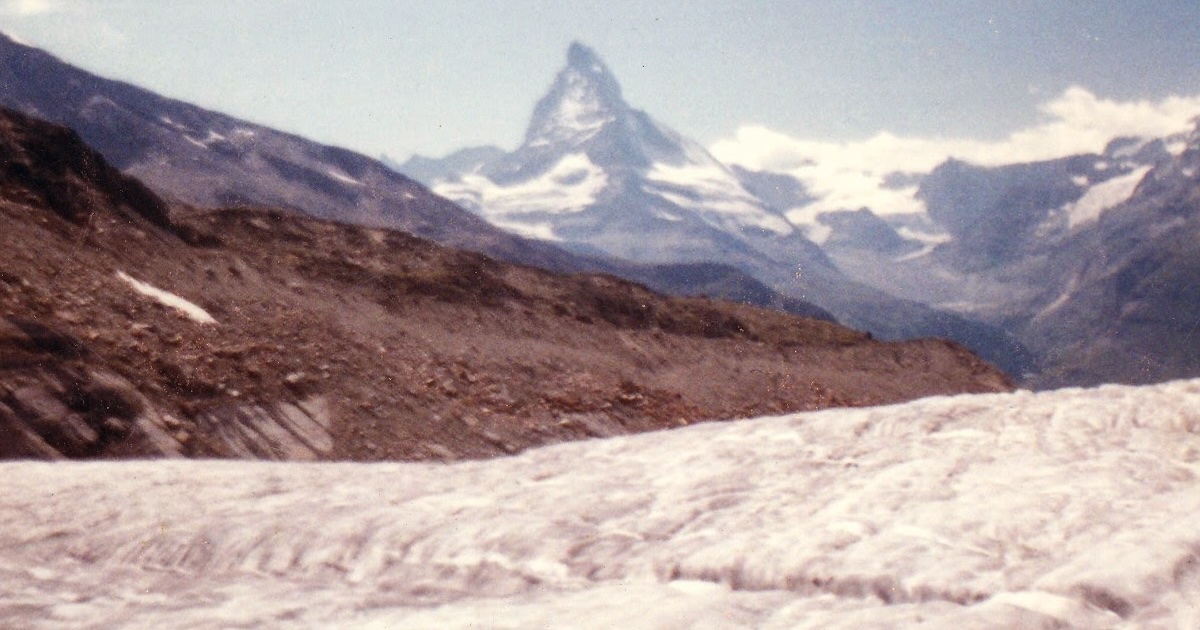
<p>Use the <code class="language-plaintext highlighter-rouge">gallery</code> include with an array of images in front matter. Each image takes a <code class="language-plaintext highlighter-rouge">src</code> path, an <code class="language-plaintext highlighter-rouge">alt</code> description (required for accessibility), and an optional <code class="language-plaintext highlighter-rouge">caption</code> shown in the lightbox.</p>

<div class="language-yaml highlighter-rouge"><div class="highlight"><pre class="highlight"><code><span class="na">gallery</span><span class="pi">:</span>
  <span class="pi">-</span> <span class="na">src</span><span class="pi">:</span> <span class="s">/assets/images/matterhorn.jpg</span>
    <span class="na">alt</span><span class="pi">:</span> <span class="s2">"</span><span class="s">Matterhorn</span><span class="nv"> </span><span class="s">from</span><span class="nv"> </span><span class="s">Gornergrat"</span>
    <span class="na">caption</span><span class="pi">:</span> <span class="s2">"</span><span class="s">Gornergrat,</span><span class="nv"> </span><span class="s">3089</span><span class="nv"> </span><span class="s">m.</span><span class="nv"> </span><span class="s">September</span><span class="nv"> </span><span class="s">2019."</span>
  <span class="pi">-</span> <span class="na">src</span><span class="pi">:</span> <span class="s">/assets/images/matterhorn.jpg</span>
    <span class="na">alt</span><span class="pi">:</span> <span class="s2">"</span><span class="s">Gorner</span><span class="nv"> </span><span class="s">Glacier</span><span class="nv"> </span><span class="s">confluence"</span>
    <span class="na">caption</span><span class="pi">:</span> <span class="s2">"</span><span class="s">The</span><span class="nv"> </span><span class="s">confluence</span><span class="nv"> </span><span class="s">of</span><span class="nv"> </span><span class="s">the</span><span class="nv"> </span><span class="s">Gorner</span><span class="nv"> </span><span class="s">and</span><span class="nv"> </span><span class="s">Grenzgletscher."</span>
</code></pre></div></div>

<p>Then in the post body:</p>

<div class="language-liquid highlighter-rouge"><div class="highlight"><pre class="highlight"><code><span class="cp">{%</span><span class="w"> </span><span class="nt">include</span><span class="w"> </span>gallery.html<span class="w"> </span><span class="cp">%}</span>
</code></pre></div></div>

<p>The result is a three-column responsive grid. Click any image to open the lightbox. Navigate with the arrow keys or on-screen buttons; close with <code class="language-plaintext highlighter-rouge">Esc</code>.</p>

<div
  class="gallery"
  x-data="gallery()"
  x-init='images = [{"src":"/assets/images/matterhorn.jpg","alt":"Matterhorn from Gornergrat, 3089 m","caption":"Matterhorn from Gornergrat station. The Gorner Glacier fills the valley below."},{"src":"/assets/images/matterhorn.jpg","alt":"Gorner Glacier confluence zone","caption":"Confluence of the Gorner and Grenzgletscher, showing medial moraine."},{"src":"/assets/images/matterhorn.jpg","alt":"Ablation zone surface detail","caption":"Surface channels and cryoconite holes in the ablation zone."},{"src":"/assets/images/matterhorn.jpg","alt":"Terminal moraine and proglacial lake","caption":"The proglacial lake at the Gorner terminus, expanding since the 1980s."}]'
>

  <!-- Grid -->
  
  <button
    class="gallery-item"
    @click="show(0)"
    aria-label="View photo : Matterhorn from Gornergrat, 3089 m"
    type="button"
  >
    <img
      src="/assets/images/matterhorn.jpg"
      alt="Matterhorn from Gornergrat, 3089 m"
      loading="lazy"
    >
  </button>
  
  <button
    class="gallery-item"
    @click="show(1)"
    aria-label="View photo : Gorner Glacier confluence zone"
    type="button"
  >
    <img
      src="/assets/images/matterhorn.jpg"
      alt="Gorner Glacier confluence zone"
      loading="lazy"
    >
  </button>
  
  <button
    class="gallery-item"
    @click="show(2)"
    aria-label="View photo : Ablation zone surface detail"
    type="button"
  >
    <img
      src="/assets/images/matterhorn.jpg"
      alt="Ablation zone surface detail"
      loading="lazy"
    >
  </button>
  
  <button
    class="gallery-item"
    @click="show(3)"
    aria-label="View photo : Terminal moraine and proglacial lake"
    type="button"
  >
    <img
      src="/assets/images/matterhorn.jpg"
      alt="Terminal moraine and proglacial lake"
      loading="lazy"
    >
  </button>
  

  <!-- Lightbox -->
  <div
    class="gallery-lightbox"
    x-show="active"
    x-transition:enter="gallery-lb-enter"
    x-transition:enter-start="gallery-lb-enter-start"
    x-transition:enter-end="gallery-lb-enter-end"
    x-transition:leave="gallery-lb-leave"
    x-transition:leave-start="gallery-lb-leave-start"
    x-transition:leave-end="gallery-lb-leave-end"
    @click.self="hide()"
    role="dialog"
    aria-modal="true"
    :aria-label="images[idx]?.alt || 'Photo lightbox'"
    style="display:none;"
  >
    <button class="gallery-lb-close" @click="hide()" aria-label="Close" x-ref="close" type="button">
      <svg xmlns="http://www.w3.org/2000/svg" width="20" height="20" viewBox="0 0 24 24" fill="none" stroke="currentColor" stroke-width="2" stroke-linecap="round" stroke-linejoin="round" aria-hidden="true">
        <line x1="18" y1="6" x2="6" y2="18"/><line x1="6" y1="6" x2="18" y2="18"/>
      </svg>
    </button>

    <button class="gallery-lb-nav gallery-lb-prev" @click="prev()" x-show="idx > 0" aria-label="Previous photo" type="button">
      <svg xmlns="http://www.w3.org/2000/svg" width="24" height="24" viewBox="0 0 24 24" fill="none" stroke="currentColor" stroke-width="2" stroke-linecap="round" stroke-linejoin="round" aria-hidden="true">
        <polyline points="15 18 9 12 15 6"/>
      </svg>
    </button>

    <figure class="gallery-lb-figure">
      <img
        class="gallery-lb-img"
        :src="images[idx]?.src"
        :alt="images[idx]?.alt || ''"
      >
      <figcaption
        class="gallery-lb-caption"
        x-show="images[idx]?.caption"
        x-text="images[idx]?.caption"
      ></figcaption>
    </figure>

    <button class="gallery-lb-nav gallery-lb-next" @click="next()" x-show="idx < images.length - 1" aria-label="Next photo" type="button">
      <svg xmlns="http://www.w3.org/2000/svg" width="24" height="24" viewBox="0 0 24 24" fill="none" stroke="currentColor" stroke-width="2" stroke-linecap="round" stroke-linejoin="round" aria-hidden="true">
        <polyline points="9 18 15 12 9 6"/>
      </svg>
    </button>

    <div class="gallery-lb-counter" aria-live="polite">
      <span x-text="idx + 1"></span> / <span x-text="images.length"></span>
    </div>

  </div><!-- /.gallery-lightbox -->

</div><!-- /.gallery -->

<div class="callout callout-note">
  <span class="callout-icon">💡</span>
  <div class="callout-body">
    <p><strong>Image sizing:</strong> Thumbnails are cropped to a 4:3 aspect ratio using <code>object-fit: cover</code>. The lightbox shows images at their natural size, constrained to the viewport. A good target is 1600 × 1200 px for lightbox quality.</p>
  </div>
</div>

<h2 id="photo-carousels">Photo carousels</h2>

<p>When you want to show a sequence of images one at a time rather than a grid, use the <code class="language-plaintext highlighter-rouge">carousel</code> include. The format is identical to the gallery.</p>

<div class="language-liquid highlighter-rouge"><div class="highlight"><pre class="highlight"><code><span class="cp">{%</span><span class="w"> </span><span class="nt">include</span><span class="w"> </span>carousel.html<span class="w"> </span><span class="cp">%}</span>
</code></pre></div></div>

<p>Or pass an explicit array:</p>

<div class="language-liquid highlighter-rouge"><div class="highlight"><pre class="highlight"><code><span class="cp">{%</span><span class="w"> </span><span class="nt">include</span><span class="w"> </span>carousel.html<span class="w"> </span><span class="na">images</span><span class="o">=</span><span class="nv">page</span><span class="p">.</span><span class="nv">demo_carousel</span><span class="w"> </span><span class="cp">%}</span>
</code></pre></div></div>

<div
  class="carousel"
  x-data="carousel()"
  x-init='images = [{"src":"/assets/images/matterhorn.jpg","alt":"Matterhorn from Gornergrat, 3089 m","caption":"Matterhorn from Gornergrat station. The Gorner Glacier fills the valley below."},{"src":"/assets/images/matterhorn.jpg","alt":"Gorner Glacier confluence zone","caption":"Confluence of the Gorner and Grenzgletscher, showing medial moraine."},{"src":"/assets/images/matterhorn.jpg","alt":"Ablation zone surface detail","caption":"Surface channels and cryoconite holes in the ablation zone."},{"src":"/assets/images/matterhorn.jpg","alt":"Terminal moraine and proglacial lake","caption":"The proglacial lake at the Gorner terminus, expanding since the 1980s."}]'
>

  <div class="carousel-viewport">
    <div
      class="carousel-track"
      :style="'transform: translateX(-' + (idx * 100) + '%)'"
    >
      
      <div class="carousel-slide">
        <img
          src="/assets/images/matterhorn.jpg"
          alt="Matterhorn from Gornergrat, 3089 m"
          loading="eager"
        >
        
        <p class="carousel-caption">Matterhorn from Gornergrat station. The Gorner Glacier fills the valley below.</p>
        
      </div>
      
      <div class="carousel-slide">
        <img
          src="/assets/images/matterhorn.jpg"
          alt="Gorner Glacier confluence zone"
          loading="lazy"
        >
        
        <p class="carousel-caption">Confluence of the Gorner and Grenzgletscher, showing medial moraine.</p>
        
      </div>
      
      <div class="carousel-slide">
        <img
          src="/assets/images/matterhorn.jpg"
          alt="Ablation zone surface detail"
          loading="lazy"
        >
        
        <p class="carousel-caption">Surface channels and cryoconite holes in the ablation zone.</p>
        
      </div>
      
      <div class="carousel-slide">
        <img
          src="/assets/images/matterhorn.jpg"
          alt="Terminal moraine and proglacial lake"
          loading="lazy"
        >
        
        <p class="carousel-caption">The proglacial lake at the Gorner terminus, expanding since the 1980s.</p>
        
      </div>
      
    </div>
  </div>


  <button
    class="carousel-btn carousel-btn-prev"
    @click="prev()"
    x-show="idx > 0"
    aria-label="Previous image"
    type="button"
  >
    <svg xmlns="http://www.w3.org/2000/svg" width="20" height="20" viewBox="0 0 24 24" fill="none" stroke="currentColor" stroke-width="2" stroke-linecap="round" stroke-linejoin="round" aria-hidden="true">
      <polyline points="15 18 9 12 15 6"/>
    </svg>
  </button>

  <button
    class="carousel-btn carousel-btn-next"
    @click="next()"
    x-show="idx < images.length - 1"
    aria-label="Next image"
    type="button"
  >
    <svg xmlns="http://www.w3.org/2000/svg" width="20" height="20" viewBox="0 0 24 24" fill="none" stroke="currentColor" stroke-width="2" stroke-linecap="round" stroke-linejoin="round" aria-hidden="true">
      <polyline points="9 18 15 12 9 6"/>
    </svg>
  </button>

  <div class="carousel-dots" role="tablist" aria-label="Carousel navigation">
    
    <button
      class="carousel-dot"
      :class="idx === 0 ? 'carousel-dot-active' : ''"
      @click="goTo(0)"
      role="tab"
      :aria-selected="idx === 0"
      :aria-label="'Image ' + 1 + ' of ' + images.length"
      type="button"
    ></button>
    
    <button
      class="carousel-dot"
      :class="idx === 1 ? 'carousel-dot-active' : ''"
      @click="goTo(1)"
      role="tab"
      :aria-selected="idx === 1"
      :aria-label="'Image ' + 2 + ' of ' + images.length"
      type="button"
    ></button>
    
    <button
      class="carousel-dot"
      :class="idx === 2 ? 'carousel-dot-active' : ''"
      @click="goTo(2)"
      role="tab"
      :aria-selected="idx === 2"
      :aria-label="'Image ' + 3 + ' of ' + images.length"
      type="button"
    ></button>
    
    <button
      class="carousel-dot"
      :class="idx === 3 ? 'carousel-dot-active' : ''"
      @click="goTo(3)"
      role="tab"
      :aria-selected="idx === 3"
      :aria-label="'Image ' + 4 + ' of ' + images.length"
      type="button"
    ></button>
    
  </div>


</div>

<p>Navigate with the on-screen prev/next buttons or the dot indicators below the image. The carousel does not open a lightbox — it is designed for curated sequential storytelling rather than a browsable collection. Use a gallery when readers need to scan all images at once; use a carousel when order and pacing matter.</p>

<h2 id="native-video">Native video</h2>

<p>Self-hosted video files use the <code class="language-plaintext highlighter-rouge">video</code> include. The player is a styled native HTML5 <code class="language-plaintext highlighter-rouge">&lt;video&gt;</code> element — no third-party player required.</p>

<div class="language-liquid highlighter-rouge"><div class="highlight"><pre class="highlight"><code><span class="cp">{%</span><span class="w"> </span><span class="nt">include</span><span class="w"> </span>video.html<span class="w">
   </span><span class="na">src</span><span class="o">=</span><span class="s2">"/assets/video/gorner-timelapse.mp4"</span><span class="w">
   </span><span class="na">poster</span><span class="o">=</span><span class="s2">"/assets/images/gorner-poster.jpg"</span><span class="w">
   </span><span class="na">caption</span><span class="o">=</span><span class="s2">"Gorner Glacier timelapse, summer 2019. 48 frames over 6 weeks."</span><span class="w"> </span><span class="cp">%}</span>
</code></pre></div></div>

<div class="callout callout-warning">
  <span class="callout-icon">⚠️</span>
  <div class="callout-body">
    <p><strong>File size:</strong> Video files can be large. Compress to H.264 at 1080p before committing. A 60-second timelapse should compress to under 10 MB. For longer videos, use YouTube or Vimeo instead and embed with the <code>embed</code> include below.</p>
  </div>
</div>

<h3 id="parameters">Parameters</h3>

<table>
  <thead>
    <tr>
      <th>Parameter</th>
      <th>Required</th>
      <th>Description</th>
    </tr>
  </thead>
  <tbody>
    <tr>
      <td><code class="language-plaintext highlighter-rouge">src</code></td>
      <td>Yes</td>
      <td>Path to the <code class="language-plaintext highlighter-rouge">.mp4</code> file</td>
    </tr>
    <tr>
      <td><code class="language-plaintext highlighter-rouge">poster</code></td>
      <td>No</td>
      <td>Thumbnail shown before playback</td>
    </tr>
    <tr>
      <td><code class="language-plaintext highlighter-rouge">caption</code></td>
      <td>No</td>
      <td>Caption below the player</td>
    </tr>
    <tr>
      <td><code class="language-plaintext highlighter-rouge">loop</code></td>
      <td>No</td>
      <td>Repeat continuously (<code class="language-plaintext highlighter-rouge">loop="true"</code>)</td>
    </tr>
    <tr>
      <td><code class="language-plaintext highlighter-rouge">autoplay</code></td>
      <td>No</td>
      <td>Start immediately — forces mute</td>
    </tr>
  </tbody>
</table>

<h2 id="youtube-and-vimeo-embeds">YouTube and Vimeo embeds</h2>

<p>The <code class="language-plaintext highlighter-rouge">embed</code> include wraps any YouTube or Vimeo URL in a responsive 16:9 container. YouTube URLs are automatically rewritten to <code class="language-plaintext highlighter-rouge">youtube-nocookie.com</code>.</p>

<div class="language-liquid highlighter-rouge"><div class="highlight"><pre class="highlight"><code><span class="cp">{%</span><span class="w"> </span><span class="nt">include</span><span class="w"> </span>embed.html<span class="w">
   </span><span class="na">url</span><span class="o">=</span><span class="s2">"https://www.youtube.com/embed/x1SgmFa0r04?si=mCkXoLDafmHUzAMk"</span><span class="w">
   </span><span class="na">caption</span><span class="o">=</span><span class="s2">"NASA Scientific Visualization: a year of Earth's CO₂ flux."</span><span class="w"> </span><span class="cp">%}</span>
</code></pre></div></div>

<div class="video-embed">
  <div class="video-embed-wrap">
    <iframe src="https://www.youtube-nocookie.com/embed/https://www.youtube.com/embed/x1SgmFa0r04" title="Video embed" allow="accelerometer; autoplay; clipboard-write; encrypted-media; gyroscope; picture-in-picture; web-share" allowfullscreen="" loading="lazy"></iframe>
  </div>
  <p class="video-caption">NASA Scientific Visualization Studio: a year of Earth's CO₂ flux. Public domain.</p>
</div>

<p>Vimeo works identically:</p>

<div class="language-liquid highlighter-rouge"><div class="highlight"><pre class="highlight"><code><span class="cp">{%</span><span class="w"> </span><span class="nt">include</span><span class="w"> </span>embed.html<span class="w"> </span><span class="na">url</span><span class="o">=</span><span class="s2">"https://vimeo.com/123456789"</span><span class="w"> </span><span class="na">caption</span><span class="o">=</span><span class="s2">"Caption"</span><span class="w"> </span><span class="cp">%}</span>
</code></pre></div></div>

<div class="callout callout-definition">
  <span class="callout-icon">📖</span>
  <div class="callout-body">
    <p><strong>Privacy mode:</strong> YouTube embeds use <code>youtube-nocookie.com</code> rather than <code>youtube.com</code>. No cookies are set on the visitor's browser until they press play — an important distinction under ePrivacy rules.</p>
  </div>
</div>

<h2 id="callout-blocks">Callout blocks</h2>

<p>Loom has four callout variants for drawing attention to different types of information.</p>

<p><strong>Note</strong> — tips, clarifications, supplementary context:</p>

<div class="language-html highlighter-rouge"><div class="highlight"><pre class="highlight"><code><span class="nt">&lt;div</span> <span class="na">class=</span><span class="s">"callout callout-note"</span><span class="nt">&gt;</span>
  <span class="nt">&lt;span</span> <span class="na">class=</span><span class="s">"callout-icon"</span><span class="nt">&gt;</span>💡<span class="nt">&lt;/span&gt;</span>
  <span class="nt">&lt;div</span> <span class="na">class=</span><span class="s">"callout-body"</span><span class="nt">&gt;</span>
    <span class="nt">&lt;p&gt;</span>Your note content here.<span class="nt">&lt;/p&gt;</span>
  <span class="nt">&lt;/div&gt;</span>
<span class="nt">&lt;/div&gt;</span>
</code></pre></div></div>

<p><strong>Warning</strong> — things that can go wrong, caveats, destructive actions:</p>

<div class="language-html highlighter-rouge"><div class="highlight"><pre class="highlight"><code><span class="nt">&lt;div</span> <span class="na">class=</span><span class="s">"callout callout-warning"</span><span class="nt">&gt;</span>
  <span class="nt">&lt;span</span> <span class="na">class=</span><span class="s">"callout-icon"</span><span class="nt">&gt;</span>⚠️<span class="nt">&lt;/span&gt;</span>
  <span class="nt">&lt;div</span> <span class="na">class=</span><span class="s">"callout-body"</span><span class="nt">&gt;</span>
    <span class="nt">&lt;p&gt;</span>Your warning content here.<span class="nt">&lt;/p&gt;</span>
  <span class="nt">&lt;/div&gt;</span>
<span class="nt">&lt;/div&gt;</span>
</code></pre></div></div>

<p><strong>Definition</strong> — terminology, acronyms, key concepts:</p>

<div class="language-html highlighter-rouge"><div class="highlight"><pre class="highlight"><code><span class="nt">&lt;div</span> <span class="na">class=</span><span class="s">"callout callout-definition"</span><span class="nt">&gt;</span>
  <span class="nt">&lt;span</span> <span class="na">class=</span><span class="s">"callout-icon"</span><span class="nt">&gt;</span>📖<span class="nt">&lt;/span&gt;</span>
  <span class="nt">&lt;div</span> <span class="na">class=</span><span class="s">"callout-body"</span><span class="nt">&gt;</span>
    <span class="nt">&lt;p&gt;&lt;strong&gt;</span>Term:<span class="nt">&lt;/strong&gt;</span> Definition text.<span class="nt">&lt;/p&gt;</span>
  <span class="nt">&lt;/div&gt;</span>
<span class="nt">&lt;/div&gt;</span>
</code></pre></div></div>

<p><strong>Takeaway</strong> — the key point to remember from a section:</p>

<div class="language-html highlighter-rouge"><div class="highlight"><pre class="highlight"><code><span class="nt">&lt;div</span> <span class="na">class=</span><span class="s">"callout callout-takeaway"</span><span class="nt">&gt;</span>
  <span class="nt">&lt;span</span> <span class="na">class=</span><span class="s">"callout-icon"</span><span class="nt">&gt;</span>✓<span class="nt">&lt;/span&gt;</span>
  <span class="nt">&lt;div</span> <span class="na">class=</span><span class="s">"callout-body"</span><span class="nt">&gt;</span>
    <span class="nt">&lt;p&gt;</span>The key takeaway from this section.<span class="nt">&lt;/p&gt;</span>
  <span class="nt">&lt;/div&gt;</span>
<span class="nt">&lt;/div&gt;</span>
</code></pre></div></div>

<div class="callout callout-takeaway">
  <span class="callout-icon">✓</span>
  <div class="callout-body">
    <p>For images and short clips: use the gallery and video includes, self-hosted. For longer video: use YouTube or Vimeo with the embed include. Callout blocks are raw HTML — paste the snippet and fill in the content.</p>
  </div>
</div>

<h2 id="co-authorship">Co-authorship</h2>

<p>This post is co-authored, which demonstrates the multi-author system. In front matter, pass an array of author slugs:</p>

<div class="language-yaml highlighter-rouge"><div class="highlight"><pre class="highlight"><code><span class="na">author</span><span class="pi">:</span> <span class="pi">[</span><span class="nv">paul-hobson</span><span class="pi">,</span> <span class="nv">sophie-marchand</span><span class="pi">]</span>
</code></pre></div></div>

<p>Both names render as links in the byline and author card. Each author’s profile page at <code class="language-plaintext highlighter-rouge">/author/their-slug/</code> will include this post in their listing. Author data lives in <code class="language-plaintext highlighter-rouge">_data/authors.yml</code>.</p>]]></content><author><name>[&quot;paul-hobson&quot;, &quot;sophie-marchand&quot;]</name></author><category term="meta" /><category term="fieldwork" /><category term="photography" /><category term="media" /><category term="jekyll" /><category term="design" /><summary type="html"><![CDATA[A practical guide to embedding rich media in Loom posts — photo galleries with lightbox, native video, YouTube and Vimeo embeds, and how to use callout blocks effectively.]]></summary><media:thumbnail xmlns:media="http://search.yahoo.com/mrss/" url="https://loomcollective.github.io/assets/images/matterhorn.jpg" /><media:content medium="image" url="https://loomcollective.github.io/assets/images/matterhorn.jpg" xmlns:media="http://search.yahoo.com/mrss/" /></entry><entry><title type="html">Glaciers I Have Known</title><link href="https://loomcollective.github.io/glaciers-field-sites/" rel="alternate" type="text/html" title="Glaciers I Have Known" /><published>2026-03-02T00:00:00+00:00</published><updated>2026-02-25T06:53:49+00:00</updated><id>https://loomcollective.github.io/glaciers-field-sites</id><content type="html" xml:base="https://loomcollective.github.io/glaciers-field-sites/"><![CDATA[<p>These are places I have walked on, drilled into, and watched retreat. Findelen and Gornergletscher above Zermatt. Mer de Glace above Chamonix. Peyto Glacier and the Columbia Icefield in the Canadian Rockies. Each one is a different chapter of the same story: the post-industrial drawdown of ice that had been accumulating since the Little Ice Age maximum of roughly 1850.</p>

<p>The maps below use Mapbox GL terrain — actual elevation data rendered in 3D — with satellite imagery to show current ice extent. The white you see is real. What is not white used to be.</p>

<hr />

<h2 id="the-swiss-alps-two-glaciers-above-zermatt">The Swiss Alps: two glaciers above Zermatt</h2>

<p>The valley above Zermatt holds two of the most studied glacier systems in the Alps, separated by the ridge of the Rothorn. Both drain the Monte Rosa massif, the largest glaciated area in the Alps outside the main ice divide.</p>

<div data-map="custom" style="height:420px;" data-center="7.790,45.985" data-zoom="11" data-pitch="50" data-bearing="175" data-terrain="1.5" data-style="mapbox://styles/mapbox/satellite-streets-v12"></div>

<p><em>The Zermatt valley from the south. Gornergletscher occupies the left fork; Findelen glacier drains the right. The Matterhorn (4478 m) is the pyramid at centre-left.</em></p>

<hr />

<h3 id="findelen-glacier">Findelen glacier</h3>

<p>East of Zermatt, Findelen is fed from the Strahlhorn (4190 m), Rimpfischhorn (4198 m), and Adlerhorn (3988 m). It is a relatively simple valley glacier — elongated, well-defined, draining northwest into the Vispa system. ETH Zürich has maintained a mass balance programme here since the 1960s.</p>

<div data-map="findelen" style="height:420px;" data-pitch="55" data-bearing="155" data-terrain="1.5" data-style="mapbox://styles/mapbox/satellite-streets-v12"></div>

<p>The dark moraine ridges flanking the glacier record its Little Ice Age maximum. The terminus has retreated roughly 2 km up-valley since 1900 and currently sits at approximately 2580 m. At current retreat rates the glacier will lose contact with its accumulation zone before 2100.</p>

<hr />

<h3 id="gornergletscher">Gornergletscher</h3>

<p>The Gorner system is the second largest glacier complex in the Alps by area — roughly 57 km² — comprising the Gornergletscher, Grenzgletscher, Monte Rosa Gletscher, and six tributary glaciers draining from the Monte Rosa massif (4634 m) and the Swiss-Italian border ridge.</p>

<div data-map="gorner" style="height:420px;" data-pitch="55" data-bearing="185" data-terrain="1.5" data-style="mapbox://styles/mapbox/satellite-streets-v12"></div>

<p>The glaciological signature of the Gorner is the annual formation and drainage of the Gornersee — a proglacial lake that forms each spring at the confluence of the Gorner and Grenz glaciers and drains catastrophically each June in a subglacial outburst flood (jökulhlaup). The drainage, which can release up to 10 million m³ in a few days, has been used to study subglacial hydrology and ice-bed coupling. It is becoming less reliable as the glacier thins and the ice dam that forms the lake margin weakens.</p>

<hr />

<h2 id="france-mer-de-glace">France: Mer de Glace</h2>

<p>The Mer de Glace is the largest glacier in France: 40 km² and approximately 400 m thick at the Géant icefall, where ice from the Mont Blanc plateau cascades 1000 m into the main glacier tongue.</p>

<div data-map="custom" style="height:420px;" data-center="6.930,45.885" data-zoom="13" data-pitch="58" data-bearing="135" data-terrain="1.5" data-style="mapbox://styles/mapbox/satellite-streets-v12"></div>

<p>The Montenvers railway, opened in 1908, was one of Europe’s first glacier tourism enterprises. The station sits at 1913 m; a ladder system originally allowed visitors to walk down to the ice surface. That ladder has been extended nine times as the glacier surface has dropped more than 150 m since the railway opened. The current ladder system — visible in satellite imagery as a thin line on the exposed bedrock face — is more than 500 m long. It is a precise vertical record of loss.</p>

<p>The ice visible here in satellite imagery will not be here in 2100 under any current emissions scenario.</p>

<hr />

<h2 id="canada-the-rockies">Canada: the Rockies</h2>

<p>The Canadian Rocky Mountain glaciers are among the most accessible in the world and among the most intensively monitored. They are also retreating faster than their European counterparts in absolute area terms.</p>

<h3 id="peyto-glacier">Peyto Glacier</h3>

<p>Peyto drains the Wapta Icefield southward into Peyto Lake — famous for its turquoise colour, caused by glacial flour suspended in the meltwater. The glacier’s wolf-head silhouette from the Bow Summit viewpoint has made it one of the most-photographed glaciers in North America.</p>

<div data-map="peyto" style="height:420px;" data-pitch="52" data-bearing="185" data-terrain="1.5" data-style="mapbox://styles/mapbox/satellite-streets-v12"></div>

<p>Since systematic photography began in 1896, Peyto has retreated more than 2.5 km and lost approximately 70% of its volume. The lake it feeds has grown substantially as the terminus has withdrawn. At its current rate of volume loss, Peyto will be unrecognisable within a generation.</p>

<h3 id="athabasca-glacier-and-the-columbia-icefield">Athabasca Glacier and the Columbia Icefield</h3>

<p>The Columbia Icefield straddles the hydrological apex of the continent. Meltwater from the icefield drains to three oceans: to the Pacific via the Columbia River, to the Atlantic via the North Saskatchewan and Saskatchewan rivers, and to the Arctic via the Athabasca and Mackenzie rivers. It is one of very few places in North America with this property.</p>

<div data-map="athabasca" style="height:420px;" data-pitch="50" data-bearing="210" data-terrain="1.5" data-style="mapbox://styles/mapbox/satellite-streets-v12"></div>

<p>The Athabasca Glacier — the most accessible outlet of the Columbia Icefield — has retreated 1.5 km since 1844. Marker posts along the Icefields Parkway mark its historical terminus positions; driving past them is one of the more visceral ways to understand glacier retreat because the distance between posts is human-scaled. The most recent post (2021) is a 15-minute walk from the current terminus.</p>

<hr />

<h2 id="the-scroll-tour">The scroll tour</h2>

<p>The map below connects all five sites in sequence. It uses Mapbox GL terrain with satellite imagery and a pitched camera — the same data you have been looking at above, but as a single continuous journey.</p>

<section class="story-section">
  <div class="story-sticky">
    <div class="story-graphic">
      <div data-map="world" id="glacier-tour" data-center="0,40" data-zoom="2" data-pitch="0" data-bearing="0" data-terrain="1.5" data-style="mapbox://styles/mapbox/satellite-streets-v12"></div>
    </div>
  </div>
  <div class="story-steps">

    <div class="story-step" data-step="0" data-update="{&quot;glacier-tour&quot;: {&quot;center&quot;: [0, 40], &quot;zoom&quot;: 2, &quot;pitch&quot;: 0, &quot;bearing&quot;: 0}}">
      <p><strong>Two continents, five glaciers.</strong> The sites in this post span roughly 8,500 km — from the Monte Rosa massif in the central Alps to the Columbia Icefield in the Canadian Rockies. They share a climate signal, a measurement history, and a trajectory.</p>
    </div>

    <div class="story-step" data-step="1" data-update="{&quot;glacier-tour&quot;: {&quot;center&quot;: [7.790, 45.985], &quot;zoom&quot;: 11, &quot;pitch&quot;: 50, &quot;bearing&quot;: 175}}">
      <p><strong>Zermatt, Switzerland.</strong> The valley above Zermatt holds two of the Alps' most studied glacier systems: Findelen to the east and Gornergletscher to the south. The Monte Rosa massif (4634 m) anchors the ice. Both glaciers have been in continuous retreat since the end of the Little Ice Age around 1860.</p>
    </div>

    <div class="story-step" data-step="2" data-update="{&quot;glacier-tour&quot;: {&quot;center&quot;: [7.840, 46.012], &quot;zoom&quot;: 13, &quot;pitch&quot;: 55, &quot;bearing&quot;: 155}}">
      <p><strong>Findelen Glacier.</strong> Fed from three high peaks above 4000 m, Findelen is a textbook valley glacier — well-defined accumulation zone, clean equilibrium line, straightforward mass balance signal. The dark lateral moraines mark its Little Ice Age extent. It has retreated roughly 2 km since 1900.</p>
    </div>

    <div class="story-step" data-step="3" data-update="{&quot;glacier-tour&quot;: {&quot;center&quot;: [7.815, 45.972], &quot;zoom&quot;: 12, &quot;pitch&quot;: 55, &quot;bearing&quot;: 185}}">
      <p><strong>Gornergletscher.</strong> The Gorner complex — 57 km², six tributary glaciers — is the dominant feature of the Monte Rosa drainage. Each June, the Gornersee (a 10-million m³ ice-dammed lake) drains in a subglacial flood lasting days. As the glacier thins, the ice dam is becoming structurally unreliable. The flood events are changing character.</p>
    </div>

    <div class="story-step" data-step="4" data-update="{&quot;glacier-tour&quot;: {&quot;center&quot;: [6.930, 45.885], &quot;zoom&quot;: 12, &quot;pitch&quot;: 55, &quot;bearing&quot;: 135}}">
      <p><strong>Mer de Glace, Chamonix.</strong> The largest glacier in France, flowing northwest from the Géant icefall at the foot of the Mont Blanc plateau. The surface has dropped more than 150 m since the Montenvers railway opened in 1908. The ladder system to the ice has been extended nine times. The exposed grey bedrock you can see was under ice within living memory.</p>
    </div>

    <div class="story-step" data-step="5" data-update="{&quot;glacier-tour&quot;: {&quot;center&quot;: [-100, 55], &quot;zoom&quot;: 3, &quot;pitch&quot;: 0, &quot;bearing&quot;: 0}}">
      <p><strong>Crossing the Atlantic.</strong> From the Alps to the Canadian Rockies — the same post-industrial warming signal playing out in a different mountain range, at a different scale. The Rockies glaciers are more continental, more seasonal, draining watersheds that supply drinking water to millions on the prairies.</p>
    </div>

    <div class="story-step" data-step="6" data-update="{&quot;glacier-tour&quot;: {&quot;center&quot;: [-116.520, 51.715], &quot;zoom&quot;: 12, &quot;pitch&quot;: 52, &quot;bearing&quot;: 185}}">
      <p><strong>Peyto Glacier, Banff.</strong> The Wapta Icefield drains south into Peyto Lake, its turquoise colour fed by glacial flour. The glacier has lost more than 70% of its volume since systematic measurement began in 1896. The wolf-head silhouette visible from Bow Summit is now a shadow of the form that appeared on early photographs.</p>
    </div>

    <div class="story-step" data-step="7" data-update="{&quot;glacier-tour&quot;: {&quot;center&quot;: [-117.245, 52.190], &quot;zoom&quot;: 11, &quot;pitch&quot;: 50, &quot;bearing&quot;: 210}}">
      <p><strong>Columbia Icefield.</strong> Meltwater here drains to three oceans — Pacific, Atlantic, and Arctic. The Athabasca Glacier has retreated 1.5 km since 1844. The Icefields Parkway marker posts make the recession human-scaled: each one represents a decade of loss, spaced along a walking path from the current terminus back to where the ice once stood.</p>
    </div>

    <div class="story-step" data-step="8" data-update="{&quot;glacier-tour&quot;: {&quot;center&quot;: [-50, 45], &quot;zoom&quot;: 2.5, &quot;pitch&quot;: 0, &quot;bearing&quot;: 0}}">
      <p><strong>The same story, twice.</strong> These are not isolated case studies. The mass balance record from every glacier in this tour correlates with the same Northern Hemisphere temperature signal. The Alps and the Rockies are running the same experiment. Both are getting the same result.</p>
    </div>

  </div>
</section>

<hr />

<h2 id="a-note-on-the-maps">A note on the maps</h2>

<p>These maps use Mapbox GL terrain — the <code class="language-plaintext highlighter-rouge">mapbox-terrain-dem-v1</code> digital elevation model at 512-pixel tiles, rendered in WebGL with 1.5× vertical exaggeration. The satellite imagery is Maxar. The ice visible is real and current to within a few years. The grey and brown that was once white is real too.</p>

<p>The <code class="language-plaintext highlighter-rouge">data-terrain</code> attribute in Loom’s Mapbox adapter triggers this automatically:</p>

<div class="language-html highlighter-rouge"><div class="highlight"><pre class="highlight"><code><span class="nt">&lt;div</span> <span class="na">data-map=</span><span class="s">"findelen"</span>
     <span class="na">data-pitch=</span><span class="s">"55"</span>
     <span class="na">data-bearing=</span><span class="s">"155"</span>
     <span class="na">data-terrain=</span><span class="s">"1.5"</span>
     <span class="na">data-style=</span><span class="s">"mapbox://styles/mapbox/satellite-streets-v12"</span>
     <span class="na">style=</span><span class="s">"height:420px;"</span><span class="nt">&gt;&lt;/div&gt;</span>
</code></pre></div></div>

<p>For scrollytelling, pitch and bearing are first-class parameters in <code class="language-plaintext highlighter-rouge">data-update</code> — the camera tilts and rotates smoothly between sites on each scroll step.</p>]]></content><author><name>Paul Hobson</name></author><category term="science" /><category term="glaciology" /><category term="mapbox" /><category term="terrain" /><category term="scrollytelling" /><category term="alps" /><category term="rockies" /><category term="fieldwork" /><summary type="html"><![CDATA[A scroll-driven terrain tour of five glacier field sites across the Swiss Alps and Canadian Rockies — Findelen, Gorner, Mer de Glace, Peyto, and the Columbia Icefield.]]></summary><media:thumbnail xmlns:media="http://search.yahoo.com/mrss/" url="https://loomcollective.github.io/assets/images/matterhorn.jpg" /><media:content medium="image" url="https://loomcollective.github.io/assets/images/matterhorn.jpg" xmlns:media="http://search.yahoo.com/mrss/" /></entry><entry><title type="html">Interactive Maps with Mapbox GL JS</title><link href="https://loomcollective.github.io/mapbox-gl-interactive-maps/" rel="alternate" type="text/html" title="Interactive Maps with Mapbox GL JS" /><published>2026-03-01T00:00:00+00:00</published><updated>2026-02-25T07:11:05+00:00</updated><id>https://loomcollective.github.io/mapbox-gl-interactive-maps</id><content type="html" xml:base="https://loomcollective.github.io/mapbox-gl-interactive-maps/"><![CDATA[<p>Loom includes two map adapters: <strong>Leaflet</strong> for token-free raster tile maps, and <strong>Mapbox GL JS</strong> for vector maps with custom styles, smooth camera transitions, and 3D terrain. Use Leaflet when you need a quick map with no credentials. Use Mapbox when you need style control, high-zoom fidelity, or scroll-driven storytelling with cinematic camera moves.</p>

<hr />

<h2 id="standalone-maps">Standalone maps</h2>

<p>A single <code class="language-plaintext highlighter-rouge">data-map</code> attribute is all that is required. The adapter reads the access token from <code class="language-plaintext highlighter-rouge">window.MAPBOX_TOKEN</code>, which is injected by <code class="language-plaintext highlighter-rouge">head.html</code> from <code class="language-plaintext highlighter-rouge">mapbox_token:</code> in <code class="language-plaintext highlighter-rouge">_config.yml</code>.</p>

<p><strong>Preset locations</strong> resolve center and zoom automatically:</p>

<div data-map="world" style="height:380px;"></div>

<div class="language-html highlighter-rouge"><div class="highlight"><pre class="highlight"><code><span class="nt">&lt;div</span> <span class="na">data-map=</span><span class="s">"world"</span> <span class="na">style=</span><span class="s">"height:380px;"</span><span class="nt">&gt;&lt;/div&gt;</span>
</code></pre></div></div>

<p>Available presets: <code class="language-plaintext highlighter-rouge">world</code>, <code class="language-plaintext highlighter-rouge">calgary</code>, <code class="language-plaintext highlighter-rouge">edmonton</code>, <code class="language-plaintext highlighter-rouge">vancouver</code>, <code class="language-plaintext highlighter-rouge">toronto</code>.</p>

<hr />

<p><strong>Vancouver</strong> — the Strait of Georgia meets the Coast Mountains:</p>

<div data-map="vancouver" style="height:380px;"></div>

<hr />

<p><strong>Custom centre and zoom</strong> — use <code class="language-plaintext highlighter-rouge">data-center</code> (longitude, latitude) and <code class="language-plaintext highlighter-rouge">data-zoom</code>:</p>

<div data-map="custom" style="height:380px;" data-center="-125.0,54.5" data-zoom="5"></div>

<div class="language-html highlighter-rouge"><div class="highlight"><pre class="highlight"><code><span class="nt">&lt;div</span> <span class="na">data-map=</span><span class="s">"custom"</span> <span class="na">style=</span><span class="s">"height:380px;"</span>
     <span class="na">data-center=</span><span class="s">"-125.0,54.5"</span>
     <span class="na">data-zoom=</span><span class="s">"5"</span><span class="nt">&gt;&lt;/div&gt;</span>
</code></pre></div></div>

<p>Note the Mapbox convention: <strong>longitude first</strong>, then latitude. This is the reverse of Leaflet’s <code class="language-plaintext highlighter-rouge">[lat, lng]</code> order.</p>

<hr />

<h2 id="style-overrides">Style overrides</h2>

<p>The default style is <code class="language-plaintext highlighter-rouge">outdoors-v12</code> — terrain shading, land cover, contours, and waterways. It works at any zoom level and in any page context. Override with <code class="language-plaintext highlighter-rouge">data-style</code> when you need something different:</p>

<div class="language-html highlighter-rouge"><div class="highlight"><pre class="highlight"><code><span class="nt">&lt;div</span> <span class="na">data-map=</span><span class="s">"calgary"</span> <span class="na">data-style=</span><span class="s">"mapbox://styles/mapbox/satellite-streets-v12"</span>
     <span class="na">style=</span><span class="s">"height:400px;"</span><span class="nt">&gt;&lt;/div&gt;</span>
</code></pre></div></div>

<hr />

<h2 id="scrolly-story-a-tour-of-the-bc-coast">Scrolly story: a tour of the BC coast</h2>

<p>The scrollytelling pattern is identical to Leaflet — a <code class="language-plaintext highlighter-rouge">.story-section</code> containing a <code class="language-plaintext highlighter-rouge">.story-sticky</code> graphic and <code class="language-plaintext highlighter-rouge">.story-steps</code> prose, with <code class="language-plaintext highlighter-rouge">data-update</code> JSON on each step. For Mapbox, the update payload uses <code class="language-plaintext highlighter-rouge">center: [lng, lat]</code> and <code class="language-plaintext highlighter-rouge">zoom</code>.</p>

<section class="story-section">
  <div class="story-sticky">
    <div class="story-graphic">
      <div data-map="world" id="bc-map" data-center="-126.0,54.0" data-zoom="5"></div>
    </div>
  </div>
  <div class="story-steps">

    <div class="story-step" data-step="0" data-update="{&quot;bc-map&quot;: {&quot;center&quot;: [-126.0, 54.0], &quot;zoom&quot;: 5}}">
      <p><strong>British Columbia.</strong> The province spans 945,000 km² — larger than France and Germany combined. Its western edge is a 27,000 km coastline of fjords, islands, and inlets carved by glaciation over the past two million years.</p>
    </div>

    <div class="story-step" data-step="1" data-update="{&quot;bc-map&quot;: {&quot;center&quot;: [-123.1207, 49.2827], &quot;zoom&quot;: 11}}">
      <p><strong>Vancouver.</strong> Built on a river delta between the Coast Mountains and the Salish Sea. The city sits on unceded Musqueam, Squamish, and Tsleil-Waututh territory. At zoom 11 the False Creek inlet and Stanley Park peninsula define the downtown core.</p>
    </div>

    <div class="story-step" data-step="2" data-update="{&quot;bc-map&quot;: {&quot;center&quot;: [-123.3656, 48.4284], &quot;zoom&quot;: 12}}">
      <p><strong>Victoria.</strong> On the southern tip of Vancouver Island, Victoria receives less than half Vancouver's annual rainfall — sheltered by the Olympic Mountains to the south. The Inner Harbour has been the island's commercial gateway since the 1850s.</p>
    </div>

    <div class="story-step" data-step="3" data-update="{&quot;bc-map&quot;: {&quot;center&quot;: [-122.9574, 50.1163], &quot;zoom&quot;: 12}}">
      <p><strong>Whistler.</strong> 120 km north of Vancouver, the Whistler-Blackcomb ski area sits in a north-south valley between the Coast and Fitzsimmons ranges. Annual snowfall exceeds 10 m. The valley was glaciated as recently as 12,000 years ago.</p>
    </div>

    <div class="story-step" data-step="4" data-update="{&quot;bc-map&quot;: {&quot;center&quot;: [-126.0, 54.0], &quot;zoom&quot;: 5}}">
      <p><strong>The whole coast.</strong> Pulling back to the provincial view — the density of inlets, islands, and river deltas along this coastline hosts some of the most productive salmon habitat on Earth. Five species of Pacific salmon spawn in BC rivers, supporting both coastal ecosystems and Indigenous communities.</p>
    </div>

  </div>
</section>

<p>The <code class="language-plaintext highlighter-rouge">data-update</code> format for Mapbox:</p>

<div class="language-html highlighter-rouge"><div class="highlight"><pre class="highlight"><code><span class="nt">&lt;div</span> <span class="na">class=</span><span class="s">"story-step"</span>
     <span class="na">data-update=</span><span class="s">'{"bc-map": {"center": [-123.12, 49.28], "zoom": 11}}'</span><span class="nt">&gt;</span>
</code></pre></div></div>

<p><code class="language-plaintext highlighter-rouge">center</code> is <code class="language-plaintext highlighter-rouge">[longitude, latitude]</code>. When Scrollama fires a step, <code class="language-plaintext highlighter-rouge">core.js</code> routes the payload to <code class="language-plaintext highlighter-rouge">updateMap()</code>, which calls <code class="language-plaintext highlighter-rouge">map.flyTo({ center, zoom, duration: 1500 })</code>.</p>

<hr />

<h2 id="how-the-token-flows">How the token flows</h2>

<div class="language-plaintext highlighter-rouge"><div class="highlight"><pre class="highlight"><code>_config.yml           mapbox_token: "pk.eyJ..."
      ↓
_includes/head.html   &lt;script&gt;window.MAPBOX_TOKEN = '...';&lt;/script&gt;
      ↓
assets/js/viz/mapbox.js   const token = el.dataset.token || window.MAPBOX_TOKEN
      ↓
mapboxgl.accessToken = token
</code></pre></div></div>

<p>To keep the token out of source control entirely, remove it from <code class="language-plaintext highlighter-rouge">_config.yml</code> and set it as a GitHub Actions secret. See §17 of HOWTO.md for the workflow snippet.</p>

<hr />

<h2 id="style-overrides-1">Style overrides</h2>

<p>Any valid Mapbox style URL works in <code class="language-plaintext highlighter-rouge">data-style</code>:</p>

<div class="language-html highlighter-rouge"><div class="highlight"><pre class="highlight"><code><span class="c">&lt;!-- Satellite imagery --&gt;</span>
<span class="nt">&lt;div</span> <span class="na">data-map=</span><span class="s">"vancouver"</span> <span class="na">style=</span><span class="s">"height:400px;"</span>
     <span class="na">data-style=</span><span class="s">"mapbox://styles/mapbox/satellite-streets-v12"</span><span class="nt">&gt;&lt;/div&gt;</span>

<span class="c">&lt;!-- Streets — higher label density, better for urban content --&gt;</span>
<span class="nt">&lt;div</span> <span class="na">data-map=</span><span class="s">"calgary"</span> <span class="na">style=</span><span class="s">"height:400px;"</span>
     <span class="na">data-style=</span><span class="s">"mapbox://styles/mapbox/streets-v12"</span><span class="nt">&gt;&lt;/div&gt;</span>

<span class="c">&lt;!-- Custom Mapbox Studio style --&gt;</span>
<span class="nt">&lt;div</span> <span class="na">data-map=</span><span class="s">"custom"</span> <span class="na">style=</span><span class="s">"height:400px;"</span>
     <span class="na">data-center=</span><span class="s">"-114.07,51.04"</span> <span class="na">data-zoom=</span><span class="s">"10"</span>
     <span class="na">data-style=</span><span class="s">"mapbox://styles/your-username/your-style-id"</span><span class="nt">&gt;&lt;/div&gt;</span>
</code></pre></div></div>]]></content><author><name>Paul Hobson</name></author><category term="meta" /><category term="mapbox" /><category term="maps" /><category term="scrollytelling" /><category term="how-to" /><category term="geo" /><summary type="html"><![CDATA[Full-featured vector maps with custom styles, scroll-driven flyTo transitions, and automatic dark mode switching — using the Mapbox GL JS adapter.]]></summary><media:thumbnail xmlns:media="http://search.yahoo.com/mrss/" url="https://loomcollective.github.io/assets/images/og-default.webp" /><media:content medium="image" url="https://loomcollective.github.io/assets/images/og-default.webp" xmlns:media="http://search.yahoo.com/mrss/" /></entry><entry><title type="html">Introducing Loom</title><link href="https://loomcollective.github.io/sample-presentation/" rel="alternate" type="text/html" title="Introducing Loom" /><published>2026-02-28T00:00:00+00:00</published><updated>2026-02-25T06:33:41+00:00</updated><id>https://loomcollective.github.io/sample-presentation</id><content type="html" xml:base="https://loomcollective.github.io/sample-presentation/"><![CDATA[<h1 id="introducing-loom">Introducing Loom</h1>
<p>LoomCollective — 2026</p>

<hr />

<h2 id="what-is-loom">What is Loom?</h2>

<p>A Jekyll theme built for <strong>technical publishing</strong>.</p>

<ul>
  <li>Clean typography by default</li>
  <li>Progressive visualisation layer (ECharts, D3, Leaflet, Mapbox)</li>
  <li>Dark mode throughout</li>
  <li>Full-text search via Pagefind</li>
</ul>

<hr />

<h2 id="the-stack">The Stack</h2>

<table>
  <thead>
    <tr>
      <th>Layer</th>
      <th>Technology</th>
    </tr>
  </thead>
  <tbody>
    <tr>
      <td>Static site</td>
      <td>Jekyll 4.3</td>
    </tr>
    <tr>
      <td>CSS</td>
      <td>Tailwind + custom tokens</td>
    </tr>
    <tr>
      <td>JS</td>
      <td>Alpine.js + ES modules</td>
    </tr>
    <tr>
      <td>Build</td>
      <td>Vite 6</td>
    </tr>
    <tr>
      <td>Deploy</td>
      <td>GitHub Actions</td>
    </tr>
  </tbody>
</table>

<hr />

<h2 id="visualisation-runtime">Visualisation Runtime</h2>

<p><code class="language-plaintext highlighter-rouge">assets/js/core.js</code> scans each page and loads only what it needs:</p>

<div class="language-javascript highlighter-rouge"><div class="highlight"><pre class="highlight"><code><span class="c1">// Only ECharts loads on pages that use [data-viz]</span>
<span class="k">if </span><span class="p">(</span><span class="nb">document</span><span class="p">.</span><span class="nf">querySelector</span><span class="p">(</span><span class="dl">'</span><span class="s1">[data-viz]</span><span class="dl">'</span><span class="p">))</span> <span class="p">{</span>
  <span class="nf">loadECharts</span><span class="p">();</span>
<span class="p">}</span>
</code></pre></div></div>

<p>No JavaScript tax on simple posts.</p>

<hr />

<h2 id="dark-mode">Dark Mode</h2>

<p>Stored in <code class="language-plaintext highlighter-rouge">localStorage</code> as <code class="language-plaintext highlighter-rouge">loom-dark</code>.</p>

<p>Applied synchronously in <code class="language-plaintext highlighter-rouge">&lt;head&gt;</code> — no flash on load.</p>

<p><span class="accent">The accent colour #F0177A works in both modes.</span></p>

<hr />

<h2 id="speaker-notes">Speaker Notes</h2>

<p>Press <strong>S</strong> to open the speaker view.</p>

<aside class="notes">
  Speaker notes go inside an aside.notes element.
  They appear only in the S-key speaker window, not on the main display.
</aside>

<hr />

<h2 id="thank-you">Thank you</h2>

<p>→ <a href="https://loomcollective.github.io">loomcollective.github.io</a></p>]]></content><author><name>Paul Hobson</name></author><category term="meta" /><category term="jekyll" /><category term="design" /><category term="architecture" /><category term="presentations" /><summary type="html"><![CDATA[A walkthrough of the Loom stack and its capabilities.]]></summary><media:thumbnail xmlns:media="http://search.yahoo.com/mrss/" url="https://loomcollective.github.io/assets/images/og-default.webp" /><media:content medium="image" url="https://loomcollective.github.io/assets/images/og-default.webp" xmlns:media="http://search.yahoo.com/mrss/" /></entry><entry><title type="html">Scrollytelling with Maps and Charts</title><link href="https://loomcollective.github.io/scrollytelling-with-maps-and-charts/" rel="alternate" type="text/html" title="Scrollytelling with Maps and Charts" /><published>2026-02-27T00:00:00+00:00</published><updated>2026-02-25T06:33:41+00:00</updated><id>https://loomcollective.github.io/scrollytelling-with-maps-and-charts</id><content type="html" xml:base="https://loomcollective.github.io/scrollytelling-with-maps-and-charts/"><![CDATA[<p>Scroll-driven stories pin a visualisation on screen while the reader scrolls through prose. Each “step” in the story can trigger an update — flying a map to a new location, updating chart data, or changing the state of any registered visualisation.</p>

<p>This essay demonstrates two scrolly patterns: a <strong>Leaflet map</strong> that flies between cities, and a <strong>D3 bar chart</strong> that updates as the story progresses.</p>

<hr />

<h2 id="standalone-leaflet-map">Standalone Leaflet map</h2>

<p>Before the scrolly examples, here is a basic Leaflet map with the CartoDB light tile layer. No JavaScript is required in the post — just a <code class="language-plaintext highlighter-rouge">data-leaflet</code> element.</p>

<div data-leaflet="" style="height:360px" data-lat="51.505" data-lng="-0.09" data-zoom="11" data-tiles="carto" data-markers="[{&quot;lat&quot;:51.505,&quot;lng&quot;:-0.09,&quot;label&quot;:&quot;Centre point&quot;}]"></div>

<p>The <code class="language-plaintext highlighter-rouge">data-markers</code> attribute accepts a JSON array of <code class="language-plaintext highlighter-rouge">{lat, lng, label}</code> objects. Clicking a marker opens a popup.</p>

<p>Available tile presets: <code class="language-plaintext highlighter-rouge">osm</code> (default OpenStreetMap), <code class="language-plaintext highlighter-rouge">carto</code> (CartoDB Positron light), <code class="language-plaintext highlighter-rouge">carto-dark</code>, <code class="language-plaintext highlighter-rouge">stadia</code>.</p>

<hr />

<h2 id="scrolly-story-map-flyto">Scrolly story: map flyTo</h2>

<p>The pattern requires a <code class="language-plaintext highlighter-rouge">.story-section</code> containing a <code class="language-plaintext highlighter-rouge">.story-sticky</code> (the pinned graphic) and <code class="language-plaintext highlighter-rouge">.story-steps</code> (the scrollable prose). Give the viz element an <code class="language-plaintext highlighter-rouge">id</code>, then add <code class="language-plaintext highlighter-rouge">data-update</code> JSON to each step targeting that id.</p>

<section class="story-section">
  <div class="story-sticky">
    <div class="story-graphic">
      <div data-leaflet="" id="city-map" data-lat="51.505" data-lng="-0.09" data-zoom="11" data-tiles="carto"></div>
    </div>
  </div>
  <div class="story-steps">

    <div class="story-step" data-step="0" data-update="{&quot;city-map&quot;: {&quot;lat&quot;: 51.505, &quot;lng&quot;: -0.09, &quot;zoom&quot;: 11}}">
      <p><strong>London.</strong> The Thames cuts through 32 boroughs. At zoom level 11 the full extent of inner London sits comfortably in frame — from Heathrow in the west to the Isle of Dogs in the east.</p>
    </div>

    <div class="story-step" data-step="1" data-update="{&quot;city-map&quot;: {&quot;lat&quot;: 48.8566, &quot;lng&quot;: 2.3522, &quot;zoom&quot;: 12}}">
      <p><strong>Paris.</strong> Scroll down and the map flies south-east to the French capital. The périphérique ring road defines the boundary of the city proper. Zoom level 12 shows the arrondissement grid.</p>
    </div>

    <div class="story-step" data-step="2" data-update="{&quot;city-map&quot;: {&quot;lat&quot;: 52.52, &quot;lng&quot;: 13.405, &quot;zoom&quot;: 12}}">
      <p><strong>Berlin.</strong> Reunified in 1990, Berlin covers 892 km² — nine times the area of Paris. The Spree and Havel rivers wind through the city. Zoom 12 shows the inner Ringbahn.</p>
    </div>

    <div class="story-step" data-step="3" data-update="{&quot;city-map&quot;: {&quot;lat&quot;: 41.3851, &quot;lng&quot;: 2.1734, &quot;zoom&quot;: 13}}">
      <p><strong>Barcelona.</strong> Ildefons Cerdà's 1860 Eixample grid is visible at zoom 13 — perfect octagonal blocks, each 113 m per side, designed to equalise light and air for all residents.</p>
    </div>

  </div>
</section>

<p>Each step’s <code class="language-plaintext highlighter-rouge">data-update</code> value is a JSON object keyed by element id. When Scrollama fires <code class="language-plaintext highlighter-rouge">story:step</code> for a step, <code class="language-plaintext highlighter-rouge">core.js</code> reads the <code class="language-plaintext highlighter-rouge">data-update</code>, looks up each referenced element in its instance store, and calls the matching adapter’s <code class="language-plaintext highlighter-rouge">update()</code> function. For Leaflet that calls <code class="language-plaintext highlighter-rouge">map.flyTo()</code> with a 1.5-second animation.</p>

<hr />

<h2 id="scrolly-story-d3-bar-chart">Scrolly story: D3 bar chart</h2>

<p>The same <code class="language-plaintext highlighter-rouge">data-update</code> pattern works with D3 charts. The <code class="language-plaintext highlighter-rouge">data</code> key replaces the chart’s dataset with a smooth transition.</p>

<section class="story-section">
  <div class="story-sticky">
    <div class="story-graphic">
      <div data-d3="bar" id="energy-chart" data-options="{
             &quot;data&quot;: [
               {&quot;label&quot;:&quot;Coal&quot;,    &quot;value&quot;: 9},
               {&quot;label&quot;:&quot;Gas&quot;,     &quot;value&quot;: 23},
               {&quot;label&quot;:&quot;Nuclear&quot;, &quot;value&quot;: 10},
               {&quot;label&quot;:&quot;Hydro&quot;,   &quot;value&quot;: 16},
               {&quot;label&quot;:&quot;Solar&quot;,   &quot;value&quot;: 14},
               {&quot;label&quot;:&quot;Wind&quot;,    &quot;value&quot;: 14}
             ]
           }"></div>
    </div>
  </div>
  <div class="story-steps">

    <div class="story-step" data-step="0" data-update="{&quot;energy-chart&quot;: {&quot;data&quot;: [
           {&quot;label&quot;:&quot;Coal&quot;,    &quot;value&quot;: 9},
           {&quot;label&quot;:&quot;Gas&quot;,     &quot;value&quot;: 23},
           {&quot;label&quot;:&quot;Nuclear&quot;, &quot;value&quot;: 10},
           {&quot;label&quot;:&quot;Hydro&quot;,   &quot;value&quot;: 16},
           {&quot;label&quot;:&quot;Solar&quot;,   &quot;value&quot;: 14},
           {&quot;label&quot;:&quot;Wind&quot;,    &quot;value&quot;: 14}
         ]}}">
      <p><strong>2010 global electricity generation (%).</strong> Gas and coal together supply roughly a third of the world's electricity. Renewables are barely visible at this scale — solar is a rounding error.</p>
    </div>

    <div class="story-step" data-step="1" data-update="{&quot;energy-chart&quot;: {&quot;data&quot;: [
           {&quot;label&quot;:&quot;Coal&quot;,    &quot;value&quot;: 20},
           {&quot;label&quot;:&quot;Gas&quot;,     &quot;value&quot;: 23},
           {&quot;label&quot;:&quot;Nuclear&quot;, &quot;value&quot;: 10},
           {&quot;label&quot;:&quot;Hydro&quot;,   &quot;value&quot;: 15},
           {&quot;label&quot;:&quot;Solar&quot;,   &quot;value&quot;: 5},
           {&quot;label&quot;:&quot;Wind&quot;,    &quot;value&quot;: 8}
         ]}}">
      <p><strong>2015.</strong> Solar and wind have both grown meaningfully. Coal is still rising in absolute terms as global demand grows faster than clean capacity is added. The energy transition is underway but not dominant.</p>
    </div>

    <div class="story-step" data-step="2" data-update="{&quot;energy-chart&quot;: {&quot;data&quot;: [
           {&quot;label&quot;:&quot;Coal&quot;,    &quot;value&quot;: 36},
           {&quot;label&quot;:&quot;Gas&quot;,     &quot;value&quot;: 22},
           {&quot;label&quot;:&quot;Nuclear&quot;, &quot;value&quot;: 10},
           {&quot;label&quot;:&quot;Hydro&quot;,   &quot;value&quot;: 15},
           {&quot;label&quot;:&quot;Solar&quot;,   &quot;value&quot;: 12},
           {&quot;label&quot;:&quot;Wind&quot;,    &quot;value&quot;: 13}
         ]}}">
      <p><strong>2020.</strong> Solar and wind together now rival nuclear. Coal peaks in share terms. The cost curves for solar have crossed every optimistic projection made a decade earlier.</p>
    </div>

    <div class="story-step" data-step="3" data-update="{&quot;energy-chart&quot;: {&quot;data&quot;: [
           {&quot;label&quot;:&quot;Coal&quot;,    &quot;value&quot;: 35},
           {&quot;label&quot;:&quot;Gas&quot;,     &quot;value&quot;: 22},
           {&quot;label&quot;:&quot;Nuclear&quot;, &quot;value&quot;: 9},
           {&quot;label&quot;:&quot;Hydro&quot;,   &quot;value&quot;: 14},
           {&quot;label&quot;:&quot;Solar&quot;,   &quot;value&quot;: 23},
           {&quot;label&quot;:&quot;Wind&quot;,    &quot;value&quot;: 14}
         ]}}">
      <p><strong>2024.</strong> Solar overtakes coal in new capacity additions for the first time. The transition is now an economic story, not just an environmental one — solar is the cheapest electricity source ever built.</p>
    </div>

  </div>
</section>

<hr />

<h2 id="how-the-wiring-works">How the wiring works</h2>

<div class="language-plaintext highlighter-rouge"><div class="highlight"><pre class="highlight"><code>narrative.js
  │  Scrollama fires onStepEnter
  │  → sets data-active on step element
  │  → dispatches story:step(bubbles: true, detail: { element, index, step })
  ▼
core.js  (document-level listener)
  │  reads detail.element.dataset.update  → JSON
  │  for each { id: data } entry:
  │    instances.get(id) → { entry, el, instance }
  │    entry.update(el, data, instance)
  ▼
Adapter update functions
  Leaflet → map.flyTo([lat, lng], zoom, { duration: 1.5 })
  D3      → chart.update(data)  (built-in transition: 600ms)
  ECharts → instance.setOption(data, false)  (merge mode)
</code></pre></div></div>

<h3 id="adding-update-support-to-a-custom-d3-chart">Adding update support to a custom D3 chart</h3>

<p>When you register a custom chart type, return an <code class="language-plaintext highlighter-rouge">update</code> method from the factory:</p>

<div class="language-javascript highlighter-rouge"><div class="highlight"><pre class="highlight"><code><span class="nf">registerD3Chart</span><span class="p">(</span><span class="dl">'</span><span class="s1">timeline</span><span class="dl">'</span><span class="p">,</span> <span class="p">(</span><span class="nx">el</span><span class="p">,</span> <span class="nx">data</span><span class="p">,</span> <span class="nx">options</span><span class="p">)</span> <span class="o">=&gt;</span> <span class="p">{</span>
  <span class="c1">// … render initial state …</span>

  <span class="k">return</span> <span class="p">{</span>
    <span class="nf">update</span><span class="p">(</span><span class="nx">newData</span><span class="p">)</span> <span class="p">{</span>
      <span class="c1">// Apply newData with transitions</span>
    <span class="p">}</span>
  <span class="p">};</span>
<span class="p">});</span>
</code></pre></div></div>

<p>Then <code class="language-plaintext highlighter-rouge">core.js</code> will route <code class="language-plaintext highlighter-rouge">data-update</code> JSON to <code class="language-plaintext highlighter-rouge">chart.update()</code> automatically.</p>]]></content><author><name>Paul Hobson</name></author><category term="meta" /><category term="scrollama" /><category term="leaflet" /><category term="d3" /><category term="scrollytelling" /><category term="maps" /><category term="how-to" /><summary type="html"><![CDATA[How to build scroll-driven stories that update Leaflet maps and D3 charts as the reader scrolls through the narrative.]]></summary><media:thumbnail xmlns:media="http://search.yahoo.com/mrss/" url="https://loomcollective.github.io/assets/images/og-default.webp" /><media:content medium="image" url="https://loomcollective.github.io/assets/images/og-default.webp" xmlns:media="http://search.yahoo.com/mrss/" /></entry><entry><title type="html">Interactive Charts with ECharts and D3</title><link href="https://loomcollective.github.io/interactive-charts-echarts-and-d3/" rel="alternate" type="text/html" title="Interactive Charts with ECharts and D3" /><published>2026-02-26T00:00:00+00:00</published><updated>2026-02-25T06:33:41+00:00</updated><id>https://loomcollective.github.io/interactive-charts-echarts-and-d3</id><content type="html" xml:base="https://loomcollective.github.io/interactive-charts-echarts-and-d3/"><![CDATA[<p>Two charting libraries are available out of the box: <strong>Apache ECharts</strong> for high-level declarative charts, and <strong>D3</strong> for fully custom visualisations. Both are loaded on demand — only when <code class="language-plaintext highlighter-rouge">[data-viz]</code> or <code class="language-plaintext highlighter-rouge">[data-d3]</code> elements appear in the post.</p>

<hr />

<h2 id="echarts">ECharts</h2>

<p>Use <code class="language-plaintext highlighter-rouge">data-viz="echarts"</code> with a <code class="language-plaintext highlighter-rouge">data-options</code> JSON attribute to embed any ECharts chart. The full <a href="https://echarts.apache.org/en/option.html">ECharts option schema</a> is supported.</p>

<h3 id="bar-chart">Bar chart</h3>

<div data-viz="echarts" style="height:320px" data-options="{
  &quot;title&quot;: {&quot;text&quot;: &quot;Global renewable capacity additions (GW)&quot;, &quot;left&quot;: 0},
  &quot;tooltip&quot;: {&quot;trigger&quot;: &quot;axis&quot;},
  &quot;xAxis&quot;: {&quot;type&quot;: &quot;category&quot;, &quot;data&quot;: [&quot;2019&quot;,&quot;2020&quot;,&quot;2021&quot;,&quot;2022&quot;,&quot;2023&quot;]},
  &quot;yAxis&quot;: {&quot;type&quot;: &quot;value&quot;},
  &quot;series&quot;: [{&quot;name&quot;:&quot;Solar&quot;,&quot;type&quot;:&quot;bar&quot;,&quot;data&quot;:[97,127,157,191,230]},
             {&quot;name&quot;:&quot;Wind&quot;,&quot;type&quot;:&quot;bar&quot;,&quot;data&quot;:[60,93,94,102,116]}]
}"></div>

<h3 id="line-chart">Line chart</h3>

<div data-viz="echarts" style="height:280px" data-options="{
  &quot;tooltip&quot;: {&quot;trigger&quot;: &quot;axis&quot;},
  &quot;xAxis&quot;: {&quot;type&quot;: &quot;category&quot;, &quot;boundaryGap&quot;: false,
            &quot;data&quot;: [&quot;Jan&quot;,&quot;Feb&quot;,&quot;Mar&quot;,&quot;Apr&quot;,&quot;May&quot;,&quot;Jun&quot;,&quot;Jul&quot;,&quot;Aug&quot;,&quot;Sep&quot;,&quot;Oct&quot;,&quot;Nov&quot;,&quot;Dec&quot;]},
  &quot;yAxis&quot;: {&quot;type&quot;: &quot;value&quot;, &quot;name&quot;: &quot;°C&quot;},
  &quot;series&quot;: [
    {&quot;name&quot;:&quot;London&quot;, &quot;type&quot;:&quot;line&quot;, &quot;smooth&quot;:true,
     &quot;data&quot;:[5.2,5.5,7.5,9.8,13.0,16.1,18.3,18.1,15.3,11.8,8.0,5.8]},
    {&quot;name&quot;:&quot;Berlin&quot;, &quot;type&quot;:&quot;line&quot;, &quot;smooth&quot;:true,
     &quot;data&quot;:[0.5,1.5,5.2,9.8,14.6,17.7,19.8,19.3,14.8,9.9,5.0,1.7]}
  ]
}"></div>

<h3 id="how-it-works">How it works</h3>

<p>The <code class="language-plaintext highlighter-rouge">renderEChart</code> adapter:</p>
<ol>
  <li>Registers the <code class="language-plaintext highlighter-rouge">loom</code> theme (palette + text styles matching the site’s CSS variables)</li>
  <li>Calls <code class="language-plaintext highlighter-rouge">echarts.init(el, 'loom')</code></li>
  <li>Attaches a <code class="language-plaintext highlighter-rouge">ResizeObserver</code> so charts resize with their container</li>
  <li>Returns the chart instance for potential scrolly updates</li>
</ol>

<p>The full ECharts options object is passed directly to <code class="language-plaintext highlighter-rouge">chart.setOption()</code>, so anything from the ECharts docs works without any wrapper configuration.</p>

<hr />

<h2 id="d3">D3</h2>

<p>Use <code class="language-plaintext highlighter-rouge">data-d3="type"</code> with a <code class="language-plaintext highlighter-rouge">data-options</code> JSON attribute containing a <code class="language-plaintext highlighter-rouge">data</code> array.</p>

<h3 id="built-in-bar-chart">Built-in: bar chart</h3>

<div data-d3="bar" style="height:300px" data-options="{
  &quot;data&quot;: [
    {&quot;label&quot;: &quot;Solar&quot;,    &quot;value&quot;: 230},
    {&quot;label&quot;: &quot;Wind&quot;,     &quot;value&quot;: 116},
    {&quot;label&quot;: &quot;Hydro&quot;,    &quot;value&quot;: 37},
    {&quot;label&quot;: &quot;Nuclear&quot;,  &quot;value&quot;: 10},
    {&quot;label&quot;: &quot;Geotherm&quot;, &quot;value&quot;: 6}
  ]
}"></div>

<h3 id="built-in-line-chart">Built-in: line chart</h3>

<div data-d3="line" style="height:260px" data-options="{
  &quot;data&quot;: [
    {&quot;x&quot;:2000,&quot;value&quot;:1.2},{&quot;x&quot;:2005,&quot;value&quot;:2.0},{&quot;x&quot;:2010,&quot;value&quot;:3.9},
    {&quot;x&quot;:2015,&quot;value&quot;:7.2},{&quot;x&quot;:2018,&quot;value&quot;:12.1},{&quot;x&quot;:2020,&quot;value&quot;:18.5},
    {&quot;x&quot;:2022,&quot;value&quot;:28.4},{&quot;x&quot;:2023,&quot;value&quot;:35.0}
  ]
}"></div>

<h3 id="built-in-force-graph">Built-in: force graph</h3>

<div data-d3="force" style="height:340px" data-options="{
  &quot;data&quot;: {
    &quot;nodes&quot;: [
      {&quot;id&quot;:&quot;core.js&quot;},{&quot;id&quot;:&quot;viz-registry&quot;},{&quot;id&quot;:&quot;math.js&quot;},
      {&quot;id&quot;:&quot;diagrams.js&quot;},{&quot;id&quot;:&quot;echarts.js&quot;},{&quot;id&quot;:&quot;leaflet.js&quot;},
      {&quot;id&quot;:&quot;d3.js&quot;},{&quot;id&quot;:&quot;ricker.js&quot;},{&quot;id&quot;:&quot;narrative.js&quot;}
    ],
    &quot;links&quot;: [
      {&quot;source&quot;:&quot;core.js&quot;,&quot;target&quot;:&quot;viz-registry&quot;},
      {&quot;source&quot;:&quot;viz-registry&quot;,&quot;target&quot;:&quot;math.js&quot;},
      {&quot;source&quot;:&quot;viz-registry&quot;,&quot;target&quot;:&quot;diagrams.js&quot;},
      {&quot;source&quot;:&quot;viz-registry&quot;,&quot;target&quot;:&quot;echarts.js&quot;},
      {&quot;source&quot;:&quot;viz-registry&quot;,&quot;target&quot;:&quot;leaflet.js&quot;},
      {&quot;source&quot;:&quot;viz-registry&quot;,&quot;target&quot;:&quot;d3.js&quot;},
      {&quot;source&quot;:&quot;echarts.js&quot;,&quot;target&quot;:&quot;ricker.js&quot;},
      {&quot;source&quot;:&quot;core.js&quot;,&quot;target&quot;:&quot;narrative.js&quot;}
    ]
  }
}"></div>

<p>The force graph above shows the dependency structure of the theme’s visualization system.</p>

<h3 id="adding-custom-chart-types">Adding custom chart types</h3>

<p>Register a new D3 chart type from a post HTML block or a separate JS file. The factory receives the container element, the <code class="language-plaintext highlighter-rouge">data</code> array, and the remaining options, and must return an object with an <code class="language-plaintext highlighter-rouge">update(newData)</code> method.</p>

<div class="language-javascript highlighter-rouge"><div class="highlight"><pre class="highlight"><code><span class="k">import</span> <span class="p">{</span> <span class="nx">registerD3Chart</span> <span class="p">}</span> <span class="k">from</span> <span class="dl">'</span><span class="s1">/assets/js/viz/d3.js</span><span class="dl">'</span><span class="p">;</span>

<span class="nf">registerD3Chart</span><span class="p">(</span><span class="dl">'</span><span class="s1">scatter</span><span class="dl">'</span><span class="p">,</span> <span class="p">(</span><span class="nx">el</span><span class="p">,</span> <span class="nx">data</span><span class="p">,</span> <span class="nx">options</span><span class="p">)</span> <span class="o">=&gt;</span> <span class="p">{</span>
  <span class="kd">const</span> <span class="nx">d3</span> <span class="o">=</span> <span class="nb">window</span><span class="p">.</span><span class="nx">d3</span><span class="p">;</span>
  <span class="kd">const</span> <span class="p">{</span> <span class="nx">width</span><span class="p">,</span> <span class="nx">height</span> <span class="p">}</span> <span class="o">=</span> <span class="nx">el</span><span class="p">.</span><span class="nf">getBoundingClientRect</span><span class="p">();</span>

  <span class="kd">const</span> <span class="nx">svg</span> <span class="o">=</span> <span class="nx">d3</span><span class="p">.</span><span class="nf">select</span><span class="p">(</span><span class="nx">el</span><span class="p">)</span>
    <span class="p">.</span><span class="nf">append</span><span class="p">(</span><span class="dl">'</span><span class="s1">svg</span><span class="dl">'</span><span class="p">)</span>
    <span class="p">.</span><span class="nf">attr</span><span class="p">(</span><span class="dl">'</span><span class="s1">width</span><span class="dl">'</span><span class="p">,</span> <span class="nx">width</span><span class="p">).</span><span class="nf">attr</span><span class="p">(</span><span class="dl">'</span><span class="s1">height</span><span class="dl">'</span><span class="p">,</span> <span class="nx">height</span><span class="p">);</span>

  <span class="c1">// … draw circles …</span>

  <span class="k">return</span> <span class="p">{</span>
    <span class="nf">update</span><span class="p">(</span><span class="nx">newData</span><span class="p">)</span> <span class="p">{</span>
      <span class="c1">// re-render with newData</span>
    <span class="p">}</span>
  <span class="p">};</span>
<span class="p">});</span>
</code></pre></div></div>

<p>Then use it in the post:</p>

<div class="language-html highlighter-rouge"><div class="highlight"><pre class="highlight"><code><span class="nt">&lt;div</span> <span class="na">data-d3=</span><span class="s">"scatter"</span> <span class="na">style=</span><span class="s">"height:320px"</span>
     <span class="na">data-options=</span><span class="s">'{"data":[{"x":1,"y":2},{"x":3,"y":4}]}'</span><span class="nt">&gt;&lt;/div&gt;</span>
</code></pre></div></div>

<p>The factory pattern means each chart type is entirely self-contained — it owns its own scales, axes, and update logic. The registry just dispatches to the right factory at render time, and stores the returned instance for scrolly updates.</p>]]></content><author><name>Paul Hobson</name></author><category term="meta" /><category term="echarts" /><category term="d3" /><category term="charts" /><category term="data-visualization" /><category term="how-to" /><summary type="html"><![CDATA[Embedding interactive data visualisations using Apache ECharts and D3 — declarative markup, no JavaScript required in the post.]]></summary><media:thumbnail xmlns:media="http://search.yahoo.com/mrss/" url="https://loomcollective.github.io/assets/images/og-default.webp" /><media:content medium="image" url="https://loomcollective.github.io/assets/images/og-default.webp" xmlns:media="http://search.yahoo.com/mrss/" /></entry><entry><title type="html">HOWTO</title><link href="https://loomcollective.github.io/howto/" rel="alternate" type="text/html" title="HOWTO" /><published>2026-02-25T00:00:00+00:00</published><updated>2026-03-12T17:05:37+00:00</updated><id>https://loomcollective.github.io/howto</id><content type="html" xml:base="https://loomcollective.github.io/howto/"><![CDATA[<h1 id="loom--theme-reference">Loom — Theme Reference</h1>

<p>A complete reference for building, configuring, and writing content for the Loom Jekyll theme.</p>

<hr />

<h2 id="1-prerequisites">1. Prerequisites</h2>

<table>
  <thead>
    <tr>
      <th>Tool</th>
      <th>Required version</th>
      <th>Check</th>
    </tr>
  </thead>
  <tbody>
    <tr>
      <td>Ruby</td>
      <td>3.3</td>
      <td><code class="language-plaintext highlighter-rouge">ruby -v</code></td>
    </tr>
    <tr>
      <td>Bundler</td>
      <td>any recent</td>
      <td><code class="language-plaintext highlighter-rouge">bundler -v</code></td>
    </tr>
    <tr>
      <td>Node.js</td>
      <td>20</td>
      <td><code class="language-plaintext highlighter-rouge">node -v</code></td>
    </tr>
    <tr>
      <td>npm</td>
      <td>bundled with Node 20</td>
      <td><code class="language-plaintext highlighter-rouge">npm -v</code></td>
    </tr>
  </tbody>
</table>

<p>Install Ruby gems:</p>

<div class="language-bash highlighter-rouge"><div class="highlight"><pre class="highlight"><code>bundle <span class="nb">install</span>
</code></pre></div></div>

<p>Install Node packages:</p>

<div class="language-bash highlighter-rouge"><div class="highlight"><pre class="highlight"><code>npm <span class="nb">install</span>
</code></pre></div></div>

<hr />

<h2 id="2-local-development">2. Local development</h2>

<p>Two processes run in parallel during development.</p>

<p><strong>Terminal 1 — build CSS and JavaScript (Vite):</strong></p>

<div class="language-bash highlighter-rouge"><div class="highlight"><pre class="highlight"><code>npm run dev
</code></pre></div></div>

<p>Vite watches <code class="language-plaintext highlighter-rouge">src/main.css</code> and <code class="language-plaintext highlighter-rouge">src/main.js</code>, rebuilds to <code class="language-plaintext highlighter-rouge">assets/built/</code> on change.</p>

<p><strong>Terminal 2 — run Jekyll:</strong></p>

<div class="language-bash highlighter-rouge"><div class="highlight"><pre class="highlight"><code>bundle <span class="nb">exec </span>jekyll serve <span class="nt">--livereload</span>
</code></pre></div></div>

<p>Site is available at <code class="language-plaintext highlighter-rouge">http://localhost:4000</code>.</p>

<blockquote>
  <p><strong>Note on search:</strong> Pagefind requires a completed <code class="language-plaintext highlighter-rouge">_site/</code> directory to index. Search will return no results in local development unless you run the indexer manually after a full build:</p>

  <div class="language-bash highlighter-rouge"><div class="highlight"><pre class="highlight"><code>npm run build <span class="o">&amp;&amp;</span> bundle <span class="nb">exec </span>jekyll build <span class="o">&amp;&amp;</span> npx pagefind <span class="nt">--site</span> _site
</code></pre></div>  </div>

  <p>Then start the Jekyll server pointing at the already-built <code class="language-plaintext highlighter-rouge">_site/</code>:</p>

  <div class="language-bash highlighter-rouge"><div class="highlight"><pre class="highlight"><code>bundle <span class="nb">exec </span>jekyll serve <span class="nt">--skip-initial-build</span>
</code></pre></div>  </div>
</blockquote>

<hr />

<h2 id="3-configuration">3. Configuration</h2>

<p>All site-wide settings live in <code class="language-plaintext highlighter-rouge">_config.yml</code>.</p>

<h3 id="core-identity">Core identity</h3>

<div class="language-yaml highlighter-rouge"><div class="highlight"><pre class="highlight"><code><span class="na">title</span><span class="pi">:</span> <span class="s">LoomCollective</span>
<span class="na">description</span><span class="pi">:</span> <span class="s">Clean typography, dark mode, computational essays.</span>
<span class="na">url</span><span class="pi">:</span> <span class="s2">"</span><span class="s">https://loomcollective.ai"</span>   <span class="c1"># Full URL including scheme, no trailing slash</span>
<span class="na">baseurl</span><span class="pi">:</span> <span class="s2">"</span><span class="s">"</span>                        <span class="c1"># Empty for apex domains; "/path" for subpaths</span>
<span class="na">author</span><span class="pi">:</span> <span class="s">Your Name</span>
<span class="na">lang</span><span class="pi">:</span> <span class="s">en</span>
</code></pre></div></div>

<h3 id="permalink-and-pagination">Permalink and pagination</h3>

<div class="language-yaml highlighter-rouge"><div class="highlight"><pre class="highlight"><code><span class="na">permalink</span><span class="pi">:</span> <span class="s">/:title/</span>                <span class="c1"># Post URLs: /my-post-slug/</span>
<span class="na">future</span><span class="pi">:</span> <span class="kc">true</span>                       <span class="c1"># Publish posts with future dates</span>

<span class="na">pagination</span><span class="pi">:</span>
  <span class="na">enabled</span><span class="pi">:</span> <span class="kc">true</span>
  <span class="na">per_page</span><span class="pi">:</span> <span class="m">12</span>
  <span class="na">permalink</span><span class="pi">:</span> <span class="s2">"</span><span class="s">/page/:num/"</span>
  <span class="na">title</span><span class="pi">:</span> <span class="s2">"</span><span class="s">:title</span><span class="nv"> </span><span class="s">—</span><span class="nv"> </span><span class="s">page</span><span class="nv"> </span><span class="s">:num"</span>
  <span class="na">trail</span><span class="pi">:</span>
    <span class="na">before</span><span class="pi">:</span> <span class="m">2</span>
    <span class="na">after</span><span class="pi">:</span> <span class="m">2</span>
</code></pre></div></div>

<h3 id="navigation-menus">Navigation menus</h3>

<div class="language-yaml highlighter-rouge"><div class="highlight"><pre class="highlight"><code><span class="c1"># Header — main nav links</span>
<span class="na">navigation</span><span class="pi">:</span>
  <span class="pi">-</span> <span class="na">title</span><span class="pi">:</span> <span class="s">Home</span>
    <span class="na">url</span><span class="pi">:</span> <span class="s">/</span>
  <span class="pi">-</span> <span class="na">title</span><span class="pi">:</span> <span class="s">Topics</span>
    <span class="na">url</span><span class="pi">:</span> <span class="s">/topics/</span>
  <span class="pi">-</span> <span class="na">title</span><span class="pi">:</span> <span class="s">Archive</span>
    <span class="na">url</span><span class="pi">:</span> <span class="s">/archive/</span>

<span class="c1"># Footer — secondary links (About, RSS, etc.)</span>
<span class="na">secondary_navigation</span><span class="pi">:</span>
  <span class="pi">-</span> <span class="na">title</span><span class="pi">:</span> <span class="s">About</span>
    <span class="na">url</span><span class="pi">:</span> <span class="s">/about/</span>
  <span class="pi">-</span> <span class="na">title</span><span class="pi">:</span> <span class="s">RSS</span>
    <span class="na">url</span><span class="pi">:</span> <span class="s">/feed.xml</span>
</code></pre></div></div>

<h3 id="social-links">Social links</h3>

<div class="language-yaml highlighter-rouge"><div class="highlight"><pre class="highlight"><code><span class="na">twitter</span><span class="pi">:</span> <span class="s">your_handle</span>      <span class="c1"># X/Twitter username only, no @</span>
<span class="na">facebook</span><span class="pi">:</span> <span class="s">your_page</span>       <span class="c1"># Facebook page name</span>
</code></pre></div></div>

<p>Both are optional — remove the key or leave blank to hide the icon in the footer.</p>

<h3 id="analytics">Analytics</h3>

<div class="language-yaml highlighter-rouge"><div class="highlight"><pre class="highlight"><code><span class="na">analytics_token</span><span class="pi">:</span> <span class="s2">"</span><span class="s">"</span>       <span class="c1"># Cloudflare Web Analytics token</span>
</code></pre></div></div>

<p>See <a href="#10-analytics">§10 Analytics</a> for setup.</p>

<h3 id="comments">Comments</h3>

<div class="language-yaml highlighter-rouge"><div class="highlight"><pre class="highlight"><code><span class="na">giscus</span><span class="pi">:</span>
  <span class="na">repo</span><span class="pi">:</span> <span class="s2">"</span><span class="s">"</span>                <span class="c1"># Owner/repo — e.g., pauldhobson/loomcollective</span>
  <span class="na">repo_id</span><span class="pi">:</span> <span class="s2">"</span><span class="s">"</span>             <span class="c1"># From giscus.app</span>
  <span class="na">category</span><span class="pi">:</span> <span class="s2">"</span><span class="s">Announcements"</span>
  <span class="na">category_id</span><span class="pi">:</span> <span class="s2">"</span><span class="s">"</span>         <span class="c1"># From giscus.app</span>
</code></pre></div></div>

<p>See <a href="#9-comments">§9 Comments</a> for setup.</p>

<h3 id="archive-pages">Archive pages</h3>

<div class="language-yaml highlighter-rouge"><div class="highlight"><pre class="highlight"><code><span class="na">jekyll-archives</span><span class="pi">:</span>
  <span class="na">enabled</span><span class="pi">:</span>
    <span class="pi">-</span> <span class="s">categories</span>          <span class="c1"># Generates /topic/:name/ pages</span>
    <span class="pi">-</span> <span class="s">tags</span>                <span class="c1"># Generates /tag/:name/ pages</span>
  <span class="na">layouts</span><span class="pi">:</span>
    <span class="na">category</span><span class="pi">:</span> <span class="s">topic</span>
    <span class="na">tag</span><span class="pi">:</span> <span class="s">tag</span>
  <span class="na">permalinks</span><span class="pi">:</span>
    <span class="na">category</span><span class="pi">:</span> <span class="s">/topic/:name/</span>
    <span class="na">tag</span><span class="pi">:</span> <span class="s">/tag/:name/</span>
</code></pre></div></div>

<h3 id="default-front-matter">Default front matter</h3>

<div class="language-yaml highlighter-rouge"><div class="highlight"><pre class="highlight"><code><span class="na">defaults</span><span class="pi">:</span>
  <span class="pi">-</span> <span class="na">scope</span><span class="pi">:</span>
      <span class="na">path</span><span class="pi">:</span> <span class="s2">"</span><span class="s">_posts"</span>
    <span class="na">values</span><span class="pi">:</span>
      <span class="na">layout</span><span class="pi">:</span> <span class="s">post</span>
      <span class="na">image</span><span class="pi">:</span> <span class="s">/assets/images/og-default.webp</span>   <span class="c1"># Fallback OG image</span>
  <span class="pi">-</span> <span class="na">scope</span><span class="pi">:</span>
      <span class="na">path</span><span class="pi">:</span> <span class="s2">"</span><span class="s">_pages"</span>
    <span class="na">values</span><span class="pi">:</span>
      <span class="na">layout</span><span class="pi">:</span> <span class="s">default</span>
</code></pre></div></div>

<hr />

<h2 id="4-writing-posts">4. Writing posts</h2>

<h3 id="file-naming">File naming</h3>

<p>Create files in <code class="language-plaintext highlighter-rouge">_posts/</code> following the date-slug convention:</p>

<div class="language-plaintext highlighter-rouge"><div class="highlight"><pre class="highlight"><code>_posts/2026-03-01-my-post-title.md
</code></pre></div></div>

<h3 id="front-matter-reference">Front matter reference</h3>

<div class="language-yaml highlighter-rouge"><div class="highlight"><pre class="highlight"><code><span class="nn">---</span>
<span class="na">layout</span><span class="pi">:</span> <span class="s">post</span>                        <span class="c1"># Required</span>

<span class="c1"># Content</span>
<span class="na">title</span><span class="pi">:</span> <span class="s2">"</span><span class="s">Post</span><span class="nv"> </span><span class="s">title"</span>                 <span class="c1"># Required</span>
<span class="na">date</span><span class="pi">:</span> <span class="s">2026-03-01</span>                    <span class="c1"># Required — matches filename date</span>
<span class="na">excerpt</span><span class="pi">:</span> <span class="s2">"</span><span class="s">One</span><span class="nv"> </span><span class="s">or</span><span class="nv"> </span><span class="s">two</span><span class="nv"> </span><span class="s">sentences."</span>    <span class="c1"># Optional — used in cards and meta description</span>

<span class="c1"># Taxonomy</span>
<span class="na">categories</span><span class="pi">:</span> <span class="pi">[</span><span class="nv">Energy</span><span class="pi">]</span>                <span class="c1"># Optional — one category recommended; used for /topic/ archive</span>
<span class="na">tags</span><span class="pi">:</span> <span class="pi">[</span><span class="nv">solar</span><span class="pi">,</span> <span class="nv">policy</span><span class="pi">,</span> <span class="nv">net-zero</span><span class="pi">]</span>     <span class="c1"># Optional — multiple tags; used for /tag/ archive</span>

<span class="c1"># Authorship</span>
<span class="na">author</span><span class="pi">:</span> <span class="s">paul-hobson</span>                 <span class="c1"># Optional — slug from _data/authors.yml; falls back to site.author</span>

<span class="c1"># Images</span>
<span class="na">image</span><span class="pi">:</span> <span class="s">/assets/images/feature.jpg</span>   <span class="c1"># Optional — feature image at top of post</span>
<span class="na">image_alt</span><span class="pi">:</span> <span class="s2">"</span><span class="s">Panel</span><span class="nv"> </span><span class="s">arrays</span><span class="nv"> </span><span class="s">at</span><span class="nv"> </span><span class="s">dusk"</span>   <span class="c1"># Optional — alt text for accessibility</span>
<span class="na">image_caption</span><span class="pi">:</span> <span class="s2">"</span><span class="s">Photo:</span><span class="nv"> </span><span class="s">Jane</span><span class="nv"> </span><span class="s">Doe"</span>    <span class="c1"># Optional — caption below image</span>

<span class="c1"># Display options</span>
<span class="na">featured</span><span class="pi">:</span> <span class="kc">true</span>                      <span class="c1"># Optional — shows in Featured section on home page</span>
<span class="na">updated</span><span class="pi">:</span> <span class="s">2026-03-15</span>                 <span class="c1"># Optional — shows "Updated" date in post header</span>

<span class="c1"># Series (see §11)</span>
<span class="na">series</span><span class="pi">:</span> <span class="s2">"</span><span class="s">Series</span><span class="nv"> </span><span class="s">Name"</span>               <span class="c1"># Optional — must match exactly across posts</span>
<span class="na">series_order</span><span class="pi">:</span> <span class="m">1</span>                     <span class="c1"># Optional — integer, ascending</span>

<span class="c1"># Features</span>
<span class="na">comments</span><span class="pi">:</span> <span class="kc">true</span>                      <span class="c1"># Optional — enables Giscus comments widget</span>

<span class="c1"># Viz library flags (see §6)</span>
<span class="c1"># These add body classes that trigger CDN loading.</span>
<span class="c1"># All are auto-detected from content too — flags just guarantee loading.</span>
<span class="na">math</span><span class="pi">:</span> <span class="kc">true</span>
<span class="na">diagram</span><span class="pi">:</span> <span class="kc">true</span>
<span class="na">viz</span><span class="pi">:</span> <span class="kc">true</span>
<span class="na">d3</span><span class="pi">:</span> <span class="kc">true</span>
<span class="na">leaflet</span><span class="pi">:</span> <span class="kc">true</span>
<span class="na">geo</span><span class="pi">:</span> <span class="kc">true</span>
<span class="nn">---</span>
</code></pre></div></div>

<h3 id="post-content">Post content</h3>

<p>Posts are written in standard Markdown (Kramdown). Use any standard Markdown elements:</p>

<div class="language-markdown highlighter-rouge"><div class="highlight"><pre class="highlight"><code><span class="gu">## Heading (auto-linked anchor)</span>

Regular paragraph. <span class="gs">**Bold.**</span> _Italic._ <span class="sb">`Inline code`</span>.
<span class="gt">
&gt; Blockquote text.</span>
<span class="p">
-</span> Unordered list
<span class="p">-</span> Item two
<span class="p">
1.</span> Ordered list
<span class="p">2.</span> Item two

<span class="p">[</span><span class="nv">Link text</span><span class="p">](</span><span class="sx">https://example.com</span><span class="p">)</span>

<span class="p">![</span><span class="nv">Alt text</span><span class="p">](</span><span class="sx">/assets/images/figure.jpg</span><span class="p">)</span>
</code></pre></div></div>

<h3 id="code-blocks">Code blocks</h3>

<p>Language-tagged code blocks get syntax highlighting (Rouge) and a copy button automatically:</p>

<div class="language-markdown highlighter-rouge"><div class="highlight"><pre class="highlight"><code><span class="p">```</span><span class="nl">python
</span><span class="k">def</span> <span class="nf">ricker</span><span class="p">(</span><span class="n">r</span><span class="p">,</span> <span class="n">x</span><span class="p">):</span>
    <span class="k">return</span> <span class="n">r</span> <span class="o">*</span> <span class="n">x</span> <span class="o">*</span> <span class="p">(</span><span class="mi">1</span> <span class="o">-</span> <span class="n">x</span><span class="p">)</span>
<span class="p">```</span>
</code></pre></div></div>

<h3 id="post-footer">Post footer</h3>

<p>Every post automatically gets:</p>
<ul>
  <li>Tags as clickable chips</li>
  <li>Share buttons (X/Twitter, LinkedIn, copy link)</li>
  <li>Subscribe CTA</li>
  <li>Giscus comments (if <code class="language-plaintext highlighter-rouge">comments: true</code>)</li>
  <li>Related posts (if tag/category matches exist)</li>
  <li>Previous / next post navigation</li>
</ul>

<hr />

<h2 id="5-computational-essays">5. Computational essays</h2>

<p>Essays use a three-column layout: sticky table of contents (left), content (centre), sidenotes (right). The layout collapses responsively to two columns on tablets and one column on mobile.</p>

<h3 id="front-matter">Front matter</h3>

<div class="language-yaml highlighter-rouge"><div class="highlight"><pre class="highlight"><code><span class="nn">---</span>
<span class="na">layout</span><span class="pi">:</span> <span class="s">essay</span>       <span class="c1"># Required — enables 3-column layout, TOC, sidenotes, progress bar</span>
<span class="na">title</span><span class="pi">:</span> <span class="s2">"</span><span class="s">Essay</span><span class="nv"> </span><span class="s">title"</span>
<span class="na">date</span><span class="pi">:</span> <span class="s">2026-03-01</span>
<span class="na">excerpt</span><span class="pi">:</span> <span class="s2">"</span><span class="s">Summary."</span>
<span class="na">categories</span><span class="pi">:</span> <span class="pi">[</span><span class="nv">Mathematics</span><span class="pi">]</span>
<span class="na">tags</span><span class="pi">:</span> <span class="pi">[</span><span class="nv">ecology</span><span class="pi">,</span> <span class="nv">population-dynamics</span><span class="pi">]</span>
<span class="na">image</span><span class="pi">:</span> <span class="s">/assets/images/essay-hero.jpg</span>
<span class="na">image_alt</span><span class="pi">:</span> <span class="s2">"</span><span class="s">Description"</span>
<span class="na">image_caption</span><span class="pi">:</span> <span class="s2">"</span><span class="s">Caption"</span>
<span class="na">series</span><span class="pi">:</span> <span class="s2">"</span><span class="s">Series</span><span class="nv"> </span><span class="s">Name"</span>
<span class="na">series_order</span><span class="pi">:</span> <span class="m">2</span>
<span class="na">comments</span><span class="pi">:</span> <span class="kc">true</span>
<span class="na">updated</span><span class="pi">:</span> <span class="s">2026-03-15</span>

<span class="c1"># Viz flags — set all that apply</span>
<span class="na">math</span><span class="pi">:</span> <span class="kc">true</span>
<span class="na">viz</span><span class="pi">:</span> <span class="kc">true</span>
<span class="na">story</span><span class="pi">:</span> <span class="kc">true</span>         <span class="c1"># Loads Scrollama for scrollytelling sections</span>
<span class="nn">---</span>
</code></pre></div></div>

<h3 id="table-of-contents">Table of contents</h3>

<p>Built automatically from all <code class="language-plaintext highlighter-rouge">## h2</code> and <code class="language-plaintext highlighter-rouge">### h3</code> headings in the content. No markup required.</p>

<p>To exclude a heading from the TOC:</p>

<div class="language-html highlighter-rouge"><div class="highlight"><pre class="highlight"><code><span class="nt">&lt;h2</span> <span class="na">data-notoc</span><span class="nt">&gt;</span>This heading is excluded<span class="nt">&lt;/h2&gt;</span>
</code></pre></div></div>

<h3 id="sidenotes">Sidenotes</h3>

<p>Tufte-style margin notes. On desktop they appear in the right column; on mobile they appear inline.</p>

<div class="language-html highlighter-rouge"><div class="highlight"><pre class="highlight"><code><span class="nt">&lt;p&gt;</span>
  The Ricker model<span class="nt">&lt;span</span> <span class="na">class=</span><span class="s">"sidenote-anchor"</span> <span class="na">data-sn=</span><span class="s">"1"</span><span class="nt">&gt;&lt;/span&gt;</span> was originally
  developed for salmon population studies.
<span class="nt">&lt;/p&gt;</span>
<span class="nt">&lt;aside</span> <span class="na">class=</span><span class="s">"sidenote"</span> <span class="na">data-sn=</span><span class="s">"1"</span><span class="nt">&gt;</span>
  Ricker, W.E. (1954). Stock and Recruitment. <span class="nt">&lt;em&gt;</span>J. Fish. Res. Board Can.<span class="nt">&lt;/em&gt;</span> 11(5):559–623.
<span class="nt">&lt;/aside&gt;</span>
</code></pre></div></div>

<p>The <code class="language-plaintext highlighter-rouge">data-sn</code> attribute links anchor to note — use the same integer for both. Numbers are displayed automatically.</p>

<h3 id="endnotes--references">Endnotes / references</h3>

<p>Inline <code class="language-plaintext highlighter-rouge">&lt;cite&gt;</code> elements are collected and rendered as a numbered reference list at the end of the essay.</p>

<div class="language-html highlighter-rouge"><div class="highlight"><pre class="highlight"><code><span class="nt">&lt;p&gt;</span>
  This was described by Lorenz<span class="nt">&lt;cite</span> <span class="na">data-cite=</span><span class="s">"Lorenz, E.N. (1963). Deterministic nonperiodic flow."</span><span class="nt">&gt;&lt;/cite&gt;</span>
  as sensitive dependence on initial conditions.
<span class="nt">&lt;/p&gt;</span>
</code></pre></div></div>

<p>If the <code class="language-plaintext highlighter-rouge">data-cite</code> value starts with <code class="language-plaintext highlighter-rouge">http://</code> or <code class="language-plaintext highlighter-rouge">https://</code>, it renders as a hyperlink.</p>

<h3 id="callouts">Callouts</h3>

<div class="language-html highlighter-rouge"><div class="highlight"><pre class="highlight"><code><span class="nt">&lt;div</span> <span class="na">class=</span><span class="s">"callout callout-note"</span><span class="nt">&gt;</span>
  <span class="nt">&lt;span</span> <span class="na">class=</span><span class="s">"callout-icon"</span><span class="nt">&gt;</span>💡<span class="nt">&lt;/span&gt;</span>
  <span class="nt">&lt;div</span> <span class="na">class=</span><span class="s">"callout-body"</span><span class="nt">&gt;</span>
    <span class="nt">&lt;p&gt;</span>Key insight or tip.<span class="nt">&lt;/p&gt;</span>
  <span class="nt">&lt;/div&gt;</span>
<span class="nt">&lt;/div&gt;</span>

<span class="nt">&lt;div</span> <span class="na">class=</span><span class="s">"callout callout-warning"</span><span class="nt">&gt;</span>
  <span class="nt">&lt;span</span> <span class="na">class=</span><span class="s">"callout-icon"</span><span class="nt">&gt;</span>⚠️<span class="nt">&lt;/span&gt;</span>
  <span class="nt">&lt;div</span> <span class="na">class=</span><span class="s">"callout-body"</span><span class="nt">&gt;</span>
    <span class="nt">&lt;p&gt;</span>Something to watch out for.<span class="nt">&lt;/p&gt;</span>
  <span class="nt">&lt;/div&gt;</span>
<span class="nt">&lt;/div&gt;</span>

<span class="nt">&lt;div</span> <span class="na">class=</span><span class="s">"callout callout-definition"</span><span class="nt">&gt;</span>
  <span class="nt">&lt;span</span> <span class="na">class=</span><span class="s">"callout-icon"</span><span class="nt">&gt;</span>📖<span class="nt">&lt;/span&gt;</span>
  <span class="nt">&lt;div</span> <span class="na">class=</span><span class="s">"callout-body"</span><span class="nt">&gt;</span>
    <span class="nt">&lt;p&gt;&lt;strong&gt;</span>Term:<span class="nt">&lt;/strong&gt;</span> Definition text.<span class="nt">&lt;/p&gt;</span>
  <span class="nt">&lt;/div&gt;</span>
<span class="nt">&lt;/div&gt;</span>

<span class="nt">&lt;div</span> <span class="na">class=</span><span class="s">"callout callout-takeaway"</span><span class="nt">&gt;</span>
  <span class="nt">&lt;span</span> <span class="na">class=</span><span class="s">"callout-icon"</span><span class="nt">&gt;</span>✓<span class="nt">&lt;/span&gt;</span>
  <span class="nt">&lt;div</span> <span class="na">class=</span><span class="s">"callout-body"</span><span class="nt">&gt;</span>
    <span class="nt">&lt;p&gt;</span>Key takeaway from this section.<span class="nt">&lt;/p&gt;</span>
  <span class="nt">&lt;/div&gt;</span>
<span class="nt">&lt;/div&gt;</span>
</code></pre></div></div>

<h3 id="scrollytelling">Scrollytelling</h3>

<p>Requires <code class="language-plaintext highlighter-rouge">story: true</code> in front matter.</p>

<p>A story section pins a visualisation in the viewport while narrative steps scroll past. Each step can update the pinned visualisation.</p>

<div class="language-html highlighter-rouge"><div class="highlight"><pre class="highlight"><code><span class="nt">&lt;section</span> <span class="na">class=</span><span class="s">"story-section"</span><span class="nt">&gt;</span>
  <span class="nt">&lt;div</span> <span class="na">class=</span><span class="s">"story-sticky"</span><span class="nt">&gt;</span>
    <span class="nt">&lt;div</span> <span class="na">class=</span><span class="s">"story-graphic"</span><span class="nt">&gt;</span>
      <span class="c">&lt;!-- Pinned viz — stays visible while steps scroll --&gt;</span>
      <span class="nt">&lt;div</span> <span class="na">data-leaflet</span> <span class="na">id=</span><span class="s">"city-map"</span> <span class="na">style=</span><span class="s">"height:100%"</span>
           <span class="na">data-lat=</span><span class="s">"51.505"</span> <span class="na">data-lng=</span><span class="s">"-0.09"</span> <span class="na">data-zoom=</span><span class="s">"10"</span><span class="nt">&gt;&lt;/div&gt;</span>
    <span class="nt">&lt;/div&gt;</span>
  <span class="nt">&lt;/div&gt;</span>

  <span class="nt">&lt;div</span> <span class="na">class=</span><span class="s">"story-steps"</span><span class="nt">&gt;</span>
    <span class="c">&lt;!-- Each step triggers an update when it enters the viewport --&gt;</span>
    <span class="nt">&lt;div</span> <span class="na">class=</span><span class="s">"story-step"</span> <span class="na">data-step=</span><span class="s">"0"</span>
         <span class="na">data-update=</span><span class="s">'{"city-map": {"lat": 51.505, "lng": -0.09, "zoom": 10}}'</span><span class="nt">&gt;</span>
      <span class="nt">&lt;p&gt;</span>London. Population 9 million.<span class="nt">&lt;/p&gt;</span>
    <span class="nt">&lt;/div&gt;</span>

    <span class="nt">&lt;div</span> <span class="na">class=</span><span class="s">"story-step"</span> <span class="na">data-step=</span><span class="s">"1"</span>
         <span class="na">data-update=</span><span class="s">'{"city-map": {"lat": 48.856, "lng": 2.352, "zoom": 12}}'</span><span class="nt">&gt;</span>
      <span class="nt">&lt;p&gt;</span>Paris. Population 11 million.<span class="nt">&lt;/p&gt;</span>
    <span class="nt">&lt;/div&gt;</span>
  <span class="nt">&lt;/div&gt;</span>
<span class="nt">&lt;/section&gt;</span>
</code></pre></div></div>

<p>The <code class="language-plaintext highlighter-rouge">data-update</code> JSON maps element IDs to update payloads. Keys are element IDs; values are adapter-specific (see each visualisation type below).</p>

<p>Arrow keys navigate between steps.</p>

<h3 id="reading-progress-bar">Reading progress bar</h3>

<p>Added automatically to essay pages. A 2px accent-coloured bar at the top of the viewport fills as you scroll. Respects <code class="language-plaintext highlighter-rouge">prefers-reduced-motion</code>.</p>

<hr />

<h2 id="6-visualisations">6. Visualisations</h2>

<p>The viz runtime (<code class="language-plaintext highlighter-rouge">assets/js/core.js</code>) scans the page after load, detects which libraries are needed, fetches them from CDN, and mounts each visualisation. Nothing loads on pages that don’t use it.</p>

<p>Detection is automatic via element selectors (<code class="language-plaintext highlighter-rouge">[data-viz]</code>, <code class="language-plaintext highlighter-rouge">[data-d3]</code>, etc.) or body-class flags set by front matter. Use the front matter flags when you want to guarantee a library loads even if detection would otherwise miss it (e.g. math in a post with no <code class="language-plaintext highlighter-rouge">$</code> signs but with <code class="language-plaintext highlighter-rouge">&lt;span class="math-display"&gt;</code>).</p>

<hr />

<h3 id="mathematics--katex">Mathematics — KaTeX</h3>

<p><strong>Front matter flag:</strong> <code class="language-plaintext highlighter-rouge">math: true</code>
<strong>Auto-detection:</strong> <code class="language-plaintext highlighter-rouge">$</code> signs in content, <code class="language-plaintext highlighter-rouge">.math</code>, <code class="language-plaintext highlighter-rouge">.math-inline</code>, <code class="language-plaintext highlighter-rouge">.math-display</code> elements.</p>

<p><strong>Inline:</strong></p>

<div class="language-markdown highlighter-rouge"><div class="highlight"><pre class="highlight"><code>The logistic map is $x_{n+1} = r x_n (1 - x_n)$.
</code></pre></div></div>

<p><strong>Display (centred block):</strong></p>

<div class="language-markdown highlighter-rouge"><div class="highlight"><pre class="highlight"><code>$$
x_{n+1} = r x_n (1 - x_n)
$$
</code></pre></div></div>

<p><strong>LaTeX delimiters also supported:</strong></p>

<div class="language-markdown highlighter-rouge"><div class="highlight"><pre class="highlight"><code>Inline: <span class="se">\(</span> <span class="se">\s</span>igma = <span class="se">\s</span>qrt{<span class="se">\t</span>ext{Var}(X)} <span class="se">\)</span>

Display: <span class="se">\[</span> E[X] = <span class="se">\m</span>u <span class="se">\]</span>
</code></pre></div></div>

<p>Code blocks are excluded from rendering — KaTeX never processes content inside <code class="language-plaintext highlighter-rouge">`</code> or <code class="language-plaintext highlighter-rouge">```</code> fences.</p>

<hr />

<h3 id="diagrams--mermaid">Diagrams — Mermaid</h3>

<p><strong>Front matter flag:</strong> <code class="language-plaintext highlighter-rouge">diagram: true</code>
<strong>Auto-detection:</strong> <code class="language-plaintext highlighter-rouge">.mermaid</code> elements, <code class="language-plaintext highlighter-rouge">code.language-mermaid</code> blocks.</p>

<p>Use a fenced code block with the <code class="language-plaintext highlighter-rouge">mermaid</code> language tag:</p>

<div class="language-markdown highlighter-rouge"><div class="highlight"><pre class="highlight"><code><span class="p">```</span><span class="nl">mermaid
</span><span class="sb">graph TD
    A[Raw data] --&gt; B[Preprocessing]
    B --&gt; C{Valid?}
    C --&gt;|Yes| D[Model]
    C --&gt;|No| E[Reject]
    D --&gt; F[Output]</span>
<span class="p">```</span>
</code></pre></div></div>

<p>Other supported Mermaid diagram types:</p>

<div class="language-markdown highlighter-rouge"><div class="highlight"><pre class="highlight"><code><span class="p">```</span><span class="nl">mermaid
</span><span class="sb">sequenceDiagram
    User-&gt;&gt;Server: POST /api/data
    Server--&gt;&gt;User: 200 OK</span>
<span class="p">```</span>
</code></pre></div></div>

<div class="language-markdown highlighter-rouge"><div class="highlight"><pre class="highlight"><code><span class="p">```</span><span class="nl">mermaid
</span><span class="sb">gantt
    title Project Timeline
    dateFormat YYYY-MM-DD
    section Research
    Literature review  :a1, 2026-01-01, 30d
    section Writing
    First draft        :after a1, 20d</span>
<span class="p">```</span>
</code></pre></div></div>

<p>The theme is automatically set to Mermaid’s <code class="language-plaintext highlighter-rouge">dark</code> or <code class="language-plaintext highlighter-rouge">default</code> based on the current colour scheme.</p>

<hr />

<h3 id="charts--echarts">Charts — ECharts</h3>

<p><strong>Front matter flag:</strong> <code class="language-plaintext highlighter-rouge">viz: true</code>
<strong>Auto-detection:</strong> <code class="language-plaintext highlighter-rouge">[data-viz]</code> elements.</p>

<p>Pass the full <a href="https://echarts.apache.org/en/option.html">ECharts option object</a> as JSON in <code class="language-plaintext highlighter-rouge">data-options</code>. The <code class="language-plaintext highlighter-rouge">loom</code> theme is pre-registered with accent colours matching the site palette.</p>

<p><strong>Bar chart:</strong></p>

<div class="language-html highlighter-rouge"><div class="highlight"><pre class="highlight"><code><span class="nt">&lt;div</span> <span class="na">data-viz=</span><span class="s">"echarts"</span> <span class="na">style=</span><span class="s">"height:320px"</span> <span class="na">data-options=</span><span class="s">'{
  "tooltip": {"trigger": "axis"},
  "xAxis": {"type": "category", "data": ["Coal", "Gas", "Solar", "Wind"]},
  "yAxis": {"type": "value", "name": "GW"},
  "series": [{"type": "bar", "data": [102, 87, 230, 116]}]
}'</span><span class="nt">&gt;&lt;/div&gt;</span>
</code></pre></div></div>

<p><strong>Line chart:</strong></p>

<div class="language-html highlighter-rouge"><div class="highlight"><pre class="highlight"><code><span class="nt">&lt;div</span> <span class="na">data-viz=</span><span class="s">"echarts"</span> <span class="na">style=</span><span class="s">"height:300px"</span> <span class="na">data-options=</span><span class="s">'{
  "tooltip": {"trigger": "axis"},
  "xAxis": {"type": "category", "data": ["2020", "2021", "2022", "2023", "2024"]},
  "yAxis": {"type": "value"},
  "series": [{"type": "line", "smooth": true, "data": [1.2, 1.8, 2.6, 3.9, 5.1]}]
}'</span><span class="nt">&gt;&lt;/div&gt;</span>
</code></pre></div></div>

<p><strong>Scrolly update:</strong></p>

<p>Give the element an <code class="language-plaintext highlighter-rouge">id</code>, then reference it in each story step’s <code class="language-plaintext highlighter-rouge">data-update</code>:</p>

<div class="language-html highlighter-rouge"><div class="highlight"><pre class="highlight"><code><span class="nt">&lt;div</span> <span class="na">data-viz=</span><span class="s">"echarts"</span> <span class="na">id=</span><span class="s">"energy-chart"</span> <span class="na">style=</span><span class="s">"height:300px"</span> <span class="na">data-options=</span><span class="s">'{
  "xAxis": {"type": "category", "data": ["Coal", "Gas", "Solar"]},
  "yAxis": {"type": "value"},
  "series": [{"type": "bar", "data": [102, 87, 12]}]
}'</span><span class="nt">&gt;&lt;/div&gt;</span>

<span class="nt">&lt;div</span> <span class="na">class=</span><span class="s">"story-step"</span> <span class="na">data-step=</span><span class="s">"1"</span>
     <span class="na">data-update=</span><span class="s">'{"energy-chart": {"series": [{"data": [80, 60, 230]}]}}'</span><span class="nt">&gt;</span>
  <span class="nt">&lt;p&gt;</span>By 2030, solar overtook both fossil fuels.<span class="nt">&lt;/p&gt;</span>
<span class="nt">&lt;/div&gt;</span>
</code></pre></div></div>

<p>The <code class="language-plaintext highlighter-rouge">data-update</code> value is passed directly to ECharts <code class="language-plaintext highlighter-rouge">setOption()</code>, so any partial update supported by ECharts works here.</p>

<hr />

<h3 id="charts--d3">Charts — D3</h3>

<p><strong>Front matter flag:</strong> <code class="language-plaintext highlighter-rouge">d3: true</code>
<strong>Auto-detection:</strong> <code class="language-plaintext highlighter-rouge">[data-d3]</code> elements.</p>

<p>D3 loads a selective ~120 KB bundle (selection, scale, axis, array, shape, force, drag, transition) via dynamic import — only on pages that use it.</p>

<p>Three built-in chart types:</p>

<p><strong>Horizontal bar chart:</strong></p>

<div class="language-html highlighter-rouge"><div class="highlight"><pre class="highlight"><code><span class="nt">&lt;div</span> <span class="na">data-d3=</span><span class="s">"bar"</span> <span class="na">style=</span><span class="s">"height:300px"</span> <span class="na">data-options=</span><span class="s">'{
  "data": [
    {"label": "Solar", "value": 230},
    {"label": "Wind",  "value": 116},
    {"label": "Hydro", "value": 37}
  ]
}'</span><span class="nt">&gt;&lt;/div&gt;</span>
</code></pre></div></div>

<p>Optional: <code class="language-plaintext highlighter-rouge">"color": "#F0177A"</code> in options overrides bar colour.</p>

<p><strong>Line chart:</strong></p>

<div class="language-html highlighter-rouge"><div class="highlight"><pre class="highlight"><code><span class="nt">&lt;div</span> <span class="na">data-d3=</span><span class="s">"line"</span> <span class="na">style=</span><span class="s">"height:260px"</span> <span class="na">data-options=</span><span class="s">'{
  "data": [
    {"x": 2000, "value": 1.2},
    {"x": 2010, "value": 3.9},
    {"x": 2020, "value": 9.4}
  ]
}'</span><span class="nt">&gt;&lt;/div&gt;</span>
</code></pre></div></div>

<p><strong>Force-directed graph:</strong></p>

<div class="language-html highlighter-rouge"><div class="highlight"><pre class="highlight"><code><span class="nt">&lt;div</span> <span class="na">data-d3=</span><span class="s">"force"</span> <span class="na">style=</span><span class="s">"height:360px"</span> <span class="na">data-options=</span><span class="s">'{
  "data": {
    "nodes": [{"id": "A"}, {"id": "B"}, {"id": "C"}],
    "links": [{"source": "A", "target": "B"}, {"source": "B", "target": "C"}]
  }
}'</span><span class="nt">&gt;&lt;/div&gt;</span>
</code></pre></div></div>

<p>Nodes are draggable.</p>

<p><strong>Custom chart types:</strong></p>

<p>Register your own factory in an HTML block inside the post:</p>

<div class="language-html highlighter-rouge"><div class="highlight"><pre class="highlight"><code><span class="nt">&lt;script </span><span class="na">type=</span><span class="s">"module"</span><span class="nt">&gt;</span>
<span class="k">import</span> <span class="p">{</span> <span class="nx">registerD3Chart</span> <span class="p">}</span> <span class="k">from</span> <span class="dl">'</span><span class="s1">/assets/js/viz/d3.js</span><span class="dl">'</span><span class="p">;</span>

<span class="nf">registerD3Chart</span><span class="p">(</span><span class="dl">'</span><span class="s1">scatter</span><span class="dl">'</span><span class="p">,</span> <span class="p">(</span><span class="nx">el</span><span class="p">,</span> <span class="nx">data</span><span class="p">,</span> <span class="nx">options</span><span class="p">)</span> <span class="o">=&gt;</span> <span class="p">{</span>
  <span class="kd">const</span> <span class="nx">d3</span> <span class="o">=</span> <span class="nb">window</span><span class="p">.</span><span class="nx">d3</span><span class="p">;</span>  <span class="c1">// set after first render on this page</span>

  <span class="kd">const</span> <span class="nx">svg</span> <span class="o">=</span> <span class="nx">d3</span><span class="p">.</span><span class="nf">select</span><span class="p">(</span><span class="nx">el</span><span class="p">).</span><span class="nf">append</span><span class="p">(</span><span class="dl">'</span><span class="s1">svg</span><span class="dl">'</span><span class="p">)</span>
    <span class="p">.</span><span class="nf">attr</span><span class="p">(</span><span class="dl">'</span><span class="s1">width</span><span class="dl">'</span><span class="p">,</span> <span class="nx">el</span><span class="p">.</span><span class="nx">offsetWidth</span><span class="p">)</span>
    <span class="p">.</span><span class="nf">attr</span><span class="p">(</span><span class="dl">'</span><span class="s1">height</span><span class="dl">'</span><span class="p">,</span> <span class="nx">el</span><span class="p">.</span><span class="nx">offsetHeight</span><span class="p">);</span>

  <span class="c1">// … render scatter plot …</span>

  <span class="k">return</span> <span class="p">{</span>
    <span class="nf">update</span><span class="p">(</span><span class="nx">newData</span><span class="p">)</span> <span class="p">{</span>
      <span class="c1">// Re-render with newData when a scrolly step fires</span>
    <span class="p">}</span>
  <span class="p">};</span>
<span class="p">});</span>
<span class="nt">&lt;/script&gt;</span>

<span class="nt">&lt;div</span> <span class="na">data-d3=</span><span class="s">"scatter"</span> <span class="na">style=</span><span class="s">"height:300px"</span>
     <span class="na">data-options=</span><span class="s">'{"data": [{"x": 1, "y": 2}, {"x": 3, "y": 1}]}'</span><span class="nt">&gt;&lt;/div&gt;</span>
</code></pre></div></div>

<p><strong>Scrolly update:</strong></p>

<div class="language-html highlighter-rouge"><div class="highlight"><pre class="highlight"><code><span class="nt">&lt;div</span> <span class="na">data-d3=</span><span class="s">"bar"</span> <span class="na">id=</span><span class="s">"pop-chart"</span> <span class="na">style=</span><span class="s">"height:280px"</span> <span class="na">data-options=</span><span class="s">'{
  "data": [{"label": "1970", "value": 3.7}]
}'</span><span class="nt">&gt;&lt;/div&gt;</span>

<span class="nt">&lt;div</span> <span class="na">class=</span><span class="s">"story-step"</span> <span class="na">data-step=</span><span class="s">"1"</span>
     <span class="na">data-update=</span><span class="s">'{"pop-chart": {"data": [
       {"label": "1970", "value": 3.7},
       {"label": "2024", "value": 8.1}
     ]}}'</span><span class="nt">&gt;</span>
  <span class="nt">&lt;p&gt;</span>Population doubled in fifty years.<span class="nt">&lt;/p&gt;</span>
<span class="nt">&lt;/div&gt;</span>
</code></pre></div></div>

<hr />

<h3 id="ricker-population-model">Ricker population model</h3>

<p>An interactive widget with sliders for growth rate <code class="language-plaintext highlighter-rouge">r</code>, initial value <code class="language-plaintext highlighter-rouge">x₀</code>, and iterations <code class="language-plaintext highlighter-rouge">n</code>. Includes a time-series chart and a phase plot.</p>

<p><strong>Requires:</strong> <code class="language-plaintext highlighter-rouge">viz: true</code> in front matter (needs ECharts).</p>

<p><strong>Static widget with sliders:</strong></p>

<div class="language-html highlighter-rouge"><div class="highlight"><pre class="highlight"><code><span class="nt">&lt;div</span> <span class="na">data-viz=</span><span class="s">"ricker"</span> <span class="na">style=</span><span class="s">"height:360px;"</span><span class="nt">&gt;&lt;/div&gt;</span>
</code></pre></div></div>

<p><strong>Scrollytelling variant (no sliders, updates from story steps):</strong></p>

<div class="language-html highlighter-rouge"><div class="highlight"><pre class="highlight"><code><span class="nt">&lt;div</span> <span class="na">data-viz=</span><span class="s">"ricker-scrolly"</span><span class="nt">&gt;&lt;/div&gt;</span>
</code></pre></div></div>

<hr />

<h3 id="maps--leaflet-no-api-key-required">Maps — Leaflet (no API key required)</h3>

<p><strong>Front matter flag:</strong> <code class="language-plaintext highlighter-rouge">leaflet: true</code>
<strong>Auto-detection:</strong> <code class="language-plaintext highlighter-rouge">[data-leaflet]</code> elements.</p>

<div class="language-html highlighter-rouge"><div class="highlight"><pre class="highlight"><code><span class="nt">&lt;div</span> <span class="na">data-leaflet</span> <span class="na">style=</span><span class="s">"height:400px"</span>
     <span class="na">data-lat=</span><span class="s">"51.505"</span>
     <span class="na">data-lng=</span><span class="s">"-0.09"</span>
     <span class="na">data-zoom=</span><span class="s">"13"</span><span class="nt">&gt;&lt;/div&gt;</span>
</code></pre></div></div>

<p><strong>Tile presets</strong> (<code class="language-plaintext highlighter-rouge">data-tiles</code> attribute):</p>

<table>
  <thead>
    <tr>
      <th>Value</th>
      <th>Tiles</th>
    </tr>
  </thead>
  <tbody>
    <tr>
      <td><code class="language-plaintext highlighter-rouge">osm</code> (default)</td>
      <td>OpenStreetMap</td>
    </tr>
    <tr>
      <td><code class="language-plaintext highlighter-rouge">carto</code></td>
      <td>CartoDB Positron (light, minimal)</td>
    </tr>
    <tr>
      <td><code class="language-plaintext highlighter-rouge">carto-dark</code></td>
      <td>CartoDB Dark Matter</td>
    </tr>
    <tr>
      <td><code class="language-plaintext highlighter-rouge">stadia</code></td>
      <td>Stadia Alidade Smooth</td>
    </tr>
  </tbody>
</table>

<p>Dark mode automatically swaps the tile layer to <code class="language-plaintext highlighter-rouge">carto-dark</code>.</p>

<p><strong>Markers:</strong></p>

<div class="language-html highlighter-rouge"><div class="highlight"><pre class="highlight"><code><span class="nt">&lt;div</span> <span class="na">data-leaflet</span> <span class="na">style=</span><span class="s">"height:400px"</span>
     <span class="na">data-lat=</span><span class="s">"51.505"</span> <span class="na">data-lng=</span><span class="s">"-0.09"</span> <span class="na">data-zoom=</span><span class="s">"12"</span>
     <span class="na">data-tiles=</span><span class="s">"carto"</span>
     <span class="na">data-markers=</span><span class="s">'[
       {"lat": 51.505, "lng": -0.09, "label": "London"},
       {"lat": 51.524, "lng": -0.13, "label": "King&amp;apos;s Cross"}
     ]'</span><span class="nt">&gt;&lt;/div&gt;</span>
</code></pre></div></div>

<p><strong>Scrolly update</strong> (fly to new position):</p>

<div class="language-html highlighter-rouge"><div class="highlight"><pre class="highlight"><code><span class="nt">&lt;div</span> <span class="na">data-leaflet</span> <span class="na">id=</span><span class="s">"city-map"</span> <span class="na">style=</span><span class="s">"height:100%"</span>
     <span class="na">data-lat=</span><span class="s">"51.505"</span> <span class="na">data-lng=</span><span class="s">"-0.09"</span> <span class="na">data-zoom=</span><span class="s">"10"</span><span class="nt">&gt;&lt;/div&gt;</span>

<span class="nt">&lt;div</span> <span class="na">class=</span><span class="s">"story-step"</span> <span class="na">data-step=</span><span class="s">"0"</span>
     <span class="na">data-update=</span><span class="s">'{"city-map": {"lat": 51.505, "lng": -0.09, "zoom": 10}}'</span><span class="nt">&gt;</span>
  <span class="nt">&lt;p&gt;</span>Greater London.<span class="nt">&lt;/p&gt;</span>
<span class="nt">&lt;/div&gt;</span>
<span class="nt">&lt;div</span> <span class="na">class=</span><span class="s">"story-step"</span> <span class="na">data-step=</span><span class="s">"1"</span>
     <span class="na">data-update=</span><span class="s">'{"city-map": {"lat": 48.856, "lng": 2.352, "zoom": 12, "animate": true}}'</span><span class="nt">&gt;</span>
  <span class="nt">&lt;p&gt;</span>Paris.<span class="nt">&lt;/p&gt;</span>
<span class="nt">&lt;/div&gt;</span>
</code></pre></div></div>

<p><code class="language-plaintext highlighter-rouge">animate: true</code> (default) smoothly flies to the new position. Set <code class="language-plaintext highlighter-rouge">false</code> for an instant jump.</p>

<hr />

<h3 id="maps--mapbox-gl-requires-api-token">Maps — Mapbox GL (requires API token)</h3>

<p><strong>Front matter flag:</strong> <code class="language-plaintext highlighter-rouge">geo: true</code>
<strong>Auto-detection:</strong> <code class="language-plaintext highlighter-rouge">[data-map]</code> elements.</p>

<p><strong>Token setup</strong> — add your public token to <code class="language-plaintext highlighter-rouge">_config.yml</code>:</p>

<div class="language-yaml highlighter-rouge"><div class="highlight"><pre class="highlight"><code><span class="na">mapbox_token</span><span class="pi">:</span> <span class="s2">"</span><span class="s">pk.eyJ..."</span>
</code></pre></div></div>

<p>This is injected as <code class="language-plaintext highlighter-rouge">window.MAPBOX_TOKEN</code> automatically by <code class="language-plaintext highlighter-rouge">_includes/head.html</code> on every page. For a token you don’t want in source control, use a GitHub Actions secret instead (see §17).</p>

<p>Or pass per-element to override the global token:</p>

<div class="language-html highlighter-rouge"><div class="highlight"><pre class="highlight"><code><span class="nt">&lt;div</span> <span class="na">data-map=</span><span class="s">"calgary"</span> <span class="na">data-token=</span><span class="s">"pk.eyJ..."</span> <span class="na">style=</span><span class="s">"height:500px;"</span><span class="nt">&gt;&lt;/div&gt;</span>
</code></pre></div></div>

<p><strong>Preset locations:</strong></p>

<div class="language-html highlighter-rouge"><div class="highlight"><pre class="highlight"><code><span class="nt">&lt;div</span> <span class="na">data-map=</span><span class="s">"calgary"</span>   <span class="na">style=</span><span class="s">"height:400px;"</span><span class="nt">&gt;&lt;/div&gt;</span>
<span class="nt">&lt;div</span> <span class="na">data-map=</span><span class="s">"edmonton"</span>  <span class="na">style=</span><span class="s">"height:400px;"</span><span class="nt">&gt;&lt;/div&gt;</span>
<span class="nt">&lt;div</span> <span class="na">data-map=</span><span class="s">"vancouver"</span> <span class="na">style=</span><span class="s">"height:400px;"</span><span class="nt">&gt;&lt;/div&gt;</span>
<span class="nt">&lt;div</span> <span class="na">data-map=</span><span class="s">"toronto"</span>   <span class="na">style=</span><span class="s">"height:400px;"</span><span class="nt">&gt;&lt;/div&gt;</span>
<span class="nt">&lt;div</span> <span class="na">data-map=</span><span class="s">"world"</span>     <span class="na">style=</span><span class="s">"height:400px;"</span><span class="nt">&gt;&lt;/div&gt;</span>
</code></pre></div></div>

<p><strong>Custom centre and zoom:</strong></p>

<div class="language-html highlighter-rouge"><div class="highlight"><pre class="highlight"><code><span class="nt">&lt;div</span> <span class="na">data-map=</span><span class="s">"custom"</span> <span class="na">style=</span><span class="s">"height:400px;"</span>
     <span class="na">data-center=</span><span class="s">"-113.5,51.0"</span>
     <span class="na">data-zoom=</span><span class="s">"10"</span><span class="nt">&gt;&lt;/div&gt;</span>
</code></pre></div></div>

<p><code class="language-plaintext highlighter-rouge">data-center</code> is <code class="language-plaintext highlighter-rouge">longitude,latitude</code> (note order — Mapbox convention).</p>

<p>For token-free interactive maps, prefer Leaflet above.</p>

<hr />

<h2 id="7-search">7. Search</h2>

<p>Search is powered by <a href="https://pagefind.app">Pagefind</a>, which indexes the built <code class="language-plaintext highlighter-rouge">_site/</code> directory at CI time and ships the index as static files alongside the site. No server is required.</p>

<h3 id="how-it-works">How it works</h3>

<ol>
  <li>Jekyll builds the site to <code class="language-plaintext highlighter-rouge">_site/</code></li>
  <li><code class="language-plaintext highlighter-rouge">npx pagefind --site _site</code> crawls the HTML and writes <code class="language-plaintext highlighter-rouge">_site/pagefind/</code></li>
  <li>The deploy artifact includes the Pagefind index</li>
  <li>At runtime, the search component dynamically imports <code class="language-plaintext highlighter-rouge">/pagefind/pagefind.js</code> on first open</li>
  <li>Searches run entirely client-side against the local index</li>
</ol>

<h3 id="ui">UI</h3>

<ul>
  <li><strong>Search button</strong> in the header (magnifying glass icon)</li>
  <li><strong>Keyboard shortcut:</strong> <code class="language-plaintext highlighter-rouge">⌘K</code> (Mac) or <code class="language-plaintext highlighter-rouge">Ctrl+K</code> (Windows / Linux)</li>
  <li><strong>Close:</strong> <code class="language-plaintext highlighter-rouge">ESC</code> key or click outside the panel</li>
  <li>Results show title + highlighted excerpt</li>
  <li>Matched terms are highlighted in pink (the accent colour)</li>
</ul>

<h3 id="using-search-locally">Using search locally</h3>

<p>After a full <code class="language-plaintext highlighter-rouge">jekyll build</code>, run Pagefind and then serve the already-built site:</p>

<div class="language-bash highlighter-rouge"><div class="highlight"><pre class="highlight"><code>npm run build
bundle <span class="nb">exec </span>jekyll build
npx pagefind <span class="nt">--site</span> _site
bundle <span class="nb">exec </span>jekyll serve <span class="nt">--skip-initial-build</span>
</code></pre></div></div>

<p>Browse to <code class="language-plaintext highlighter-rouge">http://localhost:4000</code> and search will work.</p>

<blockquote>
  <p>Running <code class="language-plaintext highlighter-rouge">jekyll serve</code> (without <code class="language-plaintext highlighter-rouge">--skip-initial-build</code>) overwrites <code class="language-plaintext highlighter-rouge">_site/</code> and removes the Pagefind index. Always build first, then serve.</p>
</blockquote>

<h3 id="excluding-content-from-the-index">Excluding content from the index</h3>

<p>Pagefind indexes all HTML by default. To exclude a section:</p>

<div class="language-html highlighter-rouge"><div class="highlight"><pre class="highlight"><code><span class="nt">&lt;div</span> <span class="na">data-pagefind-ignore</span><span class="nt">&gt;</span>
  This content will not appear in search results.
<span class="nt">&lt;/div&gt;</span>
</code></pre></div></div>

<p>To exclude an entire page, add to its front matter:</p>

<div class="language-yaml highlighter-rouge"><div class="highlight"><pre class="highlight"><code><span class="nn">---</span>
<span class="na">exclude_from_search</span><span class="pi">:</span> <span class="kc">true</span>
<span class="nn">---</span>
</code></pre></div></div>

<p>Then add a hook in <code class="language-plaintext highlighter-rouge">_plugins/</code> or a Pagefind config file — see <a href="https://pagefind.app/docs/config-options/">Pagefind docs</a>.</p>

<h3 id="ci-integration">CI integration</h3>

<p>The <code class="language-plaintext highlighter-rouge">npx pagefind --site _site</code> step in <code class="language-plaintext highlighter-rouge">.github/workflows/deploy.yml</code> runs automatically after <code class="language-plaintext highlighter-rouge">jekyll build</code>. No additional configuration is needed for deployment.</p>

<hr />

<h2 id="8-navigation">8. Navigation</h2>

<h3 id="header">Header</h3>

<p>Defined in <code class="language-plaintext highlighter-rouge">_config.yml</code> under <code class="language-plaintext highlighter-rouge">navigation:</code>. Active state is applied automatically when <code class="language-plaintext highlighter-rouge">page.url</code> matches the item URL.</p>

<div class="language-yaml highlighter-rouge"><div class="highlight"><pre class="highlight"><code><span class="na">navigation</span><span class="pi">:</span>
  <span class="pi">-</span> <span class="na">title</span><span class="pi">:</span> <span class="s">Home</span>
    <span class="na">url</span><span class="pi">:</span> <span class="s">/</span>
  <span class="pi">-</span> <span class="na">title</span><span class="pi">:</span> <span class="s">Topics</span>
    <span class="na">url</span><span class="pi">:</span> <span class="s">/topics/</span>
  <span class="pi">-</span> <span class="na">title</span><span class="pi">:</span> <span class="s">Archive</span>
    <span class="na">url</span><span class="pi">:</span> <span class="s">/archive/</span>
  <span class="pi">-</span> <span class="na">title</span><span class="pi">:</span> <span class="s">About</span>
    <span class="na">url</span><span class="pi">:</span> <span class="s">/about/</span>
</code></pre></div></div>

<h3 id="footer--secondary-links">Footer — secondary links</h3>

<p>Defined in <code class="language-plaintext highlighter-rouge">_config.yml</code> under <code class="language-plaintext highlighter-rouge">secondary_navigation:</code>:</p>

<div class="language-yaml highlighter-rouge"><div class="highlight"><pre class="highlight"><code><span class="na">secondary_navigation</span><span class="pi">:</span>
  <span class="pi">-</span> <span class="na">title</span><span class="pi">:</span> <span class="s">About</span>
    <span class="na">url</span><span class="pi">:</span> <span class="s">/about/</span>
  <span class="pi">-</span> <span class="na">title</span><span class="pi">:</span> <span class="s">Privacy</span>
    <span class="na">url</span><span class="pi">:</span> <span class="s">/privacy/</span>
  <span class="pi">-</span> <span class="na">title</span><span class="pi">:</span> <span class="s">RSS</span>
    <span class="na">url</span><span class="pi">:</span> <span class="s">/feed.xml</span>
</code></pre></div></div>

<p>The footer Topics column is populated automatically from the six most-used categories.</p>

<h3 id="mobile-navigation">Mobile navigation</h3>

<p>The header collapses to a hamburger on small screens. The drawer opens/closes with the hamburger button and also closes on <code class="language-plaintext highlighter-rouge">ESC</code> or clicking outside.</p>

<hr />

<h2 id="9-comments">9. Comments</h2>

<p>Comments use <a href="https://giscus.app">Giscus</a>, backed by GitHub Discussions. Comments are stored in your repo’s Discussions tab — no third-party database.</p>

<h3 id="setup">Setup</h3>

<ol>
  <li>Enable <strong>Discussions</strong> on your GitHub repo (Settings → General → Features → Discussions).</li>
  <li>Install the <a href="https://github.com/apps/giscus">Giscus app</a> and grant it access to your repo.</li>
  <li>Go to <a href="https://giscus.app">giscus.app</a>, enter your repo, select a discussion category, and copy the generated values.</li>
</ol>

<h3 id="configuration">Configuration</h3>

<p>Add the values to <code class="language-plaintext highlighter-rouge">_config.yml</code>:</p>

<div class="language-yaml highlighter-rouge"><div class="highlight"><pre class="highlight"><code><span class="na">giscus</span><span class="pi">:</span>
  <span class="na">repo</span><span class="pi">:</span> <span class="s2">"</span><span class="s">pauldhobson/loomcollective"</span>    <span class="c1"># owner/repo</span>
  <span class="na">repo_id</span><span class="pi">:</span> <span class="s2">"</span><span class="s">R_kgDOJ5..."</span>                <span class="c1"># from giscus.app</span>
  <span class="na">category</span><span class="pi">:</span> <span class="s2">"</span><span class="s">Announcements"</span>
  <span class="na">category_id</span><span class="pi">:</span> <span class="s2">"</span><span class="s">DIC_kwDOJ5..."</span>          <span class="c1"># from giscus.app</span>
</code></pre></div></div>

<h3 id="enabling-per-post">Enabling per post</h3>

<p>Add <code class="language-plaintext highlighter-rouge">comments: true</code> to any post or essay front matter:</p>

<div class="language-yaml highlighter-rouge"><div class="highlight"><pre class="highlight"><code><span class="nn">---</span>
<span class="na">layout</span><span class="pi">:</span> <span class="s">post</span>
<span class="na">title</span><span class="pi">:</span> <span class="s2">"</span><span class="s">My</span><span class="nv"> </span><span class="s">Post"</span>
<span class="na">comments</span><span class="pi">:</span> <span class="kc">true</span>
<span class="nn">---</span>
</code></pre></div></div>

<p>Comments will not appear on posts without <code class="language-plaintext highlighter-rouge">comments: true</code>, even if Giscus is configured.</p>

<h3 id="dark-mode">Dark mode</h3>

<p>The Giscus widget automatically follows the site’s colour scheme. When you toggle dark mode, a <code class="language-plaintext highlighter-rouge">postMessage</code> is sent to the Giscus iframe to update its theme in real time.</p>

<hr />

<h2 id="10-analytics">10. Analytics</h2>

<p>The theme is wired for Cloudflare Web Analytics, which is privacy-respecting and free on Cloudflare’s free plan.</p>

<h3 id="setup-1">Setup</h3>

<ol>
  <li>Create a <a href="https://dash.cloudflare.com">Cloudflare account</a> if you don’t have one.</li>
  <li>Go to <strong>Websites</strong> → add your domain (or use Cloudflare Pages hosting).</li>
  <li>Go to <strong>Analytics &amp; Logs → Web Analytics</strong> → add your site.</li>
  <li>Copy the analytics token (a long hex string).</li>
</ol>

<h3 id="configuration-1">Configuration</h3>

<p>Paste the token into <code class="language-plaintext highlighter-rouge">_config.yml</code>:</p>

<div class="language-yaml highlighter-rouge"><div class="highlight"><pre class="highlight"><code><span class="na">analytics_token</span><span class="pi">:</span> <span class="s2">"</span><span class="s">abc123def456..."</span>
</code></pre></div></div>

<p>The script tag is only injected when the token is non-empty, so leaving it blank disables analytics entirely for local development.</p>

<hr />

<h2 id="11-series">11. Series</h2>

<p>The series system groups related posts with a numbered navigation box that appears at the top of each post in the series.</p>

<h3 id="setup-2">Setup</h3>

<p>Add <code class="language-plaintext highlighter-rouge">series</code> and <code class="language-plaintext highlighter-rouge">series_order</code> to each post’s front matter. The series name must match exactly across all posts (case-sensitive):</p>

<div class="language-yaml highlighter-rouge"><div class="highlight"><pre class="highlight"><code><span class="c1"># Post 1</span>
<span class="nn">---</span>
<span class="na">series</span><span class="pi">:</span> <span class="s2">"</span><span class="s">Building</span><span class="nv"> </span><span class="s">Loom"</span>
<span class="na">series_order</span><span class="pi">:</span> <span class="m">1</span>
<span class="nn">---</span>

<span class="c1"># Post 2</span>
<span class="nn">---</span>
<span class="na">series</span><span class="pi">:</span> <span class="s2">"</span><span class="s">Building</span><span class="nv"> </span><span class="s">Loom"</span>
<span class="na">series_order</span><span class="pi">:</span> <span class="m">2</span>
<span class="nn">---</span>
</code></pre></div></div>

<p>The navigation box appears automatically when at least two posts share the same <code class="language-plaintext highlighter-rouge">series</code> value. The current post is highlighted with a pink number; other posts are links.</p>

<h3 id="notes">Notes</h3>

<ul>
  <li><code class="language-plaintext highlighter-rouge">series_order</code> must be an integer.</li>
  <li>Posts do not need to be numbered consecutively — gaps are fine.</li>
  <li>A post can only belong to one series.</li>
</ul>

<hr />

<h2 id="12-related-posts-and-subscribe-cta">12. Related posts and subscribe CTA</h2>

<p>Both are included automatically on every post and essay page.</p>

<h3 id="related-posts">Related posts</h3>

<p>Shows up to three posts below the content. Scoring algorithm:</p>

<ul>
  <li>+1 point for each matching tag</li>
  <li>+1 point if the post shares the same primary category</li>
</ul>

<p>Posts with the highest score appear first. If no related posts exist (score = 0 for all), the section is hidden.</p>

<p>To improve related post quality: use consistent, specific tags. A post tagged <code class="language-plaintext highlighter-rouge">[solar, policy, net-zero]</code> will relate well to other posts with any of those tags.</p>

<h3 id="subscribe-cta">Subscribe CTA</h3>

<p>A horizontal bar with a short description and an RSS link. The description is hardcoded in <code class="language-plaintext highlighter-rouge">_includes/subscribe-cta.html</code> — edit that file to change the copy.</p>

<hr />

<h2 id="13-rss-and-sitemap">13. RSS and sitemap</h2>

<p>Both are generated automatically by Jekyll plugins — no configuration required beyond having the plugins in <code class="language-plaintext highlighter-rouge">Gemfile</code> (they are already there).</p>

<table>
  <thead>
    <tr>
      <th>Output</th>
      <th>URL</th>
      <th>Plugin</th>
    </tr>
  </thead>
  <tbody>
    <tr>
      <td>Atom feed</td>
      <td><code class="language-plaintext highlighter-rouge">/feed.xml</code></td>
      <td><code class="language-plaintext highlighter-rouge">jekyll-feed</code></td>
    </tr>
    <tr>
      <td>XML sitemap</td>
      <td><code class="language-plaintext highlighter-rouge">/sitemap.xml</code></td>
      <td><code class="language-plaintext highlighter-rouge">jekyll-sitemap</code></td>
    </tr>
  </tbody>
</table>

<p>The sitemap includes all posts, pages, and archive pages. The feed includes the 10 most recent posts with full content.</p>

<hr />

<h2 id="14-dark-mode">14. Dark mode</h2>

<h3 id="how-it-works-1">How it works</h3>

<p>Dark mode is stored in <code class="language-plaintext highlighter-rouge">localStorage</code> under the key <code class="language-plaintext highlighter-rouge">loom-dark</code> (<code class="language-plaintext highlighter-rouge">'1'</code> = dark, <code class="language-plaintext highlighter-rouge">'0'</code> = light). On first visit with no saved preference, the browser’s system preference (<code class="language-plaintext highlighter-rouge">prefers-color-scheme</code>) is used.</p>

<p>An inline <code class="language-plaintext highlighter-rouge">&lt;script&gt;</code> in <code class="language-plaintext highlighter-rouge">&lt;head&gt;</code> applies the <code class="language-plaintext highlighter-rouge">data-theme</code> attribute to <code class="language-plaintext highlighter-rouge">&lt;html&gt;</code> synchronously before first paint, preventing a flash of wrong colour scheme.</p>

<h3 id="css-theming">CSS theming</h3>

<p>All colours are CSS custom properties in <code class="language-plaintext highlighter-rouge">src/main.css</code>. Dark variants are scoped to <code class="language-plaintext highlighter-rouge">[data-theme="dark"]</code>:</p>

<div class="language-css highlighter-rouge"><div class="highlight"><pre class="highlight"><code><span class="nd">:root</span> <span class="p">{</span>
  <span class="py">--text</span><span class="p">:</span>    <span class="nx">#111110</span><span class="p">;</span>
  <span class="py">--bg</span><span class="p">:</span>      <span class="nx">#FAFAF8</span><span class="p">;</span>
  <span class="py">--accent</span><span class="p">:</span>  <span class="nx">#F0177A</span><span class="p">;</span>
  <span class="py">--border</span><span class="p">:</span>  <span class="nx">#E4E2DF</span><span class="p">;</span>
<span class="p">}</span>
<span class="o">[</span><span class="nt">data-theme</span><span class="o">=</span><span class="s1">"dark"</span><span class="o">]</span> <span class="p">{</span>
  <span class="py">--text</span><span class="p">:</span>    <span class="nx">#ECEBE8</span><span class="p">;</span>
  <span class="py">--bg</span><span class="p">:</span>      <span class="nx">#141413</span><span class="p">;</span>
  <span class="py">--border</span><span class="p">:</span>  <span class="nx">#2A2A28</span><span class="p">;</span>
<span class="p">}</span>
</code></pre></div></div>

<p>Tailwind’s dark mode variant also uses this selector: <code class="language-plaintext highlighter-rouge">darkMode: ['selector', '[data-theme="dark"]']</code> in <code class="language-plaintext highlighter-rouge">tailwind.config.js</code>.</p>

<h3 id="components-that-sync-with-dark-mode">Components that sync with dark mode</h3>

<table>
  <thead>
    <tr>
      <th>Component</th>
      <th>Mechanism</th>
    </tr>
  </thead>
  <tbody>
    <tr>
      <td>Syntax highlighting</td>
      <td>CSS <code class="language-plaintext highlighter-rouge">[data-theme="dark"]</code> selectors in <code class="language-plaintext highlighter-rouge">syntax.css</code></td>
    </tr>
    <tr>
      <td>Mermaid diagrams</td>
      <td>Re-initialised with <code class="language-plaintext highlighter-rouge">theme: 'dark'</code> on toggle</td>
    </tr>
    <tr>
      <td>Leaflet tiles</td>
      <td><code class="language-plaintext highlighter-rouge">MutationObserver</code> on <code class="language-plaintext highlighter-rouge">data-theme</code> swaps to <code class="language-plaintext highlighter-rouge">carto-dark</code> tiles</td>
    </tr>
    <tr>
      <td>Giscus comments</td>
      <td><code class="language-plaintext highlighter-rouge">postMessage</code> API sends <code class="language-plaintext highlighter-rouge">setConfig</code> to iframe</td>
    </tr>
    <tr>
      <td>Search panel</td>
      <td>CSS custom properties — inherits automatically</td>
    </tr>
  </tbody>
</table>

<hr />

<h2 id="15-images">15. Images</h2>

<h3 id="feature-images">Feature images</h3>

<p>Set in front matter:</p>

<div class="language-yaml highlighter-rouge"><div class="highlight"><pre class="highlight"><code><span class="na">image</span><span class="pi">:</span> <span class="s">/assets/images/my-post.jpg</span>
<span class="na">image_alt</span><span class="pi">:</span> <span class="s2">"</span><span class="s">Descriptive</span><span class="nv"> </span><span class="s">alt</span><span class="nv"> </span><span class="s">text</span><span class="nv"> </span><span class="s">for</span><span class="nv"> </span><span class="s">screen</span><span class="nv"> </span><span class="s">readers"</span>
<span class="na">image_caption</span><span class="pi">:</span> <span class="s2">"</span><span class="s">Photo:</span><span class="nv"> </span><span class="s">Photographer</span><span class="nv"> </span><span class="s">Name,</span><span class="nv"> </span><span class="s">CC</span><span class="nv"> </span><span class="s">BY</span><span class="nv"> </span><span class="s">4.0"</span>
</code></pre></div></div>

<ul>
  <li><code class="language-plaintext highlighter-rouge">image</code> — path to the image. Use absolute paths (<code class="language-plaintext highlighter-rouge">/assets/images/...</code>) to avoid path issues.</li>
  <li><code class="language-plaintext highlighter-rouge">image_alt</code> — <strong>always provide this.</strong> Screen readers and search engines use it.</li>
  <li><code class="language-plaintext highlighter-rouge">image_caption</code> — optional; rendered as <code class="language-plaintext highlighter-rouge">&lt;figcaption&gt;</code> below the image.</li>
</ul>

<h3 id="sizing-and-loading">Sizing and loading</h3>

<table>
  <thead>
    <tr>
      <th>Context</th>
      <th>Recommended size</th>
      <th>Loading</th>
    </tr>
  </thead>
  <tbody>
    <tr>
      <td>Post feature image</td>
      <td>1400 × 600 px</td>
      <td><code class="language-plaintext highlighter-rouge">eager</code></td>
    </tr>
    <tr>
      <td>Essay hero image</td>
      <td>1200 × 400 px</td>
      <td><code class="language-plaintext highlighter-rouge">eager</code></td>
    </tr>
    <tr>
      <td>Post card</td>
      <td>600 × 338 px (16:9)</td>
      <td><code class="language-plaintext highlighter-rouge">lazy</code></td>
    </tr>
  </tbody>
</table>

<h3 id="content-images">Content images</h3>

<p>Images in Markdown:</p>

<div class="language-markdown highlighter-rouge"><div class="highlight"><pre class="highlight"><code><span class="p">![</span><span class="nv">Alt text for this image</span><span class="p">](</span><span class="sx">/assets/images/figure.jpg</span><span class="p">)</span>
</code></pre></div></div>

<p>The <code class="language-plaintext highlighter-rouge">_plugins/lazy_images.rb</code> plugin automatically adds <code class="language-plaintext highlighter-rouge">loading="lazy"</code> to all <code class="language-plaintext highlighter-rouge">&lt;img&gt;</code> tags in the rendered HTML that don’t already have a <code class="language-plaintext highlighter-rouge">loading</code> attribute. You don’t need to add it manually.</p>

<h3 id="og--social-sharing-image">OG / social sharing image</h3>

<p>A default OG image applies to all posts via <code class="language-plaintext highlighter-rouge">_config.yml</code> defaults:</p>

<div class="language-yaml highlighter-rouge"><div class="highlight"><pre class="highlight"><code><span class="na">defaults</span><span class="pi">:</span>
  <span class="pi">-</span> <span class="na">scope</span><span class="pi">:</span>
      <span class="na">path</span><span class="pi">:</span> <span class="s2">"</span><span class="s">_posts"</span>
    <span class="na">values</span><span class="pi">:</span>
      <span class="na">image</span><span class="pi">:</span> <span class="s">/assets/images/og-default.webp</span>
</code></pre></div></div>

<p>Override per-post by setting <code class="language-plaintext highlighter-rouge">image:</code> in front matter. The <code class="language-plaintext highlighter-rouge">jekyll-seo-tag</code> plugin reads <code class="language-plaintext highlighter-rouge">page.image</code> and populates <code class="language-plaintext highlighter-rouge">og:image</code> automatically.</p>

<hr />

<h2 id="16-custom-domain">16. Custom domain</h2>

<h3 id="files">Files</h3>

<p><strong><code class="language-plaintext highlighter-rouge">CNAME</code></strong> (repo root) — contains your domain:</p>

<div class="language-plaintext highlighter-rouge"><div class="highlight"><pre class="highlight"><code>loomcollective.ai
</code></pre></div></div>

<p><strong><code class="language-plaintext highlighter-rouge">_config.yml</code>:</strong></p>

<div class="language-yaml highlighter-rouge"><div class="highlight"><pre class="highlight"><code><span class="na">url</span><span class="pi">:</span> <span class="s2">"</span><span class="s">https://loomcollective.ai"</span>
<span class="na">baseurl</span><span class="pi">:</span> <span class="s2">"</span><span class="s">"</span>
</code></pre></div></div>

<p><code class="language-plaintext highlighter-rouge">baseurl</code> must be empty (<code class="language-plaintext highlighter-rouge">""</code>) when deploying to an apex domain or subdomain that maps to the repo root. Set it to <code class="language-plaintext highlighter-rouge">"/path"</code> only if the site lives at <code class="language-plaintext highlighter-rouge">https://example.com/path/</code>.</p>

<h3 id="dns">DNS</h3>

<p>Add a CNAME record at your DNS provider pointing your domain to GitHub Pages:</p>

<div class="language-plaintext highlighter-rouge"><div class="highlight"><pre class="highlight"><code>loomcollective.ai  CNAME  pauldhobson.github.io
</code></pre></div></div>

<p>For apex domains (no <code class="language-plaintext highlighter-rouge">www</code>), use ALIAS or ANAME records (or Cloudflare’s CNAME flattening). GitHub’s <a href="https://docs.github.com/en/pages/configuring-a-custom-domain-for-your-github-pages-site">custom domain documentation</a> covers all cases.</p>

<p>GitHub Pages enforces HTTPS automatically via Let’s Encrypt once DNS propagates.</p>

<hr />

<h2 id="17-github-actions-deployment">17. GitHub Actions deployment</h2>

<p>Deployment is fully automated via <code class="language-plaintext highlighter-rouge">.github/workflows/deploy.yml</code>. Every push to <code class="language-plaintext highlighter-rouge">main</code> triggers a build and deploy.</p>

<h3 id="build-pipeline">Build pipeline</h3>

<div class="language-plaintext highlighter-rouge"><div class="highlight"><pre class="highlight"><code>push to main
  └── install Node 20 deps (npm ci)
  └── build CSS/JS (npm run build → assets/built/)
  └── install Ruby 3.3 gems (bundler-cache: true)
  └── build Jekyll site (bundle exec jekyll build → _site/)
  └── index with Pagefind (npx pagefind --site _site → _site/pagefind/)
  └── upload _site/ as GitHub Pages artifact
  └── deploy artifact to GitHub Pages
</code></pre></div></div>

<h3 id="enabling-github-pages">Enabling GitHub Pages</h3>

<ol>
  <li>Go to your repo <strong>Settings → Pages</strong>.</li>
  <li>Source: <strong>GitHub Actions</strong>.</li>
  <li>The workflow handles the rest.</li>
</ol>

<h3 id="environment-and-secrets">Environment and secrets</h3>

<p>No secrets are needed for basic deployment. The workflow uses OIDC-based GitHub Pages deployment (no personal access token required).</p>

<p>If you add features that require secrets (e.g., a Mapbox token you don’t want in source), add them via <strong>Settings → Secrets and variables → Actions</strong>, then reference in the workflow:</p>

<div class="language-yaml highlighter-rouge"><div class="highlight"><pre class="highlight"><code><span class="pi">-</span> <span class="na">name</span><span class="pi">:</span> <span class="s">Build Jekyll site</span>
  <span class="na">run</span><span class="pi">:</span> <span class="s">bundle exec jekyll build</span>
  <span class="na">env</span><span class="pi">:</span>
    <span class="na">JEKYLL_ENV</span><span class="pi">:</span> <span class="s">production</span>
    <span class="na">MAPBOX_TOKEN</span><span class="pi">:</span> <span class="s">$</span>
</code></pre></div></div>

<p>And inject into the page via a Jekyll variable in <code class="language-plaintext highlighter-rouge">_includes/head.html</code>.</p>

<h3 id="caching">Caching</h3>

<p>npm and Bundler caches are both enabled — <code class="language-plaintext highlighter-rouge">cache: "npm"</code> on the Node setup step and <code class="language-plaintext highlighter-rouge">bundler-cache: true</code> on the Ruby setup step. A typical build after the first run takes about 60–90 seconds.</p>

<hr />

<h2 id="18-video-embeds">18. Video embeds</h2>

<p>Two includes handle video content: <code class="language-plaintext highlighter-rouge">video.html</code> for self-hosted files and <code class="language-plaintext highlighter-rouge">embed.html</code> for YouTube/Vimeo.</p>

<h3 id="native-html5-video--_includesvideohtml">Native HTML5 video — <code class="language-plaintext highlighter-rouge">_includes/video.html</code></h3>

<div class="language-liquid highlighter-rouge"><div class="highlight"><pre class="highlight"><code>
&lt;figure class="video-figure"&gt;
  &lt;div class="video-wrap"&gt;
    &lt;video
      controls
      playsinline
      preload="metadata"


    &gt;
      &lt;source src="/assets/video/demo.mp4" type="video/mp4"&gt;
      &lt;p&gt;Your browser does not support HTML video.
        &lt;a href="/assets/video/demo.mp4"&gt;Download the video&lt;/a&gt;.
      &lt;/p&gt;
    &lt;/video&gt;
  &lt;/div&gt;
  
  &lt;figcaption class="video-caption"&gt;Optional caption&lt;/figcaption&gt;
  
&lt;/figure&gt;

</code></pre></div></div>

<p><strong>Parameters:</strong></p>

<table>
  <thead>
    <tr>
      <th>Parameter</th>
      <th>Required</th>
      <th>Description</th>
    </tr>
  </thead>
  <tbody>
    <tr>
      <td><code class="language-plaintext highlighter-rouge">src</code></td>
      <td>Yes</td>
      <td>Path to the video file (passed through <code class="language-plaintext highlighter-rouge">relative_url</code>)</td>
    </tr>
    <tr>
      <td><code class="language-plaintext highlighter-rouge">poster</code></td>
      <td>No</td>
      <td>Path to a poster image shown before playback</td>
    </tr>
    <tr>
      <td><code class="language-plaintext highlighter-rouge">caption</code></td>
      <td>No</td>
      <td>Caption text displayed below the video</td>
    </tr>
    <tr>
      <td><code class="language-plaintext highlighter-rouge">type</code></td>
      <td>No</td>
      <td>MIME type — defaults to <code class="language-plaintext highlighter-rouge">video/mp4</code></td>
    </tr>
    <tr>
      <td><code class="language-plaintext highlighter-rouge">loop</code></td>
      <td>No</td>
      <td>Add <code class="language-plaintext highlighter-rouge">loop</code> to repeat the video continuously</td>
    </tr>
    <tr>
      <td><code class="language-plaintext highlighter-rouge">autoplay</code></td>
      <td>No</td>
      <td>Add <code class="language-plaintext highlighter-rouge">autoplay</code> to start on load (forces <code class="language-plaintext highlighter-rouge">muted</code>)</td>
    </tr>
  </tbody>
</table>

<p><code class="language-plaintext highlighter-rouge">playsinline</code> is always set (required for iOS inline playback). <code class="language-plaintext highlighter-rouge">preload="metadata"</code> loads only the first frame and duration, avoiding unnecessary bandwidth on page load. When <code class="language-plaintext highlighter-rouge">autoplay</code> is set, <code class="language-plaintext highlighter-rouge">muted</code> is automatically added — browsers block audible autoplay.</p>

<h3 id="youtube--vimeo-embed--_includesembedhtml">YouTube / Vimeo embed — <code class="language-plaintext highlighter-rouge">_includes/embed.html</code></h3>

<div class="language-liquid highlighter-rouge"><div class="highlight"><pre class="highlight"><code>


&lt;div class="video-embed"&gt;
  &lt;div class="video-embed-wrap"&gt;
    &lt;iframe
      src="https://www.youtube-nocookie.com/embed/dQw4w9WgXcQ"
      title="Video embed"
      allow="accelerometer; autoplay; clipboard-write; encrypted-media; gyroscope; picture-in-picture; web-share"
      allowfullscreen
      loading="lazy"
    &gt;&lt;/iframe&gt;
  &lt;/div&gt;
  &lt;p class="video-caption"&gt;Optional caption&lt;/p&gt;
&lt;/div&gt;


&lt;div class="video-embed"&gt;
  &lt;div class="video-embed-wrap"&gt;
    &lt;iframe
      src="https://www.youtube-nocookie.com/embed/dQw4w9WgXcQ"
      title="Video title"
      allow="accelerometer; autoplay; clipboard-write; encrypted-media; gyroscope; picture-in-picture; web-share"
      allowfullscreen
      loading="lazy"
    &gt;&lt;/iframe&gt;
  &lt;/div&gt;
  
&lt;/div&gt;


&lt;div class="video-embed"&gt;
  &lt;div class="video-embed-wrap"&gt;
    &lt;iframe
      src="https://player.vimeo.com/video/123456789"
      title="Video embed"
      allow="accelerometer; autoplay; clipboard-write; encrypted-media; gyroscope; picture-in-picture; web-share"
      allowfullscreen
      loading="lazy"
    &gt;&lt;/iframe&gt;
  &lt;/div&gt;
  &lt;p class="video-caption"&gt;Vimeo example&lt;/p&gt;
&lt;/div&gt;


</code></pre></div></div>

<p><strong>Supported URL forms:</strong></p>
<ul>
  <li><code class="language-plaintext highlighter-rouge">https://youtu.be/VIDEO_ID</code></li>
  <li><code class="language-plaintext highlighter-rouge">https://www.youtube.com/watch?v=VIDEO_ID</code> (extra query params are stripped)</li>
  <li><code class="language-plaintext highlighter-rouge">https://vimeo.com/VIDEO_ID</code></li>
</ul>

<p><strong>Parameters:</strong></p>

<table>
  <thead>
    <tr>
      <th>Parameter</th>
      <th>Required</th>
      <th>Description</th>
    </tr>
  </thead>
  <tbody>
    <tr>
      <td><code class="language-plaintext highlighter-rouge">url</code></td>
      <td>Yes</td>
      <td>Full video URL in any supported form</td>
    </tr>
    <tr>
      <td><code class="language-plaintext highlighter-rouge">title</code></td>
      <td>No</td>
      <td><code class="language-plaintext highlighter-rouge">title</code> attribute on the iframe (defaults to <code class="language-plaintext highlighter-rouge">Video embed</code>)</td>
    </tr>
    <tr>
      <td><code class="language-plaintext highlighter-rouge">caption</code></td>
      <td>No</td>
      <td>Caption text displayed below the embed</td>
    </tr>
  </tbody>
</table>

<p><strong>Privacy note:</strong> YouTube URLs are rewritten to <code class="language-plaintext highlighter-rouge">youtube-nocookie.com</code>. No cookies are set until the user presses play. Vimeo uses the standard player embed.</p>

<p>Both includes render in a <code class="language-plaintext highlighter-rouge">16:9</code> aspect-ratio wrapper with <code class="language-plaintext highlighter-rouge">border-radius</code> matching the site’s <code class="language-plaintext highlighter-rouge">--radius</code> token. The CSS lives in <code class="language-plaintext highlighter-rouge">src/main.css</code>.</p>

<hr />

<h2 id="19-presentations">19. Presentations</h2>

<p>The <code class="language-plaintext highlighter-rouge">presentation</code> layout renders a full-screen <a href="https://revealjs.com/">Reveal.js</a> slideshow without the normal site header or footer.</p>

<h3 id="front-matter-1">Front matter</h3>

<div class="language-yaml highlighter-rouge"><div class="highlight"><pre class="highlight"><code><span class="nn">---</span>
<span class="na">layout</span><span class="pi">:</span> <span class="s">presentation</span>
<span class="na">title</span><span class="pi">:</span> <span class="s2">"</span><span class="s">Presentation</span><span class="nv"> </span><span class="s">Title"</span>
<span class="na">date</span><span class="pi">:</span> <span class="s">2026-02-28</span>
<span class="na">excerpt</span><span class="pi">:</span> <span class="s2">"</span><span class="s">One-sentence</span><span class="nv"> </span><span class="s">description</span><span class="nv"> </span><span class="s">shown</span><span class="nv"> </span><span class="s">in</span><span class="nv"> </span><span class="s">meta</span><span class="nv"> </span><span class="s">tags."</span>
<span class="nn">---</span>
</code></pre></div></div>

<h3 id="slide-syntax">Slide syntax</h3>

<p>Separate slides with <code class="language-plaintext highlighter-rouge">---</code> (a horizontal rule in Markdown, rendered as <code class="language-plaintext highlighter-rouge">&lt;hr&gt;</code> by kramdown). The layout splits the rendered HTML at every <code class="language-plaintext highlighter-rouge">&lt;hr&gt;</code> into individual <code class="language-plaintext highlighter-rouge">&lt;section&gt;</code> elements.</p>

<div class="language-markdown highlighter-rouge"><div class="highlight"><pre class="highlight"><code><span class="nn">---</span>
<span class="na">layout</span><span class="pi">:</span> <span class="s">presentation</span>
<span class="na">title</span><span class="pi">:</span> <span class="s2">"</span><span class="s">My</span><span class="nv"> </span><span class="s">Talk"</span>
<span class="na">date</span><span class="pi">:</span> <span class="s">2026-02-28</span>
<span class="nn">---</span>

<span class="gh"># Slide one title</span>
Some content.
<span class="p">
---
</span>
<span class="gu">## Slide two</span>
<span class="p">
-</span> Bullet point
<span class="p">-</span> Another bullet
<span class="p">
---
</span>
<span class="gu">## Code example</span>

<span class="p">```</span><span class="nl">javascript
</span><span class="kd">const</span> <span class="nx">x</span> <span class="o">=</span> <span class="mi">1</span> <span class="o">+</span> <span class="mi">1</span><span class="p">;</span>
</code></pre></div></div>
<div class="language-plaintext highlighter-rouge"><div class="highlight"><pre class="highlight"><code>
### Speaker notes

Add an `&lt;aside class="notes"&gt;` element inside a slide. Notes appear only in the S-key speaker window:

```markdown
## My slide

Content visible to the audience.

&lt;aside class="notes"&gt;
  These notes only appear in the speaker view (press S).
&lt;/aside&gt;
</code></pre></div></div>

<h3 id="keyboard-shortcuts">Keyboard shortcuts</h3>

<table>
  <thead>
    <tr>
      <th>Key</th>
      <th>Action</th>
    </tr>
  </thead>
  <tbody>
    <tr>
      <td><code class="language-plaintext highlighter-rouge">→</code> / <code class="language-plaintext highlighter-rouge">Space</code></td>
      <td>Next slide</td>
    </tr>
    <tr>
      <td><code class="language-plaintext highlighter-rouge">←</code></td>
      <td>Previous slide</td>
    </tr>
    <tr>
      <td><code class="language-plaintext highlighter-rouge">F</code></td>
      <td>Fullscreen</td>
    </tr>
    <tr>
      <td><code class="language-plaintext highlighter-rouge">S</code></td>
      <td>Open speaker notes window</td>
    </tr>
    <tr>
      <td><code class="language-plaintext highlighter-rouge">O</code></td>
      <td>Slide overview</td>
    </tr>
    <tr>
      <td><code class="language-plaintext highlighter-rouge">B</code></td>
      <td>Blackout screen</td>
    </tr>
    <tr>
      <td><code class="language-plaintext highlighter-rouge">Esc</code></td>
      <td>Exit overview / fullscreen</td>
    </tr>
  </tbody>
</table>

<h3 id="dark-mode-1">Dark mode</h3>

<p>The presentation reads <code class="language-plaintext highlighter-rouge">localStorage</code> for the <code class="language-plaintext highlighter-rouge">loom-dark</code> key (the same key used by the rest of the site). If dark mode is active, the Reveal.js <code class="language-plaintext highlighter-rouge">black.css</code> base theme is loaded instead of <code class="language-plaintext highlighter-rouge">white.css</code>. The theme swap happens before <code class="language-plaintext highlighter-rouge">Reveal.initialize()</code> to prevent a flash of the wrong theme.</p>

<h3 id="styling">Styling</h3>

<p>Override CSS lives in <code class="language-plaintext highlighter-rouge">assets/css/presentation.css</code> (a static file, not Vite-built — the same pattern as <code class="language-plaintext highlighter-rouge">assets/css/essay.css</code>). It uses Loom’s fonts (Instrument Serif, DM Sans, JetBrains Mono) and accent colour (<code class="language-plaintext highlighter-rouge">#F0177A</code>). The back-to-site link in the top-left is styled via <code class="language-plaintext highlighter-rouge">.presentation-back</code>.</p>

<hr />

<h2 id="20-photo-galleries">20. Photo galleries</h2>

<p>The <code class="language-plaintext highlighter-rouge">gallery</code> include renders a responsive 3-column photo grid with a click-to-enlarge lightbox powered by Alpine.js. No extra libraries or dependencies.</p>

<h3 id="front-matter-2">Front matter</h3>

<p>Define the image list in the post’s front matter:</p>

<div class="language-yaml highlighter-rouge"><div class="highlight"><pre class="highlight"><code><span class="nn">---</span>
<span class="na">layout</span><span class="pi">:</span> <span class="s">post</span>
<span class="na">title</span><span class="pi">:</span> <span class="s2">"</span><span class="s">Glacier</span><span class="nv"> </span><span class="s">Field</span><span class="nv"> </span><span class="s">Sites"</span>
<span class="na">gallery</span><span class="pi">:</span>
  <span class="pi">-</span> <span class="na">src</span><span class="pi">:</span> <span class="s">/assets/images/posts/findelen-01.jpg</span>
    <span class="na">alt</span><span class="pi">:</span> <span class="s2">"</span><span class="s">Findelen</span><span class="nv"> </span><span class="s">Glacier</span><span class="nv"> </span><span class="s">from</span><span class="nv"> </span><span class="s">the</span><span class="nv"> </span><span class="s">lateral</span><span class="nv"> </span><span class="s">moraine"</span>
    <span class="na">caption</span><span class="pi">:</span> <span class="s2">"</span><span class="s">Looking</span><span class="nv"> </span><span class="s">south</span><span class="nv"> </span><span class="s">towards</span><span class="nv"> </span><span class="s">the</span><span class="nv"> </span><span class="s">Findelen,</span><span class="nv"> </span><span class="s">September</span><span class="nv"> </span><span class="s">2018"</span>
  <span class="pi">-</span> <span class="na">src</span><span class="pi">:</span> <span class="s">/assets/images/posts/gorner-01.jpg</span>
    <span class="na">alt</span><span class="pi">:</span> <span class="s2">"</span><span class="s">Gorner</span><span class="nv"> </span><span class="s">Glacier</span><span class="nv"> </span><span class="s">confluence"</span>
  <span class="pi">-</span> <span class="na">src</span><span class="pi">:</span> <span class="s">/assets/images/posts/mer-de-glace.jpg</span>
    <span class="na">alt</span><span class="pi">:</span> <span class="s2">"</span><span class="s">Mer</span><span class="nv"> </span><span class="s">de</span><span class="nv"> </span><span class="s">Glace</span><span class="nv"> </span><span class="s">ablation</span><span class="nv"> </span><span class="s">zone"</span>
    <span class="na">caption</span><span class="pi">:</span> <span class="s2">"</span><span class="s">Annual</span><span class="nv"> </span><span class="s">ice</span><span class="nv"> </span><span class="s">loss</span><span class="nv"> </span><span class="s">markers,</span><span class="nv"> </span><span class="s">July</span><span class="nv"> </span><span class="s">2017"</span>
<span class="nn">---</span>
</code></pre></div></div>

<table>
  <thead>
    <tr>
      <th>Field</th>
      <th>Required</th>
      <th>Description</th>
    </tr>
  </thead>
  <tbody>
    <tr>
      <td><code class="language-plaintext highlighter-rouge">src</code></td>
      <td>Yes</td>
      <td>Image path — absolute (<code class="language-plaintext highlighter-rouge">/assets/images/...</code>) recommended</td>
    </tr>
    <tr>
      <td><code class="language-plaintext highlighter-rouge">alt</code></td>
      <td>Yes</td>
      <td>Alt text for accessibility and screen readers</td>
    </tr>
    <tr>
      <td><code class="language-plaintext highlighter-rouge">caption</code></td>
      <td>No</td>
      <td>Caption shown below the image in the lightbox</td>
    </tr>
  </tbody>
</table>

<h3 id="usage-in-content">Usage in content</h3>

<div class="language-liquid highlighter-rouge"><div class="highlight"><pre class="highlight"><code>


</code></pre></div></div>

<p>This uses <code class="language-plaintext highlighter-rouge">page.gallery</code> by default. To pass a custom array:</p>

<div class="language-liquid highlighter-rouge"><div class="highlight"><pre class="highlight"><code>


</code></pre></div></div>

<h3 id="lightbox-controls">Lightbox controls</h3>

<table>
  <thead>
    <tr>
      <th>Action</th>
      <th>Control</th>
    </tr>
  </thead>
  <tbody>
    <tr>
      <td>Open</td>
      <td>Click any thumbnail</td>
    </tr>
    <tr>
      <td>Close</td>
      <td><code class="language-plaintext highlighter-rouge">Esc</code>, close button, or click outside the image</td>
    </tr>
    <tr>
      <td>Previous / next</td>
      <td><code class="language-plaintext highlighter-rouge">←</code> / <code class="language-plaintext highlighter-rouge">→</code> arrow keys, or the on-screen buttons</td>
    </tr>
  </tbody>
</table>

<p>A <code class="language-plaintext highlighter-rouge">1 / N</code> counter appears at the bottom. Captions are shown only when present.</p>

<h3 id="recommended-image-sizing">Recommended image sizing</h3>

<table>
  <thead>
    <tr>
      <th>Use</th>
      <th>Recommended size</th>
    </tr>
  </thead>
  <tbody>
    <tr>
      <td>Thumbnail (grid)</td>
      <td>800 × 600 px</td>
    </tr>
    <tr>
      <td>Lightbox (full view)</td>
      <td>1600 × 1200 px or native</td>
    </tr>
  </tbody>
</table>

<p>The grid cells use a fixed <code class="language-plaintext highlighter-rouge">4:3</code> aspect ratio with <code class="language-plaintext highlighter-rouge">object-fit: cover</code>. The lightbox displays images at their natural size, constrained to the viewport.</p>

<h3 id="organising-gallery-images">Organising gallery images</h3>

<p>Keep gallery images in a post-specific folder:</p>

<div class="language-plaintext highlighter-rouge"><div class="highlight"><pre class="highlight"><code>assets/images/posts/glaciers-field-sites/findelen-01.jpg
assets/images/posts/glaciers-field-sites/gorner-01.jpg
</code></pre></div></div>

<hr />

<h2 id="21-authors">21. Authors</h2>

<p>Author profiles are stored in <code class="language-plaintext highlighter-rouge">_data/authors.yml</code>, keyed by slug. All display locations (post header, post card, essay hero, author bio card, author profile page) resolve the slug to the full data automatically.</p>

<h3 id="adding-an-author">Adding an author</h3>

<p>Add an entry to <code class="language-plaintext highlighter-rouge">_data/authors.yml</code>:</p>

<div class="language-yaml highlighter-rouge"><div class="highlight"><pre class="highlight"><code><span class="na">jane-smith</span><span class="pi">:</span>
  <span class="na">name</span><span class="pi">:</span> <span class="s">Jane Smith</span>
  <span class="na">bio</span><span class="pi">:</span> <span class="pi">&gt;</span>
    <span class="s">Hydrologist and climate scientist. Research focus on Arctic river discharge</span>
    <span class="s">and permafrost hydrology.</span>
  <span class="na">image</span><span class="pi">:</span> <span class="s">/assets/images/authors/jane-smith.jpg</span>   <span class="c1"># optional</span>
  <span class="na">location</span><span class="pi">:</span> <span class="s2">"</span><span class="s">Montréal,</span><span class="nv"> </span><span class="s">QC"</span>                        <span class="c1"># optional</span>
  <span class="na">website</span><span class="pi">:</span> <span class="s2">"</span><span class="s">https://janesmith.ca"</span>                 <span class="c1"># optional — leave "" to hide</span>
  <span class="na">twitter</span><span class="pi">:</span> <span class="s2">"</span><span class="s">janesmith"</span>                            <span class="c1"># optional — handle only, no @</span>
  <span class="na">github</span><span class="pi">:</span> <span class="s2">"</span><span class="s">janesmith"</span>                             <span class="c1"># optional</span>
</code></pre></div></div>

<p>Create a profile page at <code class="language-plaintext highlighter-rouge">_pages/authors/jane-smith.md</code>:</p>

<div class="language-yaml highlighter-rouge"><div class="highlight"><pre class="highlight"><code><span class="nn">---</span>
<span class="na">layout</span><span class="pi">:</span> <span class="s">author</span>
<span class="na">title</span><span class="pi">:</span> <span class="s">Jane Smith</span>
<span class="na">author_slug</span><span class="pi">:</span> <span class="s">jane-smith</span>
<span class="na">permalink</span><span class="pi">:</span> <span class="s">/author/jane-smith/</span>
<span class="nn">---</span>
</code></pre></div></div>

<p>The profile page automatically lists all posts with <code class="language-plaintext highlighter-rouge">author: jane-smith</code>.</p>

<h3 id="per-post-author">Per-post author</h3>

<p>Set <code class="language-plaintext highlighter-rouge">author:</code> in post front matter using the slug:</p>

<div class="language-yaml highlighter-rouge"><div class="highlight"><pre class="highlight"><code><span class="na">author</span><span class="pi">:</span> <span class="s">jane-smith</span>
</code></pre></div></div>

<p>Falls back to <code class="language-plaintext highlighter-rouge">site.author</code> (defined in <code class="language-plaintext highlighter-rouge">_config.yml</code>) if not set.</p>

<h3 id="co-authored-posts">Co-authored posts</h3>

<p>Pass an array of slugs:</p>

<div class="language-yaml highlighter-rouge"><div class="highlight"><pre class="highlight"><code><span class="na">author</span><span class="pi">:</span> <span class="pi">[</span><span class="nv">paul-hobson</span><span class="pi">,</span> <span class="nv">jane-smith</span><span class="pi">]</span>
</code></pre></div></div>

<p>Both names render as links in the byline and author card. Both authors’ profile pages will include the post.</p>

<h3 id="author-photo">Author photo</h3>

<p>Place at the path set in <code class="language-plaintext highlighter-rouge">_data/authors.yml</code> under <code class="language-plaintext highlighter-rouge">image:</code>. Recommended: 400 × 400 px, square crop, JPEG.</p>

<div class="language-plaintext highlighter-rouge"><div class="highlight"><pre class="highlight"><code>assets/images/authors/jane-smith.jpg
</code></pre></div></div>

<p>If no image is set (or the key is empty), a placeholder avatar SVG is shown.</p>

<hr />

<h2 id="22-drafts-workflow">22. Drafts workflow</h2>

<p>Drafts live in <code class="language-plaintext highlighter-rouge">_drafts/</code> and are excluded from the production build. They are committed to git for version control and backup.</p>

<h3 id="creating-a-draft">Creating a draft</h3>

<div class="language-bash highlighter-rouge"><div class="highlight"><pre class="highlight"><code>npm run new <span class="nt">--</span> <span class="s2">"My Post Title"</span>
</code></pre></div></div>

<p>Creates <code class="language-plaintext highlighter-rouge">_drafts/my-post-title.md</code> with a complete front matter template. The filename is auto-slugified from the title.</p>

<h3 id="previewing-drafts-locally">Previewing drafts locally</h3>

<div class="language-bash highlighter-rouge"><div class="highlight"><pre class="highlight"><code>npm run preview
</code></pre></div></div>

<p>Runs <code class="language-plaintext highlighter-rouge">bundle exec jekyll serve --drafts</code> — drafts are rendered as if they were published posts, using today’s date as their date.</p>

<h3 id="publishing-a-draft">Publishing a draft</h3>

<div class="language-bash highlighter-rouge"><div class="highlight"><pre class="highlight"><code>npm run publish <span class="nt">--</span> my-post-title.md
</code></pre></div></div>

<p>Moves <code class="language-plaintext highlighter-rouge">_drafts/my-post-title.md</code> to <code class="language-plaintext highlighter-rouge">_posts/YYYY-MM-DD-my-post-title.md</code> using today’s date. The post is then included in the next build.</p>

<h3 id="listing-available-drafts">Listing available drafts</h3>

<div class="language-bash highlighter-rouge"><div class="highlight"><pre class="highlight"><code>npm run publish
</code></pre></div></div>

<p>Running without an argument prints the list of available draft filenames.</p>

<h3 id="workflow-summary">Workflow summary</h3>

<div class="language-plaintext highlighter-rouge"><div class="highlight"><pre class="highlight"><code>npm run new -- "Draft title"     # create
npm run preview                  # review locally
# edit _drafts/draft-title.md
npm run publish -- draft-title.md   # ship it
git add _posts/ &amp;&amp; git commit ...   # commit and push
</code></pre></div></div>

<hr />

<h2 id="appendix-front-matter-quick-reference">Appendix: front matter quick reference</h2>

<div class="language-yaml highlighter-rouge"><div class="highlight"><pre class="highlight"><code><span class="nn">---</span>
<span class="c1"># ── Required ───────────────────────────────────────────────────────────────────</span>
<span class="na">layout</span><span class="pi">:</span> <span class="s">post</span>                   <span class="c1"># post | essay | page | default</span>
<span class="na">title</span><span class="pi">:</span> <span class="s2">"</span><span class="s">Title"</span>
<span class="na">date</span><span class="pi">:</span> <span class="s">2026-03-01</span>

<span class="c1"># ── Common optional ────────────────────────────────────────────────────────────</span>
<span class="na">excerpt</span><span class="pi">:</span> <span class="s2">"</span><span class="s">One</span><span class="nv"> </span><span class="s">sentence."</span>
<span class="na">categories</span><span class="pi">:</span> <span class="pi">[</span><span class="nv">Topic</span><span class="pi">]</span>            <span class="c1"># One per post recommended</span>
<span class="na">tags</span><span class="pi">:</span> <span class="pi">[</span><span class="nv">tag1</span><span class="pi">,</span> <span class="nv">tag2</span><span class="pi">,</span> <span class="nv">tag3</span><span class="pi">]</span>
<span class="na">author</span><span class="pi">:</span> <span class="s">Name</span>
<span class="na">image</span><span class="pi">:</span> <span class="s">/assets/images/img.jpg</span>
<span class="na">image_alt</span><span class="pi">:</span> <span class="s2">"</span><span class="s">Alt</span><span class="nv"> </span><span class="s">text"</span>
<span class="na">image_caption</span><span class="pi">:</span> <span class="s2">"</span><span class="s">Caption"</span>
<span class="na">featured</span><span class="pi">:</span> <span class="kc">true</span>
<span class="na">updated</span><span class="pi">:</span> <span class="s">2026-03-15</span>
<span class="na">comments</span><span class="pi">:</span> <span class="kc">true</span>

<span class="c1"># ── Series ─────────────────────────────────────────────────────────────────────</span>
<span class="na">series</span><span class="pi">:</span> <span class="s2">"</span><span class="s">Series</span><span class="nv"> </span><span class="s">Name"</span>
<span class="na">series_order</span><span class="pi">:</span> <span class="m">1</span>

<span class="c1"># ── Viz flags (optional — auto-detected from content) ──────────────────────────</span>
<span class="na">math</span><span class="pi">:</span> <span class="kc">true</span>
<span class="na">diagram</span><span class="pi">:</span> <span class="kc">true</span>
<span class="na">viz</span><span class="pi">:</span> <span class="kc">true</span>
<span class="na">d3</span><span class="pi">:</span> <span class="kc">true</span>
<span class="na">leaflet</span><span class="pi">:</span> <span class="kc">true</span>
<span class="na">geo</span><span class="pi">:</span> <span class="kc">true</span>
<span class="na">story</span><span class="pi">:</span> <span class="kc">true</span>                    <span class="c1"># Essay only — enables scrollytelling</span>

<span class="c1"># ── Gallery (see §20) ───────────────────────────────────────────────────────────</span>
<span class="na">gallery</span><span class="pi">:</span>
  <span class="pi">-</span> <span class="na">src</span><span class="pi">:</span> <span class="s">/assets/images/posts/photo.jpg</span>
    <span class="na">alt</span><span class="pi">:</span> <span class="s2">"</span><span class="s">Alt</span><span class="nv"> </span><span class="s">text"</span>
    <span class="na">caption</span><span class="pi">:</span> <span class="s2">"</span><span class="s">Optional</span><span class="nv"> </span><span class="s">caption"</span>  <span class="c1"># shown in lightbox</span>
<span class="nn">---</span>
</code></pre></div></div>

<hr />

<h2 id="appendix-viz-element-quick-reference">Appendix: viz element quick reference</h2>

<div class="language-html highlighter-rouge"><div class="highlight"><pre class="highlight"><code><span class="c">&lt;!-- KaTeX: inline --&gt;</span>
$f(x) = x^2$

<span class="c">&lt;!-- KaTeX: display --&gt;</span>
$$\int_0^\infty e^{-x}\,dx = 1$$

<span class="c">&lt;!-- Mermaid diagram --&gt;</span>
```mermaid
graph LR; A--&gt;B--&gt;C
</code></pre></div></div>

<!-- ECharts (any ECharts option) -->
<div data-viz="echarts" style="height:300px" data-options="{&quot;series&quot;:[{&quot;type&quot;:&quot;bar&quot;,&quot;data&quot;:[1,2,3]}], &quot;xAxis&quot;:{&quot;type&quot;:&quot;category&quot;,&quot;data&quot;:[&quot;A&quot;,&quot;B&quot;,&quot;C&quot;]}, &quot;yAxis&quot;:{&quot;type&quot;:&quot;value&quot;}}"></div>

<!-- D3 bar -->
<div data-d3="bar" style="height:260px" data-options="{&quot;data&quot;:[{&quot;label&quot;:&quot;A&quot;,&quot;value&quot;:10}]}"></div>

<!-- D3 line -->
<div data-d3="line" style="height:260px" data-options="{&quot;data&quot;:[{&quot;x&quot;:2020,&quot;value&quot;:1},{&quot;x&quot;:2024,&quot;value&quot;:4}]}"></div>

<!-- D3 force graph -->
<div data-d3="force" style="height:340px" data-options="{&quot;data&quot;:{&quot;nodes&quot;:[{&quot;id&quot;:&quot;A&quot;},{&quot;id&quot;:&quot;B&quot;}],&quot;links&quot;:[{&quot;source&quot;:&quot;A&quot;,&quot;target&quot;:&quot;B&quot;}]}}"></div>

<!-- Ricker model widget -->
<div data-viz="ricker" style="height:360px;"></div>

<!-- Leaflet map -->
<div data-leaflet="" style="height:400px" data-lat="51.5" data-lng="-0.09" data-zoom="12" data-tiles="carto"></div>

<!-- Mapbox map -->
<div data-map="london" data-token="pk.eyJ..." style="height:400px;"></div>
<p>```</p>]]></content><author><name>Paul Hobson</name></author><category term="meta" /><category term="howto" /><category term="manual" /><summary type="html"><![CDATA[A complete reference for building, configuring, and writing content for the Loom Jekyll theme.]]></summary><media:thumbnail xmlns:media="http://search.yahoo.com/mrss/" url="https://loomcollective.github.io/assets/images/og-default.webp" /><media:content medium="image" url="https://loomcollective.github.io/assets/images/og-default.webp" xmlns:media="http://search.yahoo.com/mrss/" /></entry><entry><title type="html">Rendering Mathematics and Diagrams</title><link href="https://loomcollective.github.io/rendering-mathematics-and-diagrams/" rel="alternate" type="text/html" title="Rendering Mathematics and Diagrams" /><published>2026-02-25T00:00:00+00:00</published><updated>2026-02-25T06:33:41+00:00</updated><id>https://loomcollective.github.io/rendering-mathematics-and-diagrams</id><content type="html" xml:base="https://loomcollective.github.io/rendering-mathematics-and-diagrams/"><![CDATA[<p>This post demonstrates the two text-rendering libraries built into the theme: <strong>KaTeX</strong> for mathematics and <strong>Mermaid</strong> for diagrams. Both are loaded automatically when the runtime detects the relevant content — no front-matter flags needed, though you can add <code class="language-plaintext highlighter-rouge">math: true</code> or <code class="language-plaintext highlighter-rouge">diagram: true</code> to force-load them.</p>

<h2 id="katex-mathematics">KaTeX mathematics</h2>

<p>Inline math is delimited with single dollar signs. The Pythagorean theorem states $a^2 + b^2 = c^2$, and Euler’s identity is $e^{i\pi} + 1 = 0$.</p>

<p>Display math uses double dollar signs on their own lines:</p>

\[\int_{-\infty}^{\infty} e^{-x^2}\, dx = \sqrt{\pi}\]

<p>The Navier–Stokes momentum equation for an incompressible Newtonian fluid:</p>

\[\rho \left(\frac{\partial \mathbf{u}}{\partial t} + (\mathbf{u} \cdot \nabla)\mathbf{u}\right) = -\nabla p + \mu \nabla^2 \mathbf{u} + \mathbf{f}\]

<p>Taylor series expansion about $x = a$:</p>

\[f(x) = \sum_{n=0}^{\infty} \frac{f^{(n)}(a)}{n!}(x - a)^n\]

<p>LaTeX backslash notation also works for inline ( \sigma = \sqrt{\text{Var}(X)} ) and display mode:</p>

\[\mathbf{A}\mathbf{x} = \lambda \mathbf{x}\]

<h3 id="rendering-details">Rendering details</h3>

<p>KaTeX is loaded from CDN and triggered by <code class="language-plaintext highlighter-rouge">renderMathInElement</code> on the <code class="language-plaintext highlighter-rouge">.gh-content</code> container. The runtime detects the <code class="language-plaintext highlighter-rouge">$</code> character in content text and loads KaTeX automatically — no flag needed. Setting <code class="language-plaintext highlighter-rouge">math: true</code> in front matter adds <code class="language-plaintext highlighter-rouge">tag-hash-math</code> to the <code class="language-plaintext highlighter-rouge">&lt;body&gt;</code> class, which forces loading even when the content section hasn’t rendered yet.</p>

<hr />

<h2 id="mermaid-diagrams">Mermaid diagrams</h2>

<p>Mermaid diagrams are written as fenced code blocks with the language set to <code class="language-plaintext highlighter-rouge">mermaid</code>. Ghost and Jekyll both render these as <code class="language-plaintext highlighter-rouge">&lt;code class="language-mermaid"&gt;</code>, and the runtime converts them to <code class="language-plaintext highlighter-rouge">&lt;div class="mermaid"&gt;</code> before passing to Mermaid’s renderer.</p>

<h3 id="flowchart">Flowchart</h3>

<pre><code class="language-mermaid">flowchart TD
    A[Post published] --&gt; B{Has math?}
    B -- yes --&gt; C[Load KaTeX CDN]
    B -- no  --&gt; D{Has mermaid?}
    C --&gt; E[renderMathInElement]
    D -- yes --&gt; F[Load Mermaid CDN]
    D -- no  --&gt; G[Done]
    F --&gt; H[mermaid.run]
    E --&gt; G
    H --&gt; G
</code></pre>

<h3 id="sequence-diagram">Sequence diagram</h3>

<pre><code class="language-mermaid">sequenceDiagram
    participant Browser
    participant core.js
    participant CDN

    Browser-&gt;&gt;core.js: DOMContentLoaded
    core.js-&gt;&gt;core.js: detect libraries needed
    core.js-&gt;&gt;CDN: loadScript(katex.min.js)
    CDN--&gt;&gt;core.js: loaded
    core.js-&gt;&gt;CDN: loadScript(auto-render.min.js)
    CDN--&gt;&gt;core.js: loaded
    core.js-&gt;&gt;Browser: renderMathInElement()
</code></pre>

<h3 id="class-diagram">Class diagram</h3>

<pre><code class="language-mermaid">classDiagram
    class RegistryEntry {
        +string id
        +Function detect
        +CDNConfig cdn
        +Function init
        +string selector
        +Function render
        +Function update
    }

    class CDNConfig {
        +string[] styles
        +string[] scripts
    }

    class Adapter {
        &lt;&lt;interface&gt;&gt;
        +render(el, options) instance
        +update(el, data, instance)
    }

    RegistryEntry --&gt; CDNConfig : cdn
    RegistryEntry --&gt; Adapter  : render / update
</code></pre>

<h3 id="rendering-details-1">Rendering details</h3>

<p>Mermaid v10+ is used, which requires calling <code class="language-plaintext highlighter-rouge">mermaid.run({ nodes })</code> rather than the deprecated <code class="language-plaintext highlighter-rouge">mermaid.init()</code>. The runtime handles both versions for compatibility. Theme is set to <code class="language-plaintext highlighter-rouge">dark</code> when <code class="language-plaintext highlighter-rouge">data-theme="dark"</code> is on the <code class="language-plaintext highlighter-rouge">&lt;html&gt;</code> element, so diagrams match the current colour scheme.</p>]]></content><author><name>Paul Hobson</name></author><category term="meta" /><category term="katex" /><category term="mermaid" /><category term="mathematics" /><category term="visualization" /><category term="how-to" /><summary type="html"><![CDATA[How to embed KaTeX equations and Mermaid diagrams in posts — auto-detected, no configuration required.]]></summary><media:thumbnail xmlns:media="http://search.yahoo.com/mrss/" url="https://loomcollective.github.io/assets/images/og-default.webp" /><media:content medium="image" url="https://loomcollective.github.io/assets/images/og-default.webp" xmlns:media="http://search.yahoo.com/mrss/" /></entry><entry><title type="html">The Ricker Model: Population Dynamics Through a Single Equation</title><link href="https://loomcollective.github.io/ricker-model-essay/" rel="alternate" type="text/html" title="The Ricker Model: Population Dynamics Through a Single Equation" /><published>2026-02-24T00:00:00+00:00</published><updated>2026-02-25T08:55:16+00:00</updated><id>https://loomcollective.github.io/ricker-model-essay</id><content type="html" xml:base="https://loomcollective.github.io/ricker-model-essay/"><![CDATA[<h2 id="introduction">Introduction</h2>

<p>The Ricker model<cite data-cite="Ricker, W.E. (1954). Stock and Recruitment. Journal of the Fisheries Research Board of Canada 11(5):559–623."></cite> describes how a population changes from one generation to the next:</p>

\[N_{t+1} = N_t \cdot r \cdot e^{-N_t / K}\]

<p>where $N_t$ is the population at time $t$, $r$ is the intrinsic growth rate, and $K$ is the carrying capacity.</p>

<h2 id="interactive-model">Interactive model</h2>

<p>The widget below lets you explore how $r$ changes the long-run dynamics. Try dragging the slider.</p>

<div data-viz="ricker" style="height: 360px;"></div>

<h2 id="stability-analysis">Stability analysis</h2>

<p>For small values of $r$, the population converges to a fixed point. As $r$ increases, period-doubling bifurcations appear — and eventually the dynamics become chaotic.</p>

<p><span class="sidenote-anchor" data-sn="1">The period-doubling route to chaos</span> was described by Robert May in his landmark 1976 <em>Nature</em> paper, which showed that even simple ecological models produce unpredictable dynamics.</p>

<aside class="sidenote" data-sn="1">
May, R.M. (1976). Simple mathematical models with very complicated dynamics. <em>Nature</em> 261, 459–467.
</aside>

<h2 id="callout-example">Callout example</h2>

<div class="callout callout-note">
  <span class="callout-icon">💡</span>
  <div class="callout-body">
    <p>At $r = 2.692$, the Ricker model enters its first period-doubling bifurcation. The population alternates between two values rather than settling at a fixed point.</p>
  </div>
</div>

<h2 id="references">References</h2>]]></content><author><name>Paul Hobson</name></author><category term="ecology" /><category term="population-dynamics" /><category term="ricker" /><category term="chaos" /><category term="mathematics" /><summary type="html"><![CDATA[How a deceptively simple recurrence relation explains boom-bust cycles in fish populations — and what it reveals about chaos.]]></summary><media:thumbnail xmlns:media="http://search.yahoo.com/mrss/" url="https://loomcollective.github.io/assets/images/og-default.webp" /><media:content medium="image" url="https://loomcollective.github.io/assets/images/og-default.webp" xmlns:media="http://search.yahoo.com/mrss/" /></entry><entry><title type="html">What Loom Is and How It Works</title><link href="https://loomcollective.github.io/welcome-to-loom/" rel="alternate" type="text/html" title="What Loom Is and How It Works" /><published>2026-02-24T00:00:00+00:00</published><updated>2026-02-25T08:55:16+00:00</updated><id>https://loomcollective.github.io/welcome-to-loom</id><content type="html" xml:base="https://loomcollective.github.io/welcome-to-loom/"><![CDATA[<p>Loom is a Jekyll theme built for technical writing beyond the basics. It provides clean typography by default, with a progressive visualisation layer that loads only what a page needs. This originally started out as a Ghost Theme but in a moment born of frustration, moved back to a tried-and-true deployment method. What’s old is new again.</p>

<h2 id="design-principles">Design principles</h2>

<p>Three ideas shaped every decision in the initial build:</p>

<p><strong>No JavaScript tax on simple posts.</strong> A post with only prose and code blocks loads no charting libraries, no mapping SDKs, no math renderers. The runtime detects what each page uses and loads accordingly.</p>

<p><strong>Dark mode that doesn’t fight itself.</strong> Syntax highlighting, maps, charts, and diagrams all respond to the theme toggle. No bright rectangles marooned in a dark page.</p>

<p><strong>Essays as a first-class format.</strong> Long-form computational work needs a different layout than a blog post — sticky table of contents, margin sidenotes, reading progress, scrollytelling. Loom treats these as core, not bolt-ons.</p>

<h2 id="the-stack">The stack</h2>

<table>
  <thead>
    <tr>
      <th>Layer</th>
      <th>Technology</th>
      <th>Why</th>
    </tr>
  </thead>
  <tbody>
    <tr>
      <td>Static site</td>
      <td>Jekyll 4.3</td>
      <td>Mature, GitHub Pages native, no Node server</td>
    </tr>
    <tr>
      <td>CSS</td>
      <td>Tailwind 3 + custom tokens</td>
      <td>Utility-first for layout, custom properties for theming</td>
    </tr>
    <tr>
      <td>JS</td>
      <td>Alpine.js + ES modules</td>
      <td>Reactive UI without a framework build step</td>
    </tr>
    <tr>
      <td>Build</td>
      <td>Vite 6</td>
      <td>Fast bundling of <code class="language-plaintext highlighter-rouge">src/main.css</code> and <code class="language-plaintext highlighter-rouge">src/main.js</code></td>
    </tr>
    <tr>
      <td>Deploy</td>
      <td>GitHub Actions → GitHub Pages</td>
      <td>Zero server cost, automatic on push</td>
    </tr>
  </tbody>
</table>

<h2 id="how-the-visualisation-runtime-works">How the visualisation runtime works</h2>

<p><code class="language-plaintext highlighter-rouge">assets/js/core.js</code> runs on every page. It checks which libraries the page needs, loads only those from CDN, and hands off to adapter modules:</p>

<div class="language-plaintext highlighter-rouge"><div class="highlight"><pre class="highlight"><code>core.js reads the REGISTRY
  ↓
detect() — does this page use math? diagrams? D3?
  ↓
loadCDN() — fetch only the needed scripts/styles
  ↓
render() — mount each [data-viz], [data-d3], [data-leaflet] element
  ↓
wireScrolly() — route story:step events to the matching adapter
</code></pre></div></div>

<p>Adding a new library means adding one entry to <code class="language-plaintext highlighter-rouge">viz-registry.js</code>. The rest of the machinery handles loading, mounting, and scrolly updates automatically.</p>

<h2 id="what-this-series-covers">What this series covers</h2>

<p>The next posts in this series walk through each part of the visualisation system with live examples:</p>

<ul>
  <li><strong>Mathematics and diagrams</strong> — KaTeX for inline and display math; Mermaid for flowcharts, sequence diagrams, and class diagrams</li>
  <li><strong>Interactive charts</strong> — ECharts for production charts; D3 for custom data graphics with a built-in registry for extension</li>
  <li><strong>Scrollytelling</strong> — Leaflet maps with flyTo transitions; D3 bar charts animating through data states driven by scroll position</li>
</ul>

<p>Each post is also a test of the system it describes — if the chart renders, the pipeline works.</p>

<p>There is also a <a href="/sample-presentation/">sample presentation</a> built with the <code class="language-plaintext highlighter-rouge">presentation</code> layout — a Reveal.js full-screen slideshow that shares Loom’s typography and dark mode without loading the site’s normal header or footer.</p>]]></content><author><name>Paul Hobson</name></author><category term="meta" /><category term="jekyll" /><category term="design" /><category term="architecture" /><summary type="html"><![CDATA[A fast Jekyll site with dark mode, computational essays, and a full visualisation runtime — what's in the stack and why each piece is here.]]></summary><media:thumbnail xmlns:media="http://search.yahoo.com/mrss/" url="https://loomcollective.github.io/assets/images/og-default.webp" /><media:content medium="image" url="https://loomcollective.github.io/assets/images/og-default.webp" xmlns:media="http://search.yahoo.com/mrss/" /></entry></feed>